How to simulate a mating and see the inbreeding
Before deciding on the stallion, you see how much inbreeding the offspring would have and which ancestors the two share.
Before you start
- The calculation uses the registered pedigree: the more complete both pedigrees are, the more reliable the result. See how to build the pedigree.
- The calculation is Wright's coefficient over 5 generations. It is informative: the decision belongs to the professional.
- You can simulate with animals from the herd and with outside animals registered in the pedigree.
Simulate on the web
- At web.genno.app, click Animals and Simulate mating.
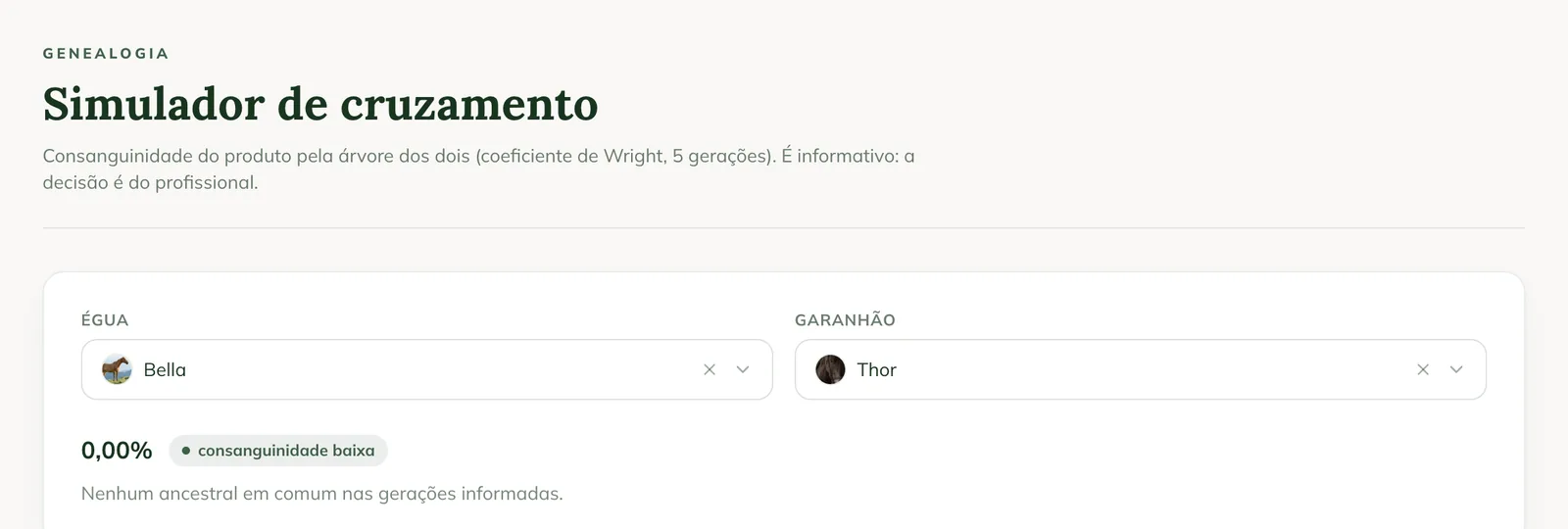
- In Mare, choose the mare.
- In Stallion, choose the stallion.
- See the result: the offspring's inbreeding as a percentage, with the label low inbreeding, moderate or high.
- See the list of shared ancestors and how much each one contributes. With no shared ancestor, No shared ancestors in the generations entered. appears.
- Scroll down to see the stallion's and the mare's pedigrees, with the shared ancestors highlighted.
In the app
In the app, the inbreeding appears on its own when you choose the stallion in the season plan and when you record a breeding without a semen batch: Offspring inbreeding, with the level and the shared ancestors. Offline, the pedigree is built from the herd stored on the phone.
Common problems
The result shows 0% but I know they are related. The pedigree of the two is incomplete in GENNO. Register sire, dam and grandparents on each animal's Pedigree tab.
The stallion doesn't appear to choose. He must be registered as a male, in the herd or as an outside animal in the pedigree.
Next steps

Didn’t this article solve it?
Talk to the GENNO team. Tell us what you were doing and, if you can, send a screenshot.