How to record a reproductive exam on a mare
Record the mare's exam on your phone, with follicles, uterus, corpus luteum and ovulation, and follow her cycle in the app and on the web.
Before you start
- Recording exams is for users with the veterinarian or administrator profile. Other profiles can only view.
- Choose the property you are working on. The exam is linked to it.
- The exam works offline. It stays on the phone and uploads on the next sync.
Open the mare's reproduction
- Tap Animals and open the mare.
- Tap the Reproduction tab.
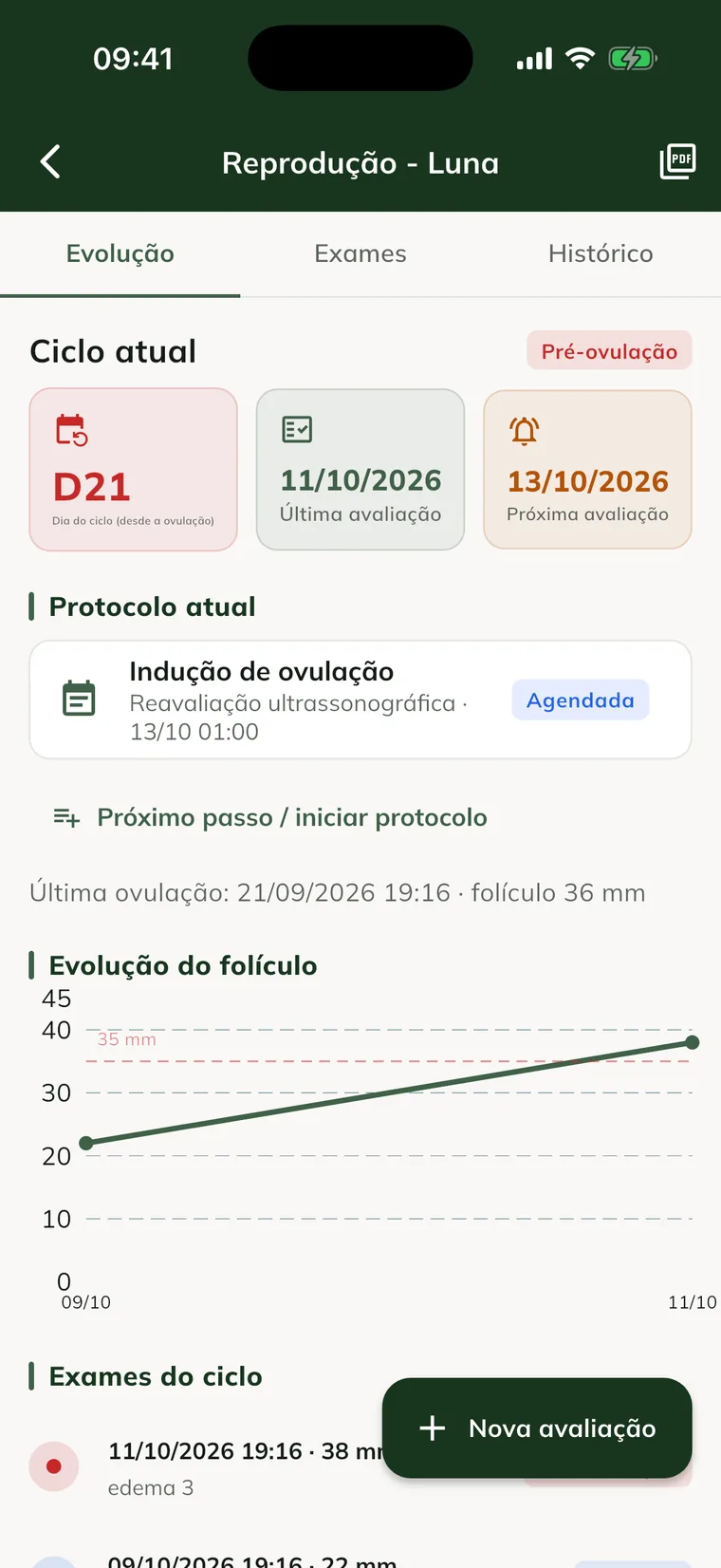
- Tap the Reproductive status card. The mare's Reproduction screen opens, with the Progress, Exams and History tabs.
Shortcut: in More, tap Reproduction to see the property's monitored mares, that is, the ones that already have an exam. Tap the mare's name to open the same screen.
Record the exam
- Tap New assessment.
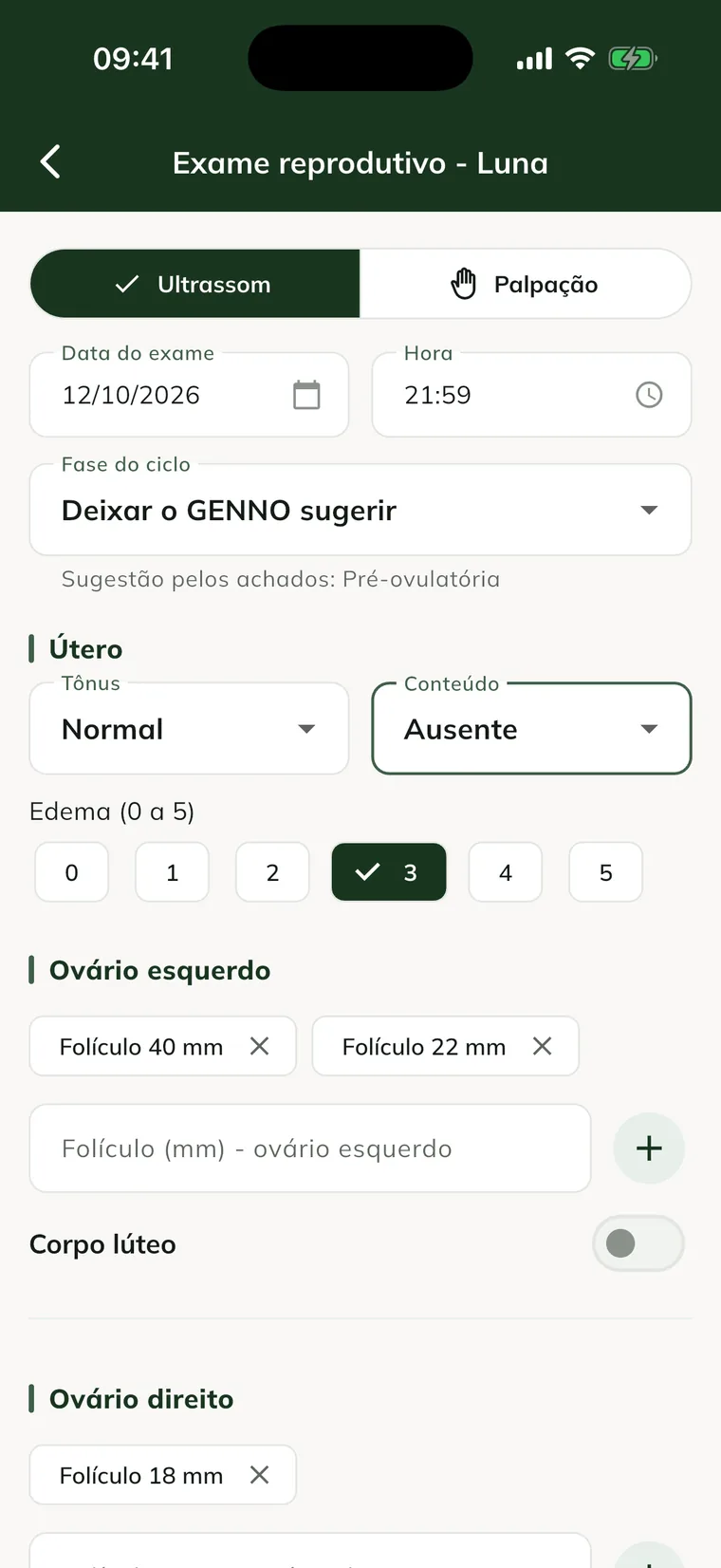
- Choose Ultrasound or Palpation.
- Check the Exam date and Time. The app doesn't accept a future date.
- In Cycle phase, leave Let GENNO suggest or choose the phase you assessed.
- Under Uterus, choose the Tone (Flaccid, Normal or Firm) and the Content (Absent, Minimal, Moderate or Abundant).
- In Edema (0 to 5), tap the grade observed.
- Under Left ovary, type the follicle diameter in mm and tap +. Repeat for each follicle.
- Do the same under Right ovary.
- If there is a corpus luteum, turn on Corpus luteum on the right ovary. Enter the Diameter (mm) and the Stage (Fresh, Mature or Regressing), if you want.
- Under Next assessment, choose the date in Reassess on.
- Use Notes for anything that didn't fit in the fields.
- Tap Save exam. The message Exam recorded. appears.
To delete a follicle typed by mistake, tap the follicle's x before saving. A value typed but not added is also included in the exam when you save.
If you don't choose the phase, GENNO suggests one from the findings: largest follicle of 35 mm or more, pre-ovulatory; corpus luteum, luteal; largest follicle of 20 mm or more, follicular; otherwise, inactive. The phase you choose is never changed.
For now, the exam can't be edited or deleted after it is saved.
Record the ovulation
- On the mare's Progress tab, tap Record ovulation.
- Check the Ovulation date and Time.
- Check the Follicle size (mm). It comes filled in with the largest follicle from the last exam.
- Turn on Induced ovulation if it was induced (e.g.: hCG or deslorelin).
- Tap Record ovulation.
The current cycle is closed and the next one starts counting from this ovulation. The breeding window task is created on sync.
Follow the cycle in the app
- Progress: the current phase, the cycle day, the Last assessment and the Next assessment. It also shows the Follicle progress chart, with a line at 35 mm.
- The cycle day counts from the last ovulation (day 0). With no ovulation recorded, it counts from the first exam.
- The chart appears once there are two exams in the same cycle.
- Exams: each exam, with both ovaries, uterus, edema and the Report button.
- History: exams, ovulations and other reproductive events in date order.
- On the property's Reproduction screen, Next actions lists the reassessments for the next 7 days. Overdue ones appear as Overdue.
The Reproductive reassessment task, with the Reassess on date, is also created on the server: it appears in the schedule after the sync.
See the exams on the web
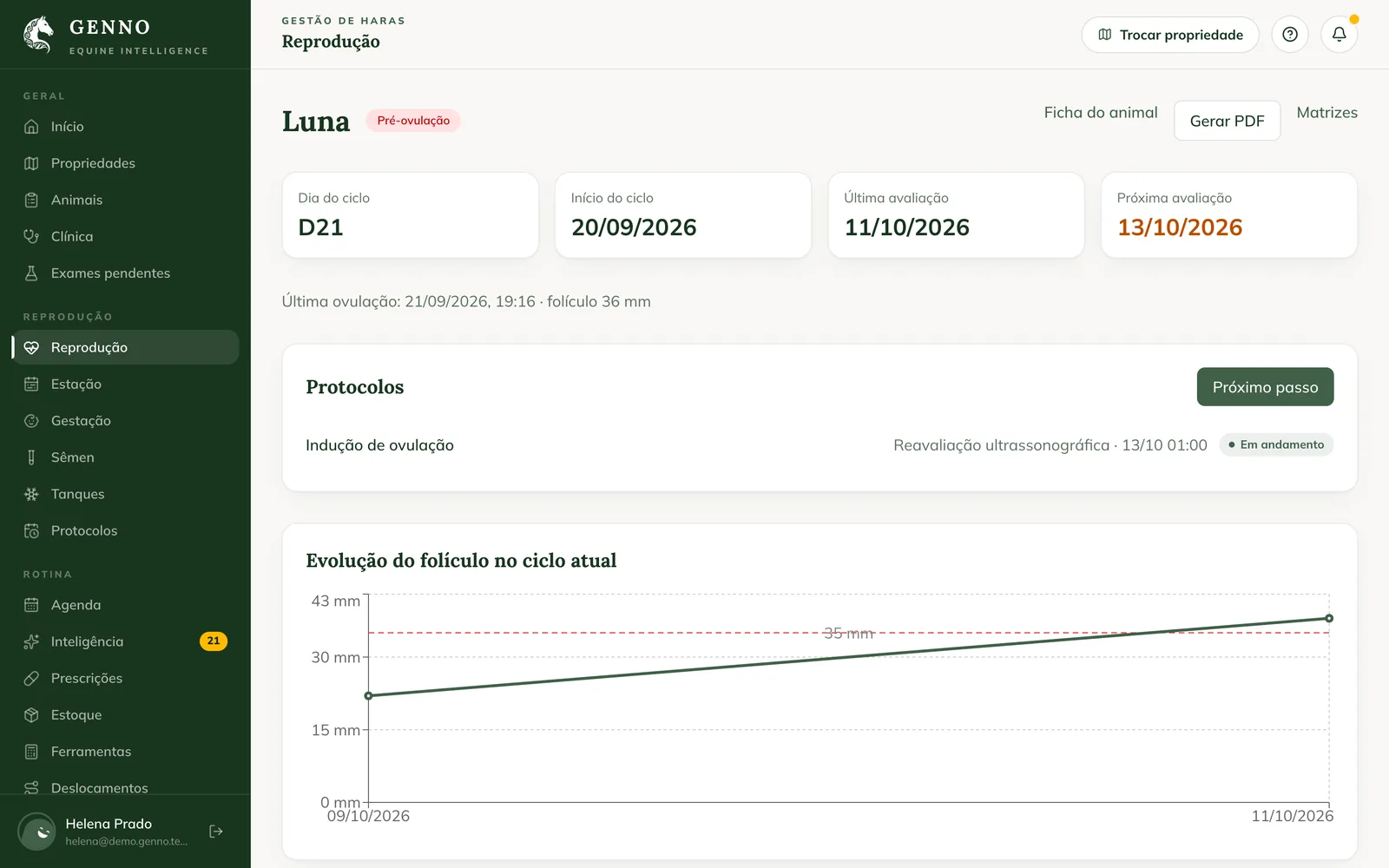
At web.genno.app, open Reproduction in the menu. Everything here is view-only: exams are recorded in the app.
- The dashboard shows monitored broodmares, those in cycle, pre-ovulatory and pregnant, and the Upcoming evaluations (7 days).
- Click Broodmares for the list with status, cycle day and largest follicle.
- Click Exams to see the exams for the period (30 days, 90 days or 1 year).
- Click the mare's name to open her reproductive record: follicle progress, exams per ovary, ovulations and Reproductive timeline. See how to follow the broodmares.
Common problems
The New assessment button doesn't appear. Your profile can only view reproduction. Ask the farm administrator for the veterinarian profile.
I tap Reproductive status and nothing happens. The property hasn't been selected. Select the property you are on and try again.
"Enter the follicle diameter between 0.1 and 100 mm." appears. The value typed is empty, zero or over 100. Fix the number and tap + again.
The exam shows "waiting to send". It is saved on the phone and hasn't uploaded yet. Sync when you have internet.
The exam shows "rejected". The server didn't accept the record. Open the exam on the Exams tab to see the reason and contact support if needed.
The cycle day in the app is different from the web. The phone calculates with the data it has. After the sync, the server's calculation prevails.
Next steps

Didn’t this article solve it?
Talk to the GENNO team. Tell us what you were doing and, if you can, send a screenshot.