How to record breeding, AI and ET in the app
In the field, you record the breeding or insemination right away. The semen batch deducts the straws and the mare is counted in the season rates.
Before you start
- The property must have a breeding season in progress. The season is created on the web. See how to set up the breeding season.
- Recording is for veterinarians and administrators, by default.
- In the app, it works offline. The record uploads on the next sync.
Record the breeding or insemination
- In More, tap Reproduction and the Breeding season icon at the top of the screen.
- Open the Breedings tab and tap Record breeding.
- In Mare, choose the mare.
- In Method, choose AI (cooled), AI (fresh), AI (frozen) or Live cover.
- For insemination with semen from the tank, choose the Semen bank batch. The stallion comes from the batch. If there is a reservation for the mare, use Use reservation and enter the Straws used.
- Without a batch, leave No batch (semen from outside the tank), choose the Stallion (or Outside (enter the name) and the Outside stallion name) and note it in Semen (batch, doses).
- Check the Date and time.
- Tap Record breeding.
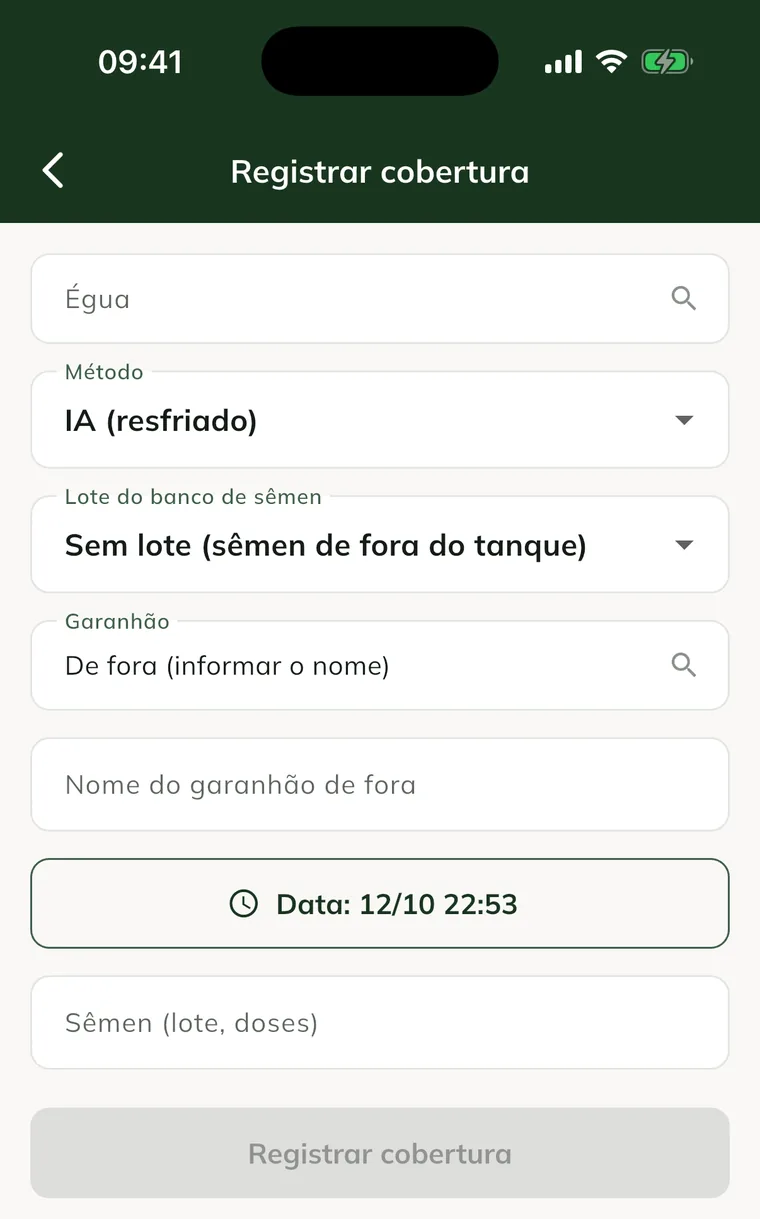
When you choose the mare and the stallion, the app shows the Offspring inbreeding. See how to simulate a mating.
You can also start from the Mares tab: tap the animal and Record breeding / AI.
Record the embryo flush and transfer
- On the Mares tab, tap the donor and Record embryo flush. Enter the Embryos recovered and tap Record.
- Open the Embryos tab. On the flush, tap Record ET.
- Choose the Recipient (the ones in the plan appear under Recipients in the plan) and describe the Embryo quality/stage.
- Tap Record ET.
GENNO doesn't let you transfer more embryos than were recovered in the flush.
Enter the diagnosis
Breedings and ETs stay Waiting for PD until you enter the result.
- On the Breedings tab (or Embryos, for ET), find the record.
- Tap Pregnant or Open.
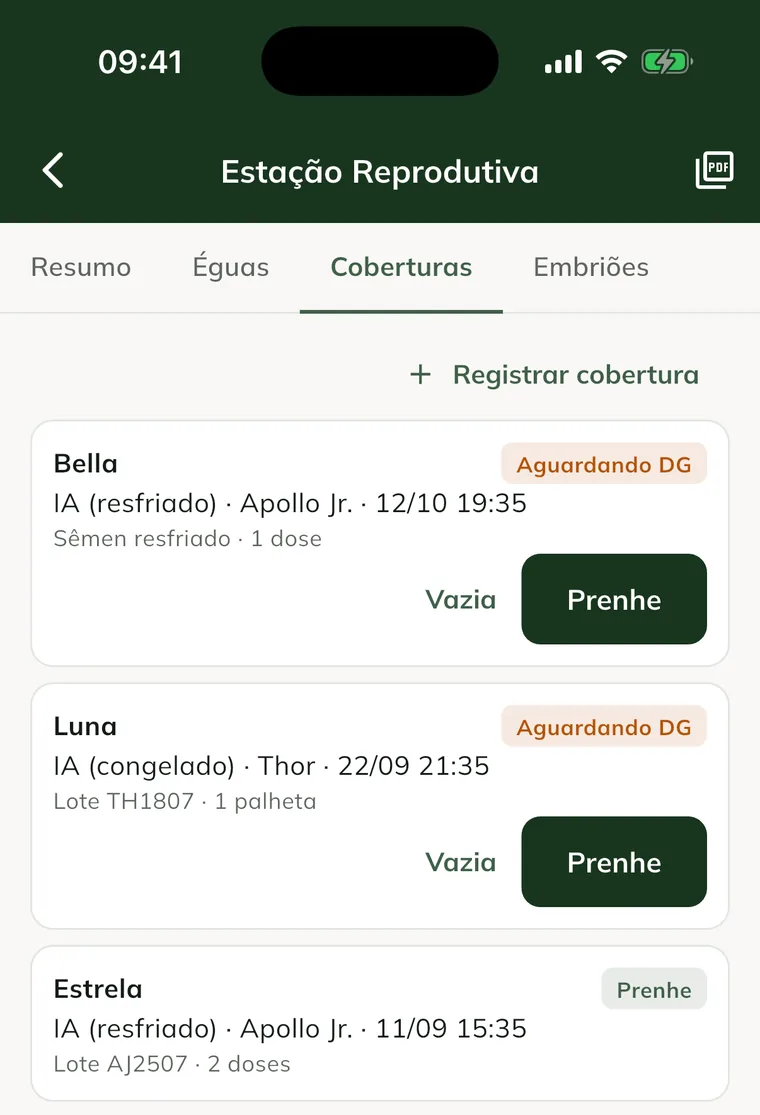
With Pregnant, the mare starts appearing as pregnant. A pending result doesn't count in the season rates. To follow the pregnancy, see how to diagnose and follow the pregnancy.
Common problems
The app shows "No active season on this property." Create the season on the web, in Season, and sync the app.
The semen batch doesn't appear. The batch has no straws available on this property, or the app hasn't synced yet. See semen and tanks.
The Record breeding button stays grey. The mare or the stallion hasn't been chosen. Fill them in and try again.
Next steps

Didn’t this article solve it?
Talk to the GENNO team. Tell us what you were doing and, if you can, send a screenshot.