How to diagnose and follow the mare's pregnancy
From diagnosis to foaling, the pregnancy is on a single screen: days of pregnancy, exams, management and the expected foaling date.
Before you start
- Recording diagnoses and management is for veterinarians and administrators, by default.
- In the app, it works offline.
- The diagnosis can come from the breeding or from the ET. With no pending breeding or ET, enter the breeding date or the gestational age.
See the pregnancies
- App: in More, tap Reproduction and the Pregnancies icon at the top. The Pregnancies and Foals screen shows Pregnant, Foaling soon and Prolonged, the pregnancies In progress, the Recent foals and the Closed ones.
- Web: click Pregnancy in the menu. The Dashboard tab shows the figures and the foalings expected in the next 30 days. The Pregnancies and Foals tabs have the lists.
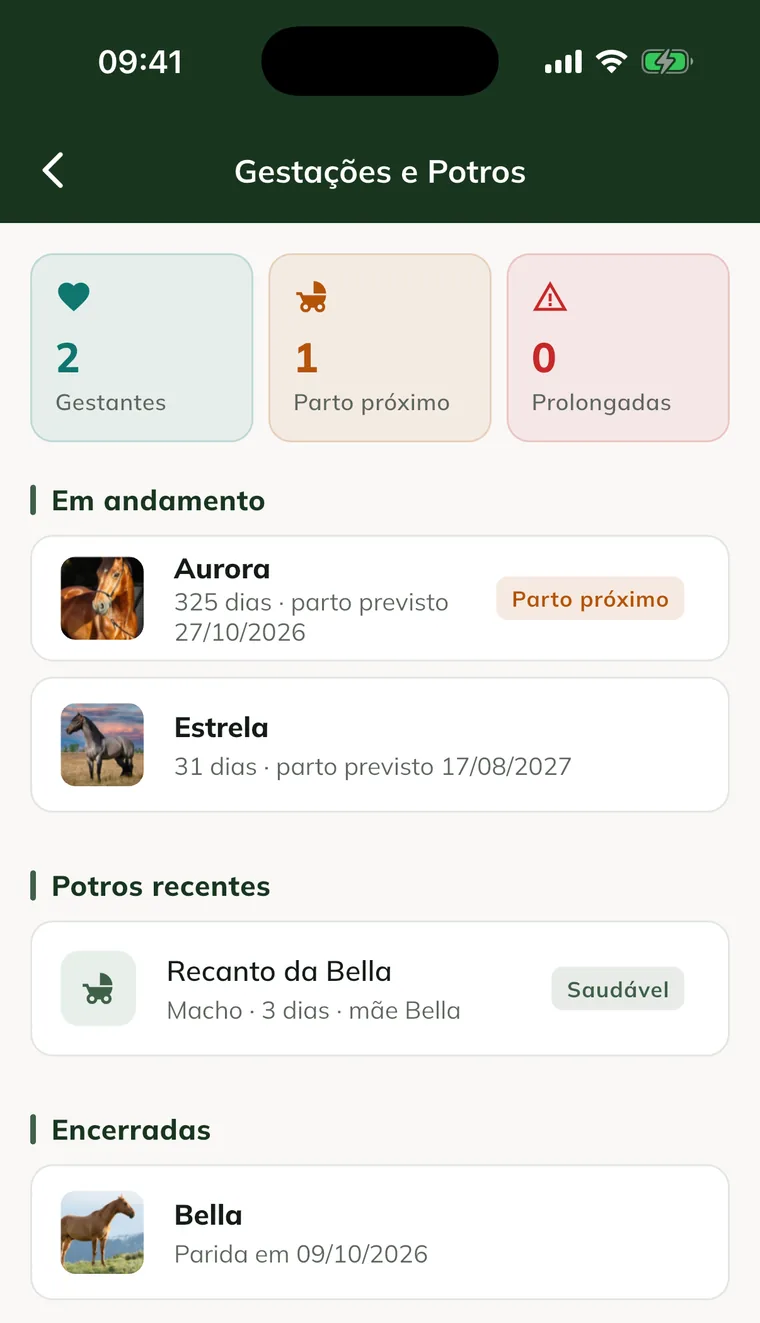
The mare's record also shows the pregnancy card, with the days and the expected foaling.
Record the diagnosis
- Open the mare's pregnancy and tap New Exam. For a mare with no pregnancy yet, use the Pregnancy diagnosis card on her record.
- Check the date and time.
- In Result, choose Pregnant, Not pregnant or Suspected - repeat exam. For a pregnancy in progress, the options are Pregnant (follow-up), Suspected - repeat exam and Embryonic loss.
- Under Details, turn on what you saw: Embryonic vesicle, Embryo and Heartbeat, with the measurements in mm and the Heartbeats (bpm).
- Mark Single or Twins.
- If suspected, choose the date in Repeat the exam on.
- Write the Notes and tap Save Diagnosis.
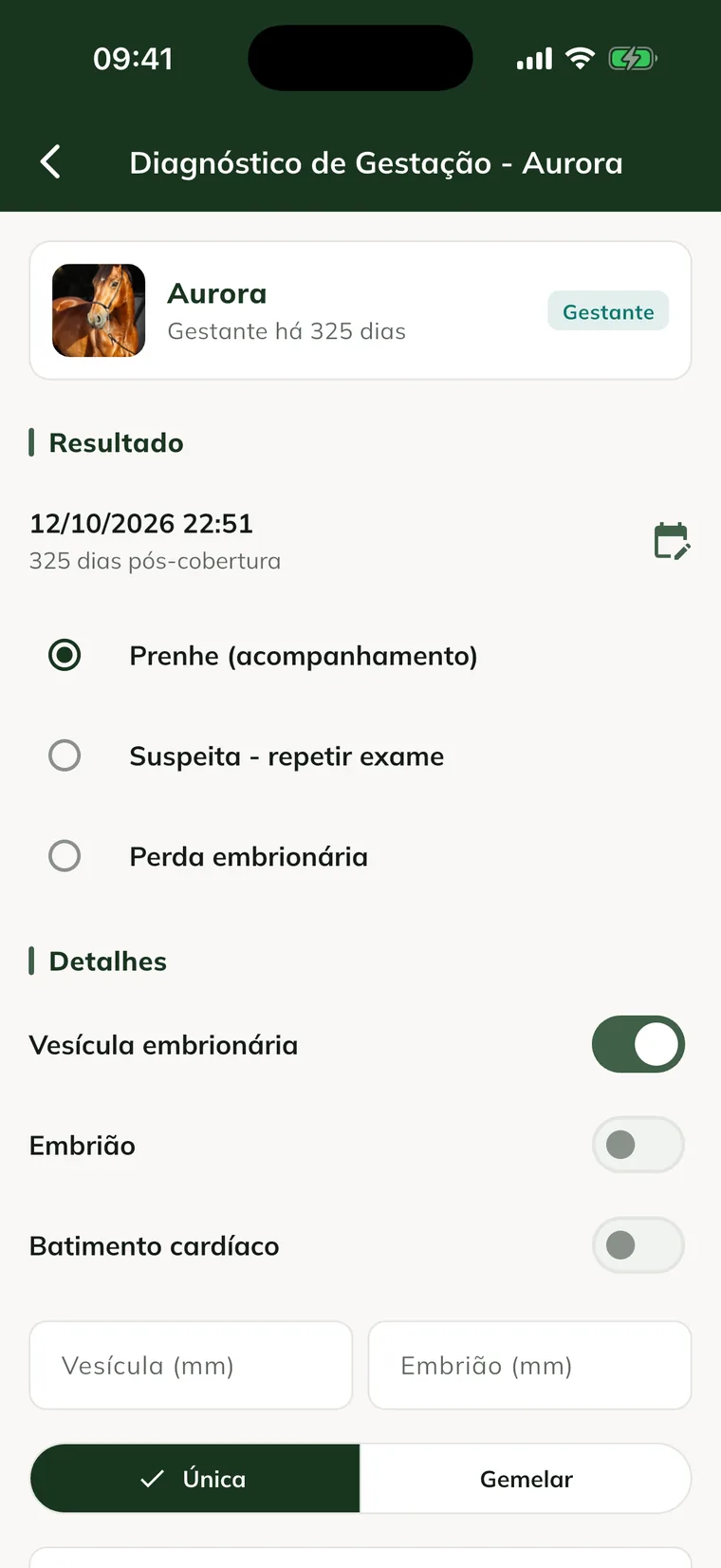
On the web, the same is in Pregnancy › Pregnancy diagnosis, or in New test on the pregnancy page.
Follow the pregnancy
The pregnancy screen has the Overview, Exams, Management and History tabs.
- Overview: the days of pregnancy, the conception, the Expected foaling date and the Timeline with the expected milestones.
- Exams: the diagnoses and follow-ups.
- Management: the pregnancy management steps.
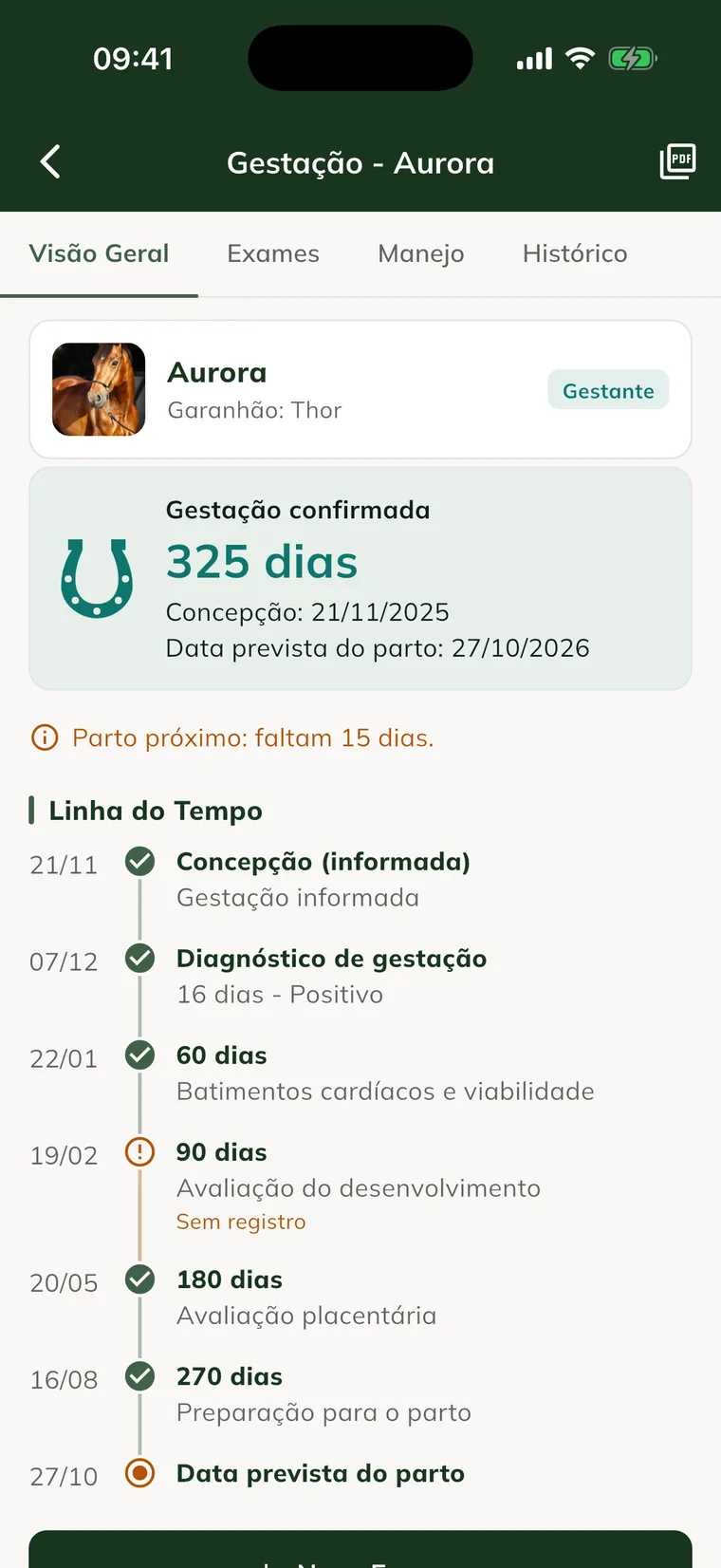
GENNO notifies Foaling soon when foaling approaches and Prolonged pregnancy when it goes past the due date.
Start pregnancy management
- On the pregnancy screen, open the Management tab.
- Tap Start pregnancy management.
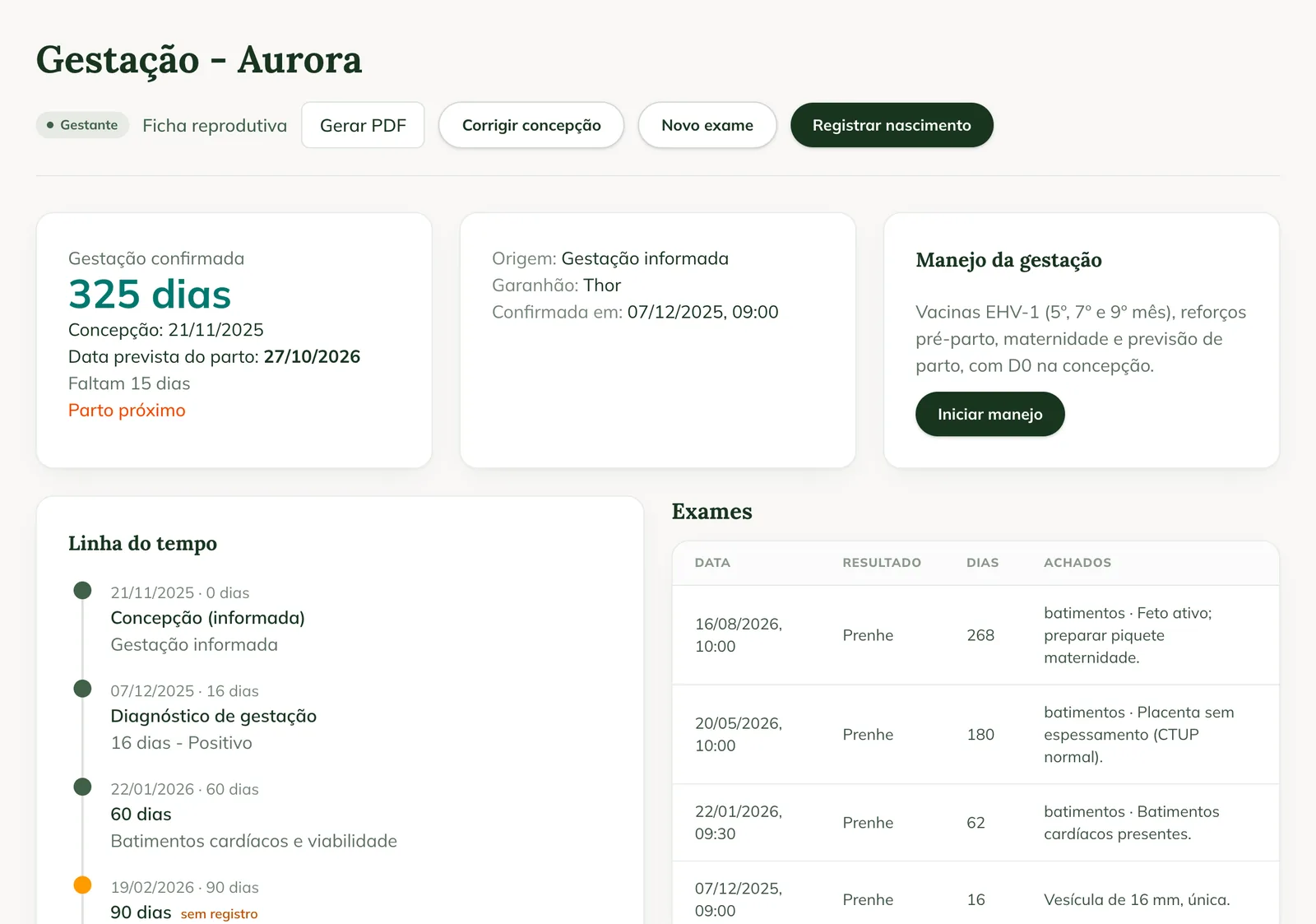
Management is a ready-made protocol, with D0 at conception: EHV-1 vaccines (5th, 7th and 9th month), pre-foaling boosters and deworming, foaling paddock and foaling forecast. Each step becomes a date in the schedule, as in protocols.
Correct the conception (web)
If the conception date is wrong, open the pregnancy on the web and click Correct conception. Enter the Conception reference date and click Save. The expected foaling date is recalculated.
Common problems
"No pending breeding or ET: enter the breeding date or the gestational age." appeared. The mare has no breeding or ET waiting for a diagnosis. Fill in the Breeding date or the Estimated gestational age (days).
The pregnancy shows "Waiting for sync". The diagnosis was saved on the phone and hasn't uploaded yet. Sync when you have internet.
The mare doesn't appear as pregnant. Check that the breeding or ET was marked Pregnant and that the diagnosis was saved.
Next steps

Didn’t this article solve it?
Talk to the GENNO team. Tell us what you were doing and, if you can, send a screenshot.