How to create in-house protocols
In-house protocols are your reproduction routine written down once: each step, when it happens and what counts as done. After that, you just start it on the mare.
Before you start
- Creating and editing protocols is for veterinarians and administrators, by default.
- Setting up protocols requires internet. Starting and following them work offline.
- In-house protocols apply to the property you are on.
- Protocols in progress don't change when you edit the template: each one keeps its own copy of the steps.
Start from the GENNO catalog
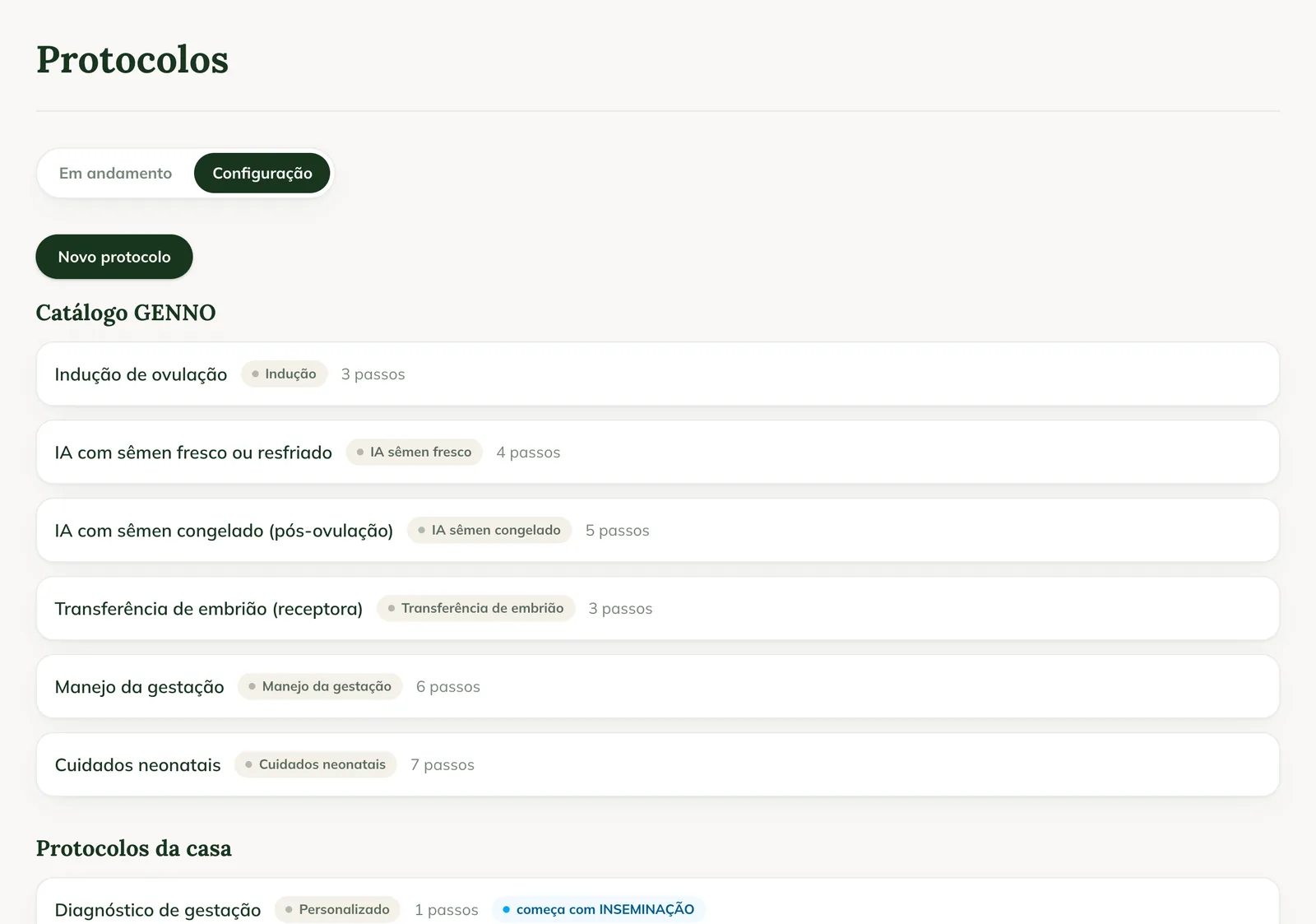
The GENNO catalog has ready-made protocols: ovulation induction, AI with fresh or chilled semen, AI with frozen semen, embryo transfer (recipient), pregnancy management and neonatal care.
- At web.genno.app, click Protocols and the Settings tab.
- In the GENNO catalog, click Duplicate on the protocol closest to your routine.
- The copy appears under In-house protocols. Click Edit to adjust it.
Edit or create a protocol
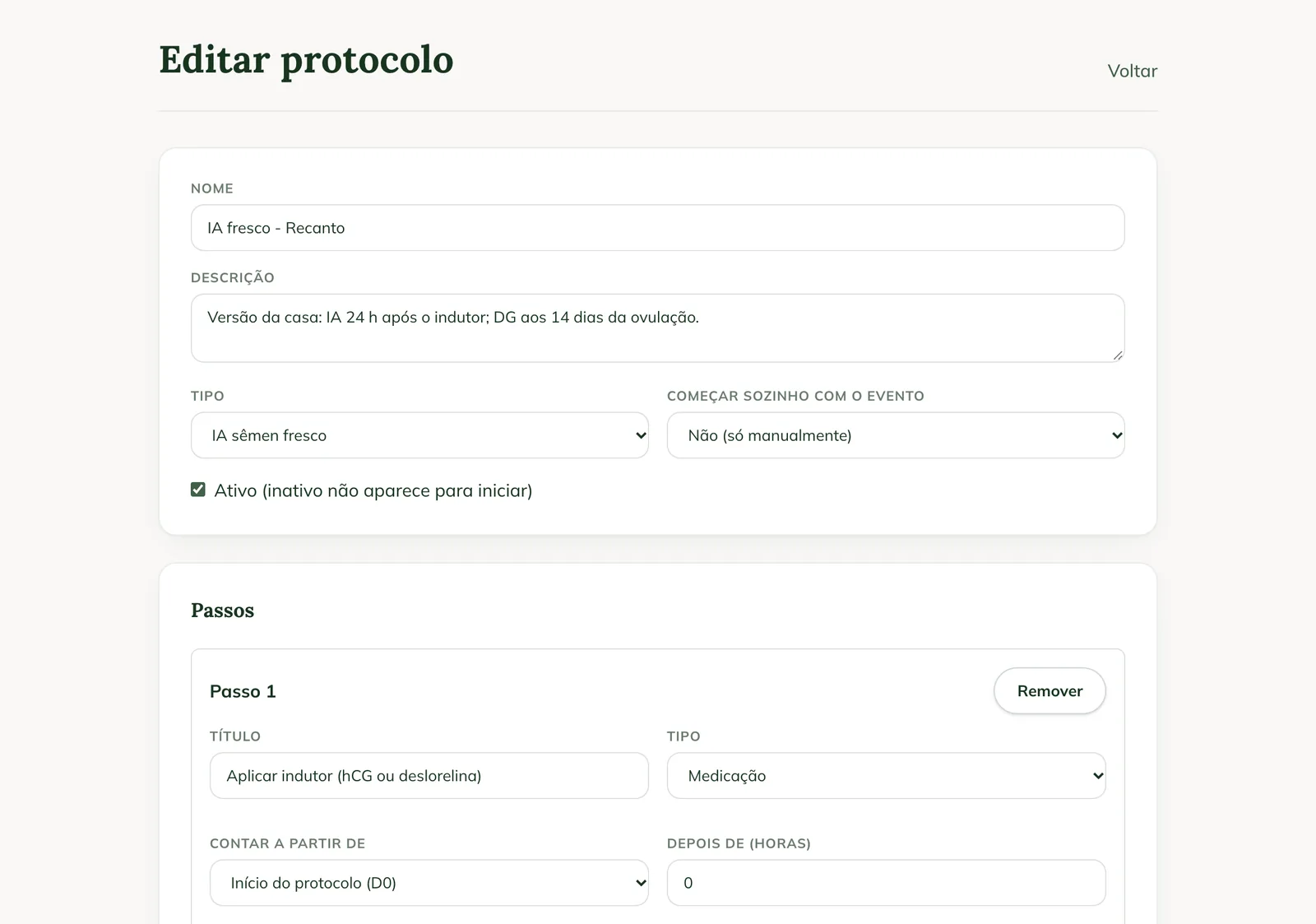
- Click Edit on an in-house protocol, or New protocol.
- Fill in Name and Description.
- In Type, choose Induction, AI fresh semen, AI frozen semen, Embryo transfer, Custom, Pregnancy management or Neonatal care.
- In Start automatically with the event, choose No (manually only) or the event that starts the protocol, such as OVULATION, INSEMINATION or PREGNANCY CONFIRMED.
- Keep Active checked. Inactive protocols don't appear to be started.
- Under Steps, for each step:
- Write the Title and choose the Type: Medication, Exam, Insemination, Embryo transfer, Procedure or Observation.
- In Count from, choose Protocol start (D0), A previous step or An animal event.
- In After (hours), enter the interval. Use Window (hours, optional) to give a time range.
- In Done when it happens, choose the event that marks the step as done, or — (manual record).
- Write the Instructions (optional).
- Click Add step to include another one. Use Remove to take a step out.
- Click Save protocol.
In the app, the same is in More › Protocols › Set up, with internet.
Delete a protocol
Under In-house protocols, click Delete and confirm. Protocols already started with it continue.
Common problems
The app shows "Setting up protocols requires a connection. Starting and following them works offline." Connect to the internet to create or edit. To start one, you don't need it.
"The protocol needs at least one step" appeared. Add at least one step before saving.
The protocol doesn't appear to start on the mare. Check that it is Active and that you are on the same property where it was created.
Next steps

Didn’t this article solve it?
Talk to the GENNO team. Tell us what you were doing and, if you can, send a screenshot.