How to follow the broodmares and the reproductive record
Monitored broodmares are shown on a dashboard: who is cycling, who is about to ovulate, who is pregnant and who needs to be reassessed.
Before you start
- A mare is monitored after her first reproductive exam. See how to record the reproductive exam.
- In the app, viewing works offline, with the data from the last sync.
In the app
- In More, tap Reproduction.
- See the counters: Broodmares, Cycling, Pre-ovulation and Pregnant.
- Under Mares being monitored, filter by All or by status.
- Under Next actions, see the reassessments for the next 7 days. Overdue ones appear as Overdue.
- Tap the mare to open her Reproduction screen, with Progress, Exams and History.
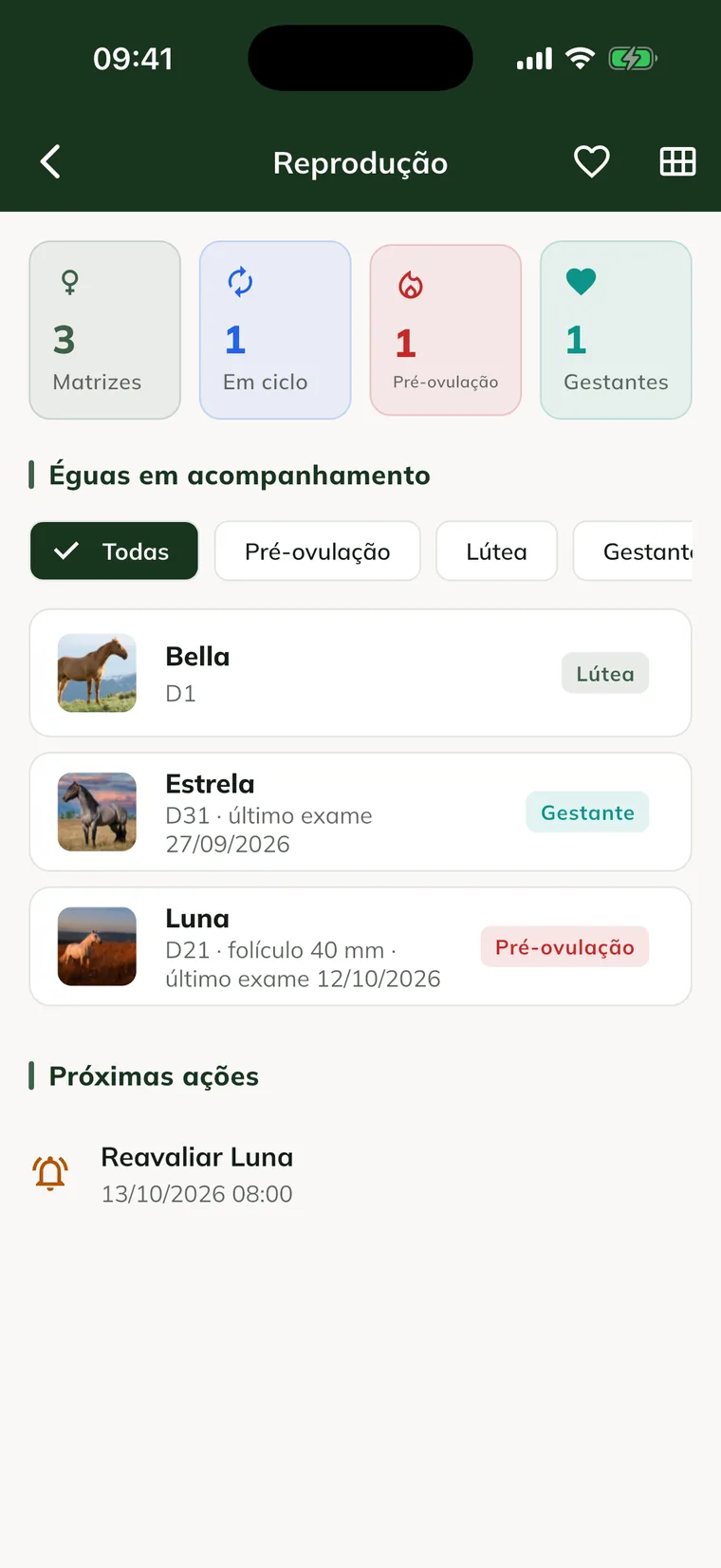
At the top, the heart icon opens Pregnancies and the grid icon opens the Breeding season.
On the web
- At web.genno.app, click Reproduction in the menu.
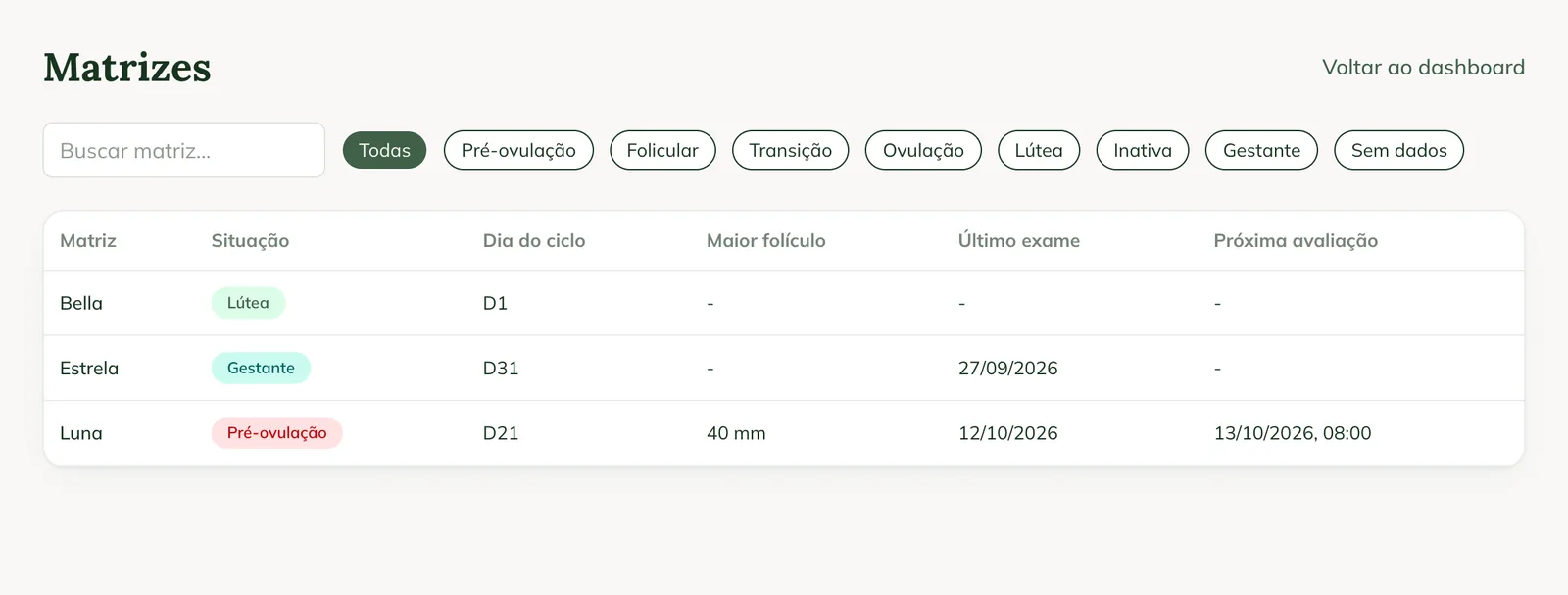
- The dashboard shows Monitored broodmares, Cycling, Pre-ovulation and Pregnant, the Broodmare status and the Upcoming evaluations (7 days).
- Click Broodmares for the list with Status, Cycle day, Largest follicle, Last exam and Next assessment. Use Search broodmare... and the status filters.
- Click Exams for the exams in the period.
The reproductive record
Click the mare's name to open the reproductive record. It shows:
- Cycle day, Cycle start, Last assessment and Next assessment.
- Follicle progress in the current cycle, with the 35 mm line. Two exams in the cycle are needed to show the progress.
- Exams, with each ovary, the edema and the Report button.
- Ovulations and Protocols, with Next step to start a new one.
- Reproductive timeline.
If the mare is pregnant, the record shows for how many days, with the see pregnancy link.
Generate the reproductive report
On the animal record (web or app), use the Reproductive button to generate the mare's reproductive report as a PDF. See how to generate reports.
Common problems
The mare doesn't appear among the broodmares. She doesn't have a reproductive exam on this property yet. Record the first exam.
The record shows "Two exams in the cycle are needed to show the progress." The chart appears from the second exam in the same cycle.
The cycle day in the app is different from the web. The phone calculates with the data it has. After the sync, the server's calculation prevails.
Next steps

Didn’t this article solve it?
Talk to the GENNO team. Tell us what you were doing and, if you can, send a screenshot.