How to use ready-made prescriptions and quick texts
A ready-made prescription keeps a named set of medications, such as "Mild colic" or "Post-castration care". During the visit, it brings them all at once, with the dose already calculated from the animal's weight. A quick text turns a shortcut, such as /mild-colic, into the whole paragraph.
Before you start
- Prescriptions use the medications registered in Stock.
- Creating and editing prescriptions requires the Templates permission. Whoever prescribes uses them in the app.
- Quick texts are personal. Those with the Templates permission can share them with the whole team.
- Prescriptions and texts reach the app in the sync and work offline.
Create a ready-made prescription
- At web.genno.app, click Settings and, under Clinical, Ready-made prescriptions.
- Click New ready-made prescription and give it a Name.
- For each medication, choose the Product, the Dose and the Unit.
- Under The dose is, choose By animal (fixed dose) or Per kg of body weight. For a per-kg dose, the unit is the final dose unit (for example, mL), and the window shows the example for a 450 kg animal.
- Choose the Route and fill in Times a day, Days and, if you want, the Instructions.
- Click + Medication to add another one, and Save.
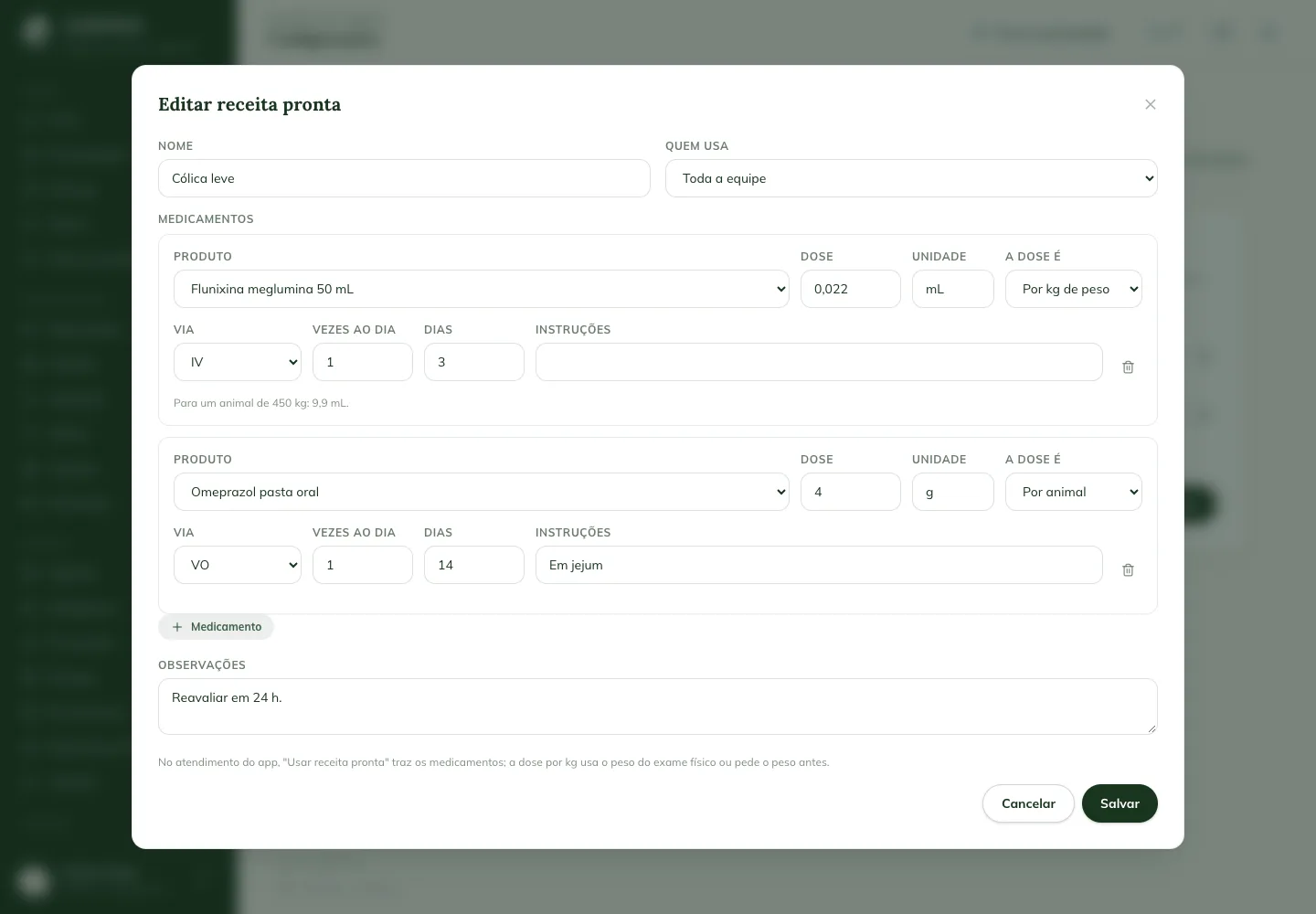
Under Who uses it, Only me keeps the prescription to yourself.
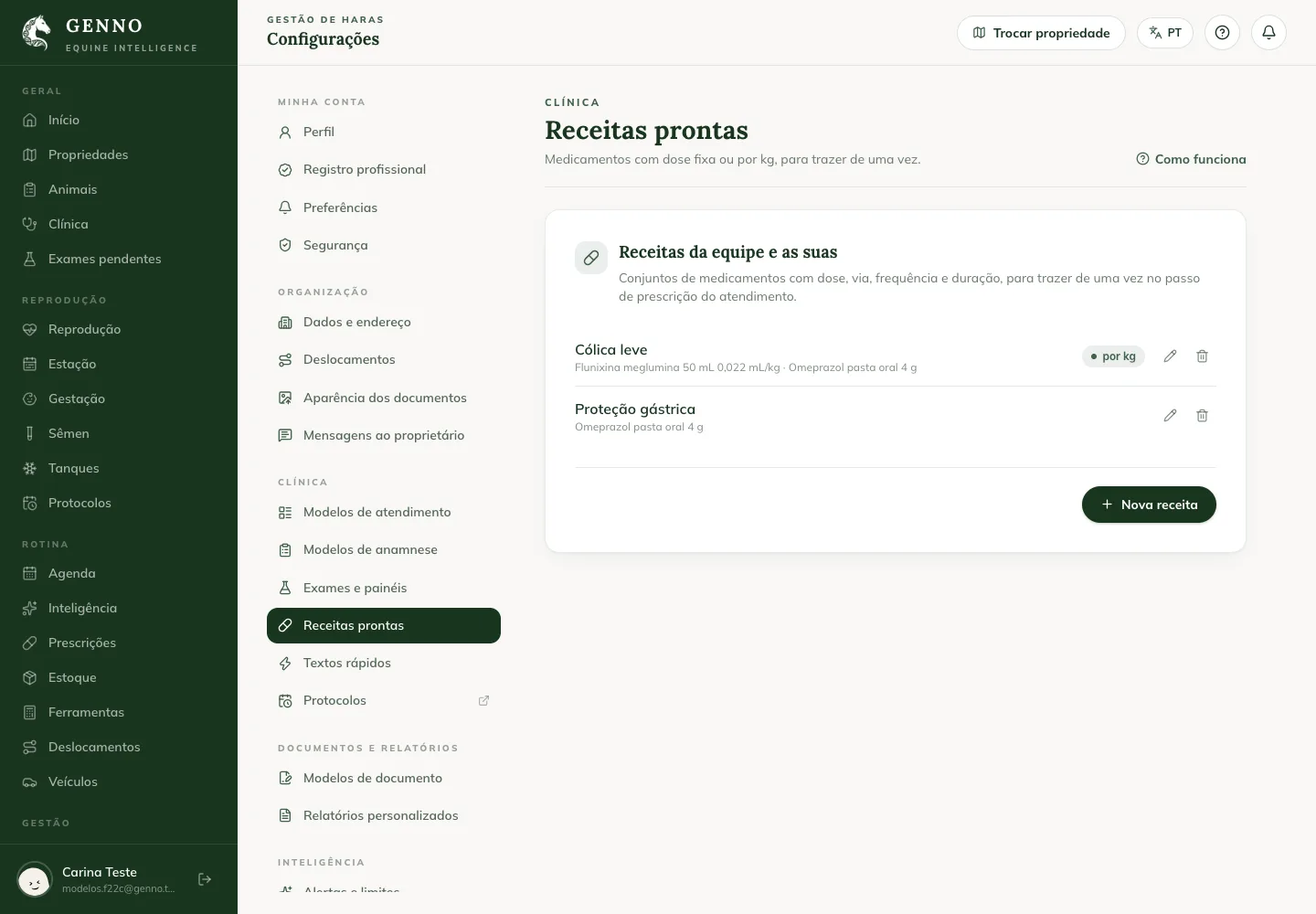
Use the prescription during the visit
- In the app visit, fill in the Weight in the Physical exam step if the prescription has a per-kg dose.
- In the Prescription step, tap Use ready-made prescription and choose it.
- If the weight wasn't filled in, the app asks for the Weight (kg) before adding the prescription.
- Check the medications and change what you need, as in any prescription.
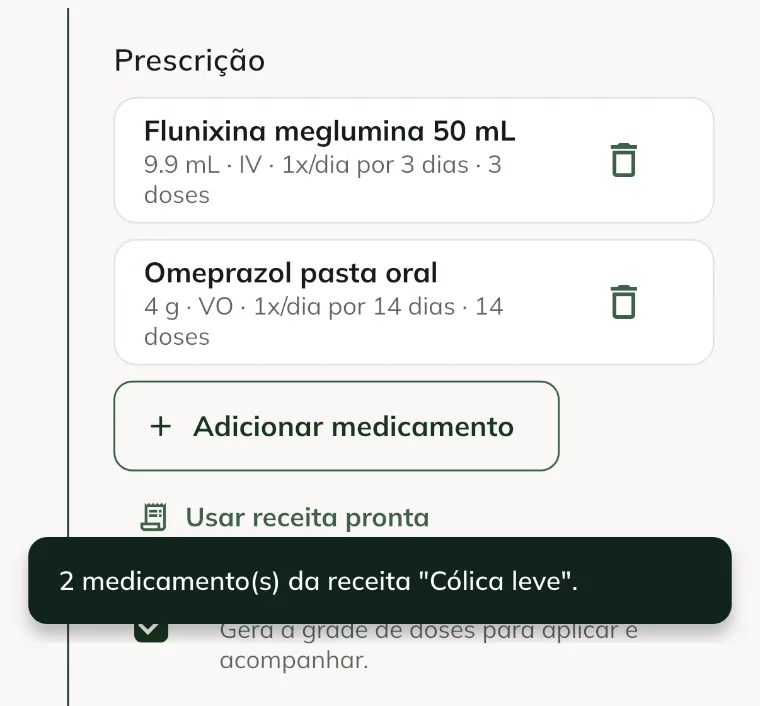
The per-kg dose is the prescription dose times the weight, rounded to two decimals. If a product in the prescription isn't in the device's stock, it is left out and the app tells you which one.
Create a quick text
- In Settings › Clinical, click Quick texts and New text.
- Write the Shortcut with lowercase letters, numbers and hyphens (for example, mild-colic).
- If you want, give it a Title, and write the Text.
- Under Shows in, check the fields: Reason, History, Diagnosis, Plan or Notes. With none checked, it shows in all of them.
- Click Save.
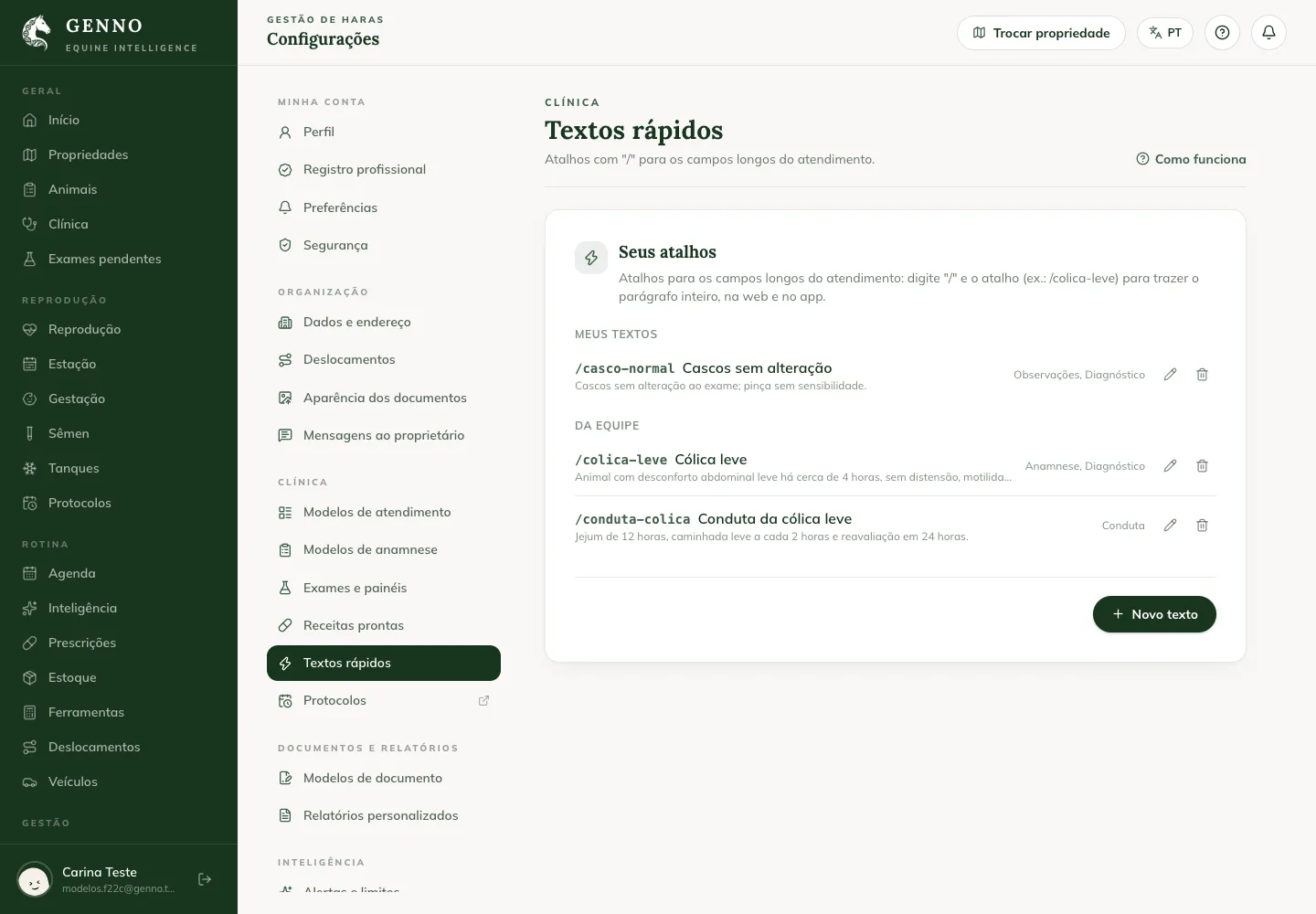
Use the quick text
- In a text field of the visit, type / and the start of the shortcut.
- Choose the text from the list below the field. On the web, use the arrow keys and Enter; in the app, tap the text.
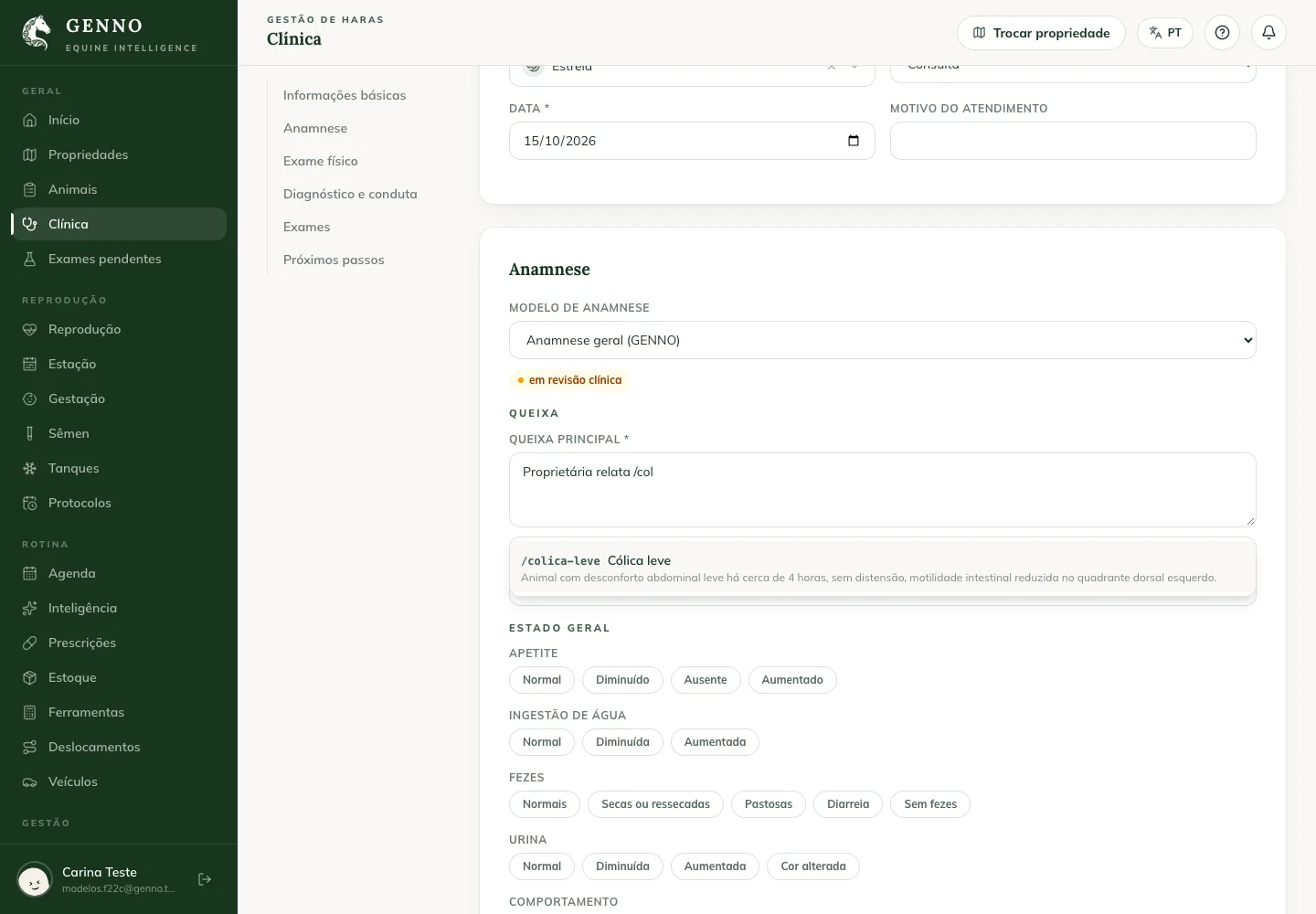
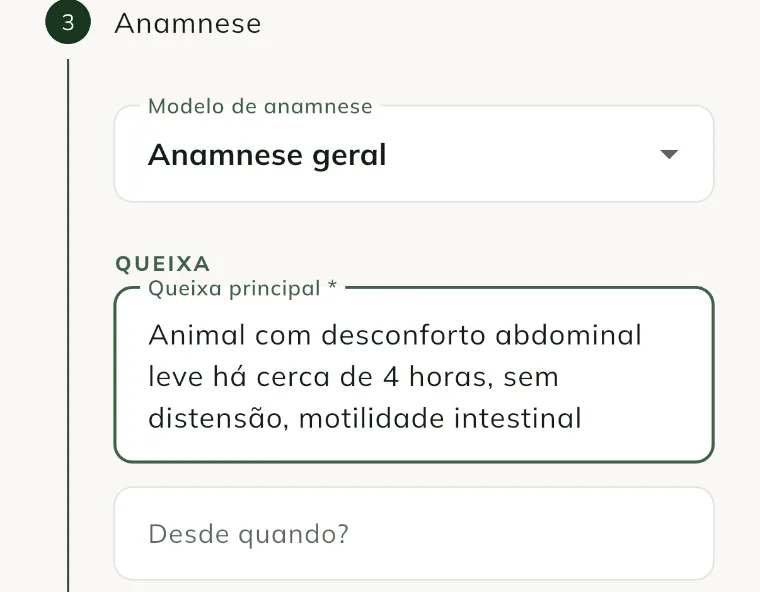
If you and the team have a text with the same shortcut, yours is shown.
Common problems
The Use ready-made prescription button doesn't appear. There are no prescriptions on the device. Sync with internet. If it still doesn't appear, ask whoever manages the templates to create one.
A medication from the prescription was left out. The product isn't in the device's stock or the dose unit doesn't match the product's. Check the product in Stock and the prescription in Ready-made prescriptions.
The quick text list doesn't open. The slash must be at the start of a word (after a space or at the start of the field), and the text must apply to that field.
Next steps

Didn’t this article solve it?
Talk to the GENNO team. Tell us what you were doing and, if you can, send a screenshot.