How to request lab exams in GENNO
You choose the tests, the laboratory and who pays, and GENNO generates the request as a PDF. The request follows the animal until the result.
Before you start
- The clinical module must be in the farm's plan.
- In the app, requesting works offline after the test catalog has been downloaded once.
- Requesting exams is for those who can record visits (veterinarian and administrator, by default).
Request during the visit (app)
- In the visit, move forward to the Exams step.
- Under Panels, tap a ready-made panel: Tests for the movement permit (EIA + glanders), Pre-purchase, Breeding mare or Stallion.
- Under Exams, search in Search test and select the ones missing. Tests are grouped, such as Hematology, Biochemistry, Serology, Cytology and biopsy, Hormones and Imaging.
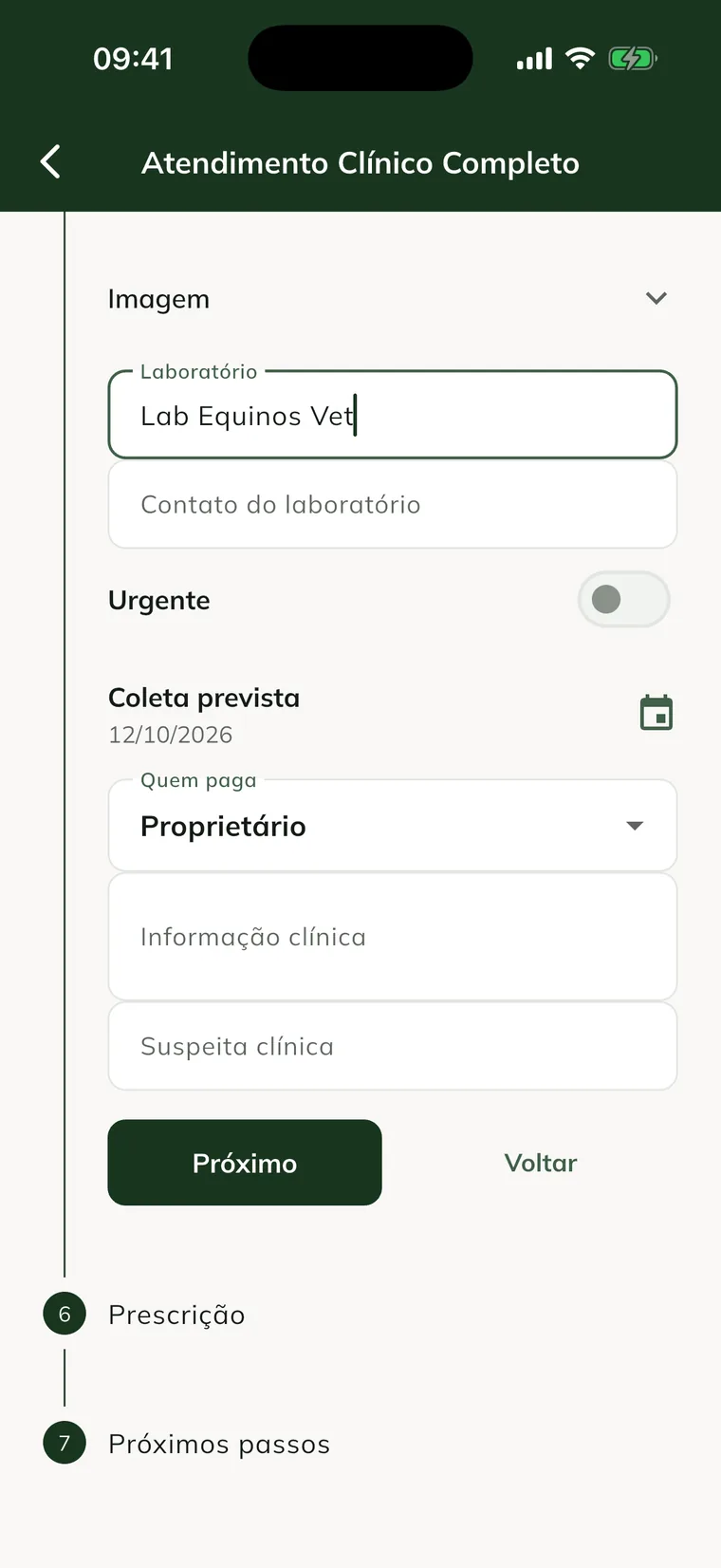
- Fill in Laboratory and Laboratory contact (WhatsApp or email).
- Turn on Urgent, if needed, and check the Planned collection.
- In Who pays, choose Owner, Farm or clinic or Other (and write the name).
- Write the Clinical information and the Clinical suspicion.
- Tap Next and finish the visit.
The EIA and glanders tests show Goes to the passport: the result goes into the animal's passport on its own.
Request without a visit
- In the app: open the animal, tap the Exams tab and Request tests. Choose the tests as above and tap Request. Test request saved. appears.
- On the web: open the visit's medical record (in Clinical, See medical record) or the animal record and, under Requested tests, click Request tests. Fill it in and click Request.
The PDF request
After the request uploads to the server, it shows the Request (PDF) button. Use it to send to the laboratory or print it to go with the sample.
To know what to do after collection, see how to follow pending exams.
Common problems
"The test catalog has not been downloaded yet." appeared. Connect the phone to the internet once and sync. After that, requesting works offline.
"Choose at least one test." appeared. Select at least one test or panel before requesting.
The Request (PDF) button doesn't appear. The request is still only on the phone. Sync and open it again.
The Exams tab appears as Module Locked. The farm's plan doesn't include the clinical module. See your plan and the limits.
Next steps

Didn’t this article solve it?
Talk to the GENNO team. Tell us what you were doing and, if you can, send a screenshot.