How to start a treatment for an animal
The treatment creates the animal's dose schedule: whoever gives the doses sees each one at the right time, and inventory is deducted with each dose.
Before you start
- Starting a treatment is for those who can prescribe (veterinarian and administrator, by default).
- Medications must be registered in Inventory on the property.
- In the app, it works offline. The treatment uploads on the next sync.
There are three ways to start a treatment:
| Where | When to use it |
|---|---|
| Prescription step of the visit | During the consultation. Keep Start the treatment now checked. See how to record a visit. |
| The animal's Treatments tab | Without a visit, for example a routine protocol. |
| Prescriptions on the web | To start a prescription that was saved without starting the treatment. |
From the animal's Treatments tab
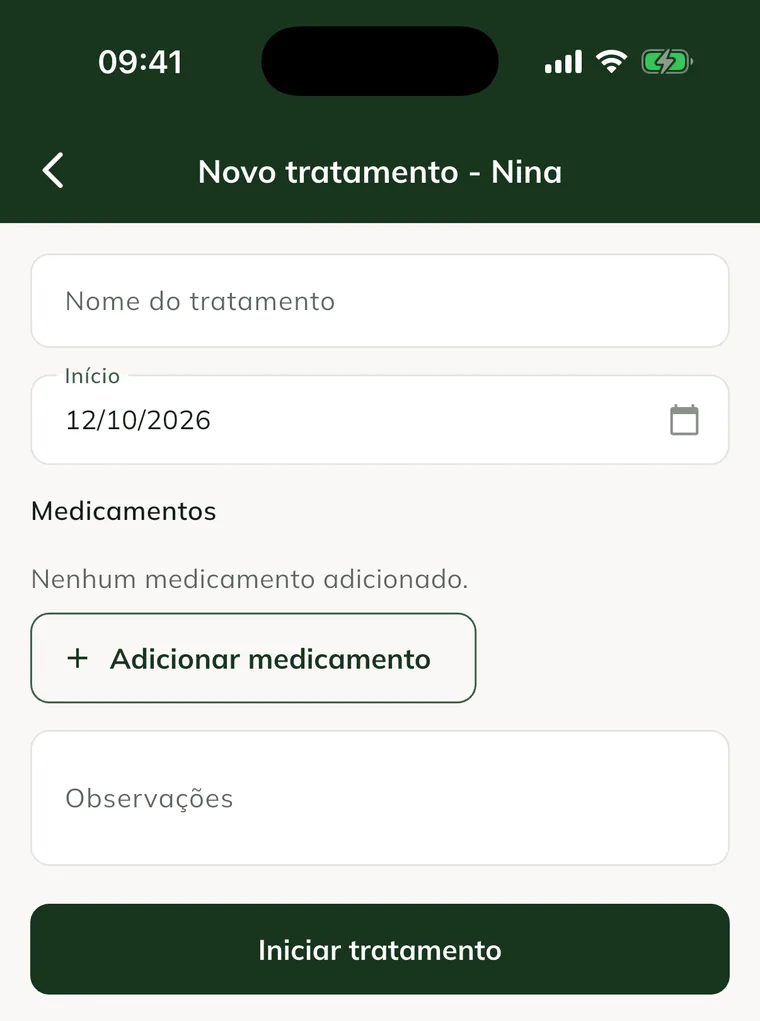
- Open the animal and tap the Treatments tab.
- Tap New treatment.
- In Treatment name, give it a name. E.g.: AI protocol.
- Check the Start date.
- Tap Add medication.
- Choose the Product, enter the Dose and the Unit, choose the Route and fill in Times per day and Days. Tap Add.
- Repeat for each medication.
- Use Notes if needed.
- Tap Start treatment.
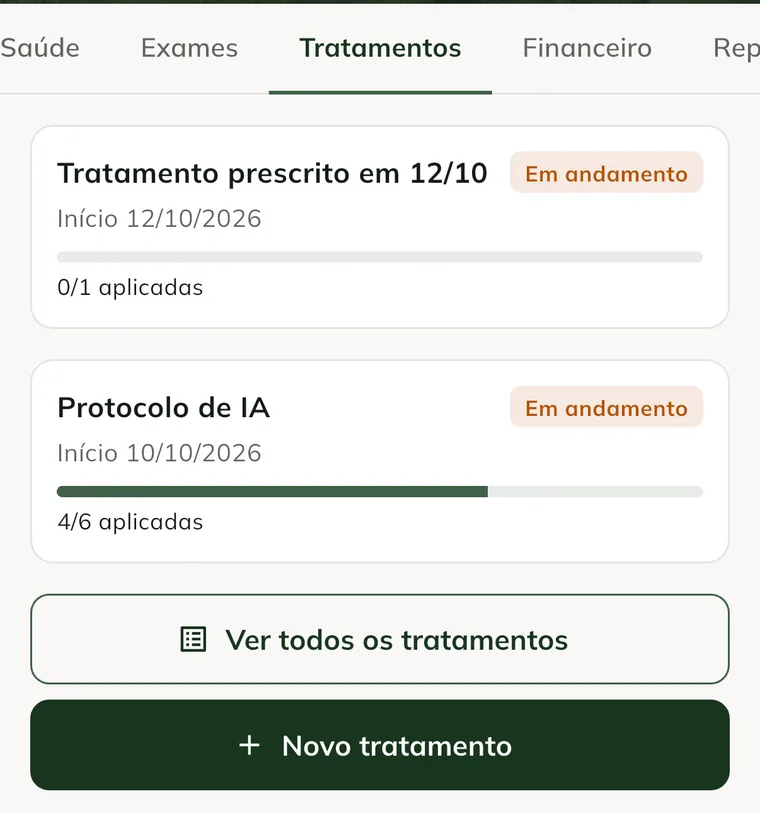
The treatment appears on the Treatments tab, with the progress bar and the doses given.
In the visit prescription
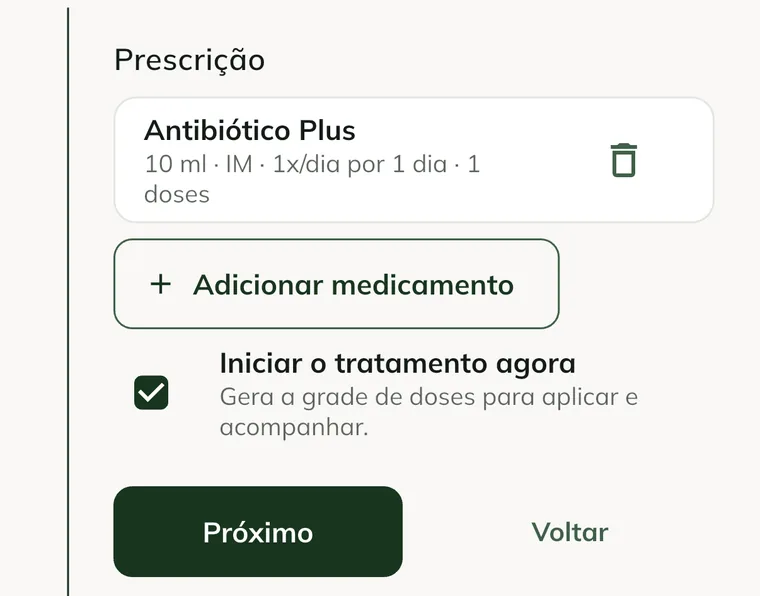
In the visit's Prescription step, medications are shown on cards. The Start the treatment now option comes checked and creates the dose schedule when you finish.
Start a saved prescription (web)
If the prescription was saved without starting the treatment, start it on the web:
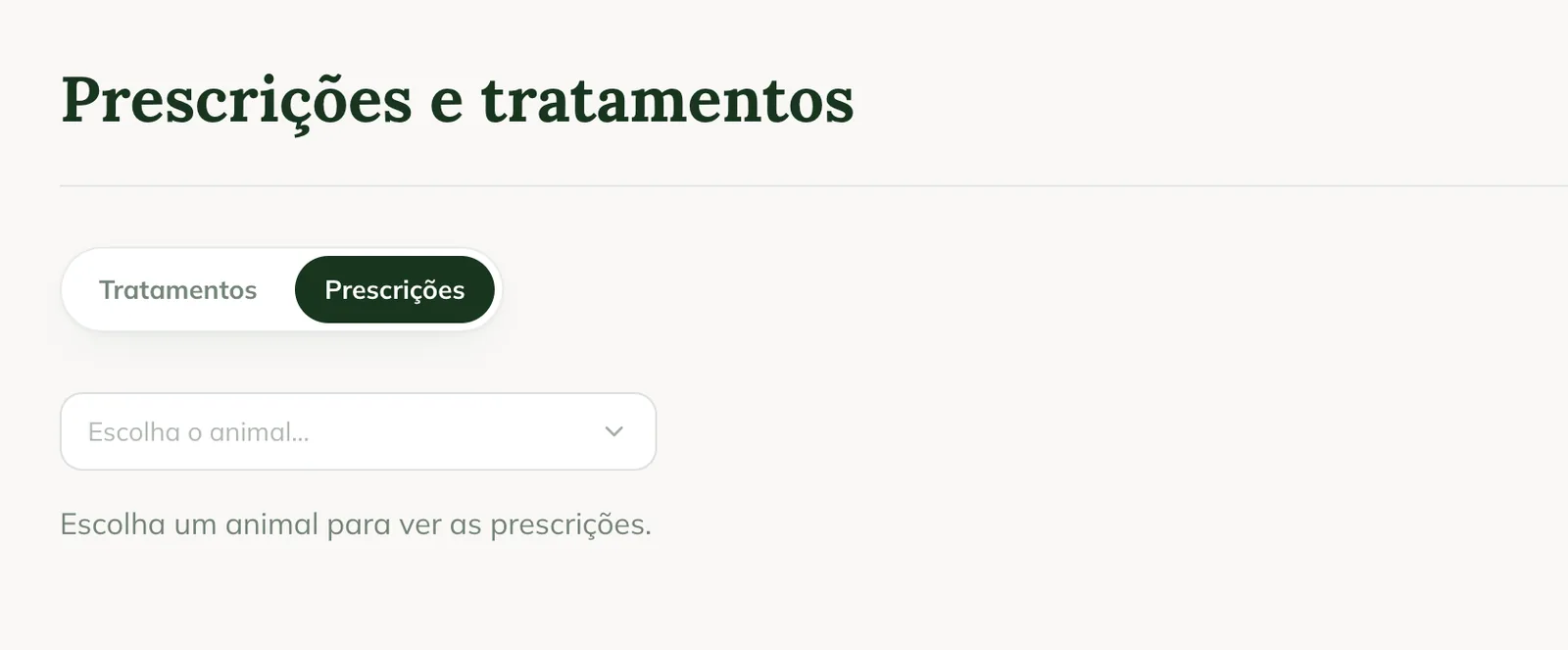
- At web.genno.app, click Prescriptions, in the Routine menu.
- Click the Prescriptions tab.
- In Choose the animal..., choose the animal.
- On the prescription, click Start treatment. To discard it, click Cancel and confirm.
Common problems
"Add at least one medication." appeared. The treatment needs at least one medication. Tap Add medication.
"Enter the name" appeared. Fill in the Treatment name before starting.
The medication doesn't appear in Product. It isn't registered in the property's inventory. See how to register products and suppliers.
The New treatment button doesn't appear. Your profile can't prescribe. Ask the administrator.
Next steps

Didn’t this article solve it?
Talk to the GENNO team. Tell us what you were doing and, if you can, send a screenshot.