How to follow pending exams until the result
Each request goes through Requested, Collected, Sent to the laboratory and Resulted. The pending list shows what each one is still missing.
Before you start
- The request must have been made. See how to request exams.
- In the app, status changes and the result work offline.
- Attaching the lab report to the request itself is done on the web. In the app, attach it on the animal's Documents tab.
See pending requests
- App: More › Pending tests, or the animal's Exams tab.
- Web: Pending tests, in the General menu. The page shows the requests that don't have a result yet.
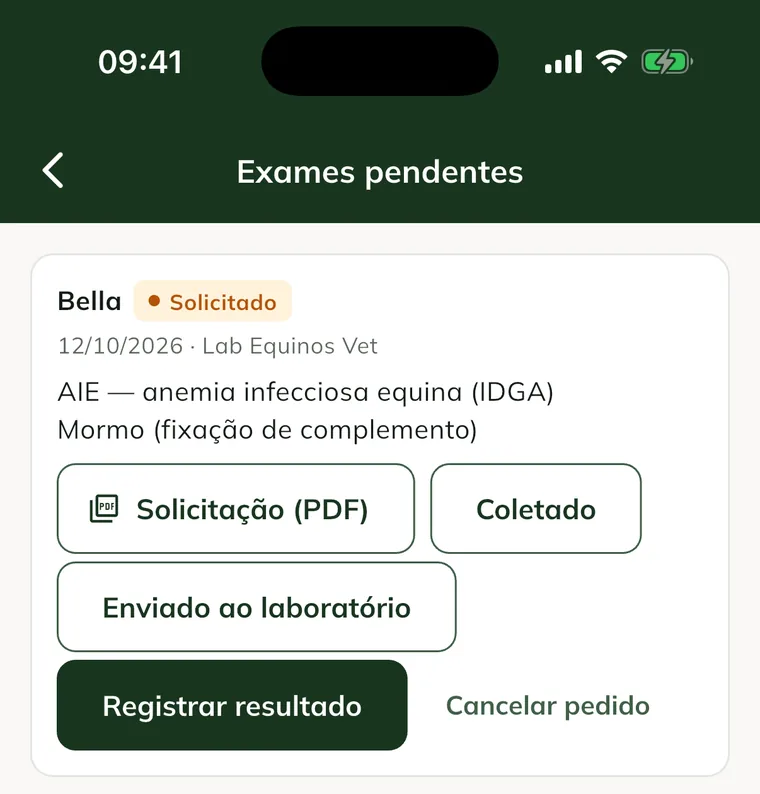
A request past its deadline shows Result overdue.
Mark collection and shipping
- After collecting the sample, tap Collected.
- When you send the sample, tap Sent to the laboratory.
On the web, while the request hasn't been collected, the Edit button lets you change the tests. After collection, the request's tests can't change.
Record the result
- Tap Record result.
- For each test, mark the result: Normal or Abnormal, or Negative, Positive or Inconclusive for serology tests.
- Use Note (values, findings) for the details.
- Write the Result notes, if you want.
- Tap Save result. Result saved. appears.
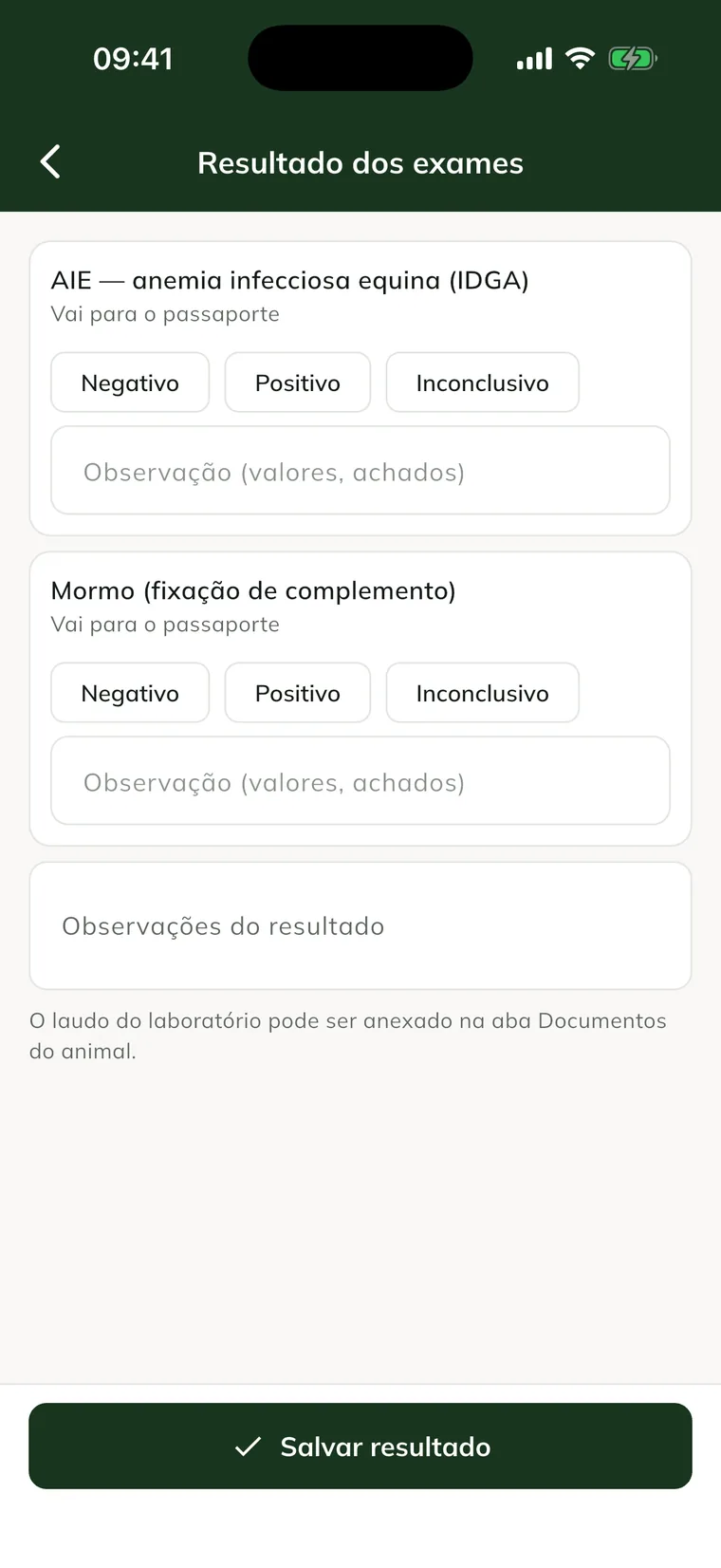
The EIA and glanders results go into the animal's passport on their own. To fix it later, tap Correct result.
On the web, the result window also has the Lab report (PDF or photo) field to attach the laboratory's file. If no summary is entered, the request is marked "abnormal" if any test is abnormal or positive.
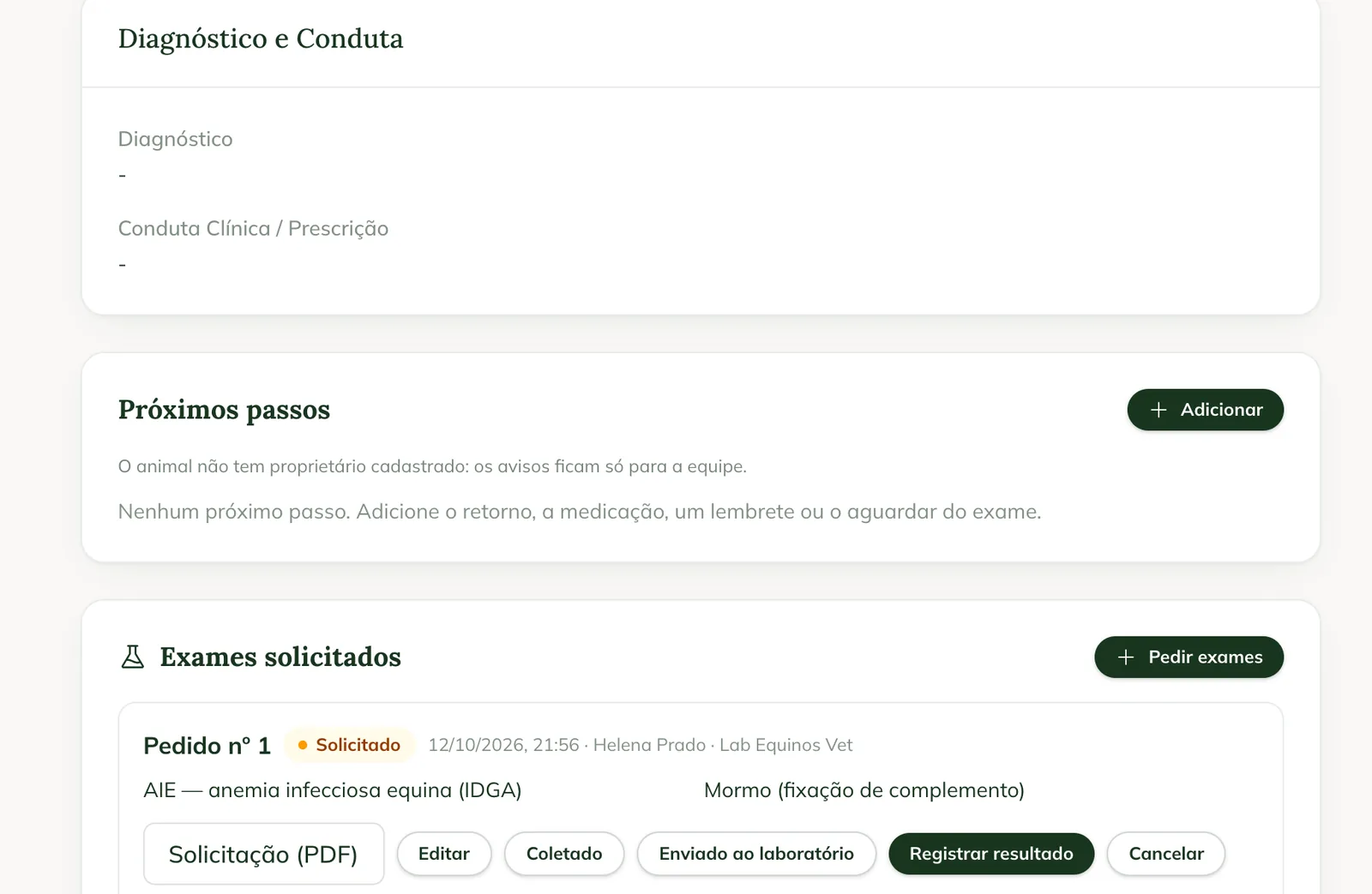
Cancel a request
- Tap Cancel request.
- Write the Reason (optional).
- Confirm with Cancel request.
Common problems
I can't attach the lab report in the app. In the app, the report goes on the animal's Documents tab. See how to attach files to the animal. On the web, it goes on the request itself.
The result didn't appear in the passport. Only EIA and glanders go to the passport. Check that the request was uploaded to the server (sync the app).
I don't see the request buttons. Your profile can only view visits. Ask the administrator.
Next steps

Didn’t this article solve it?
Talk to the GENNO team. Tell us what you were doing and, if you can, send a screenshot.