How to contact support from the app
Support is in the app too: you open tickets with a photo, chat live with the GENNO team and follow the replies without leaving the field.
Open support
- In the app, tap More.
- Under Account, tap Support.
The most searched Help Center articles show at the top. Sometimes the answer is already there.
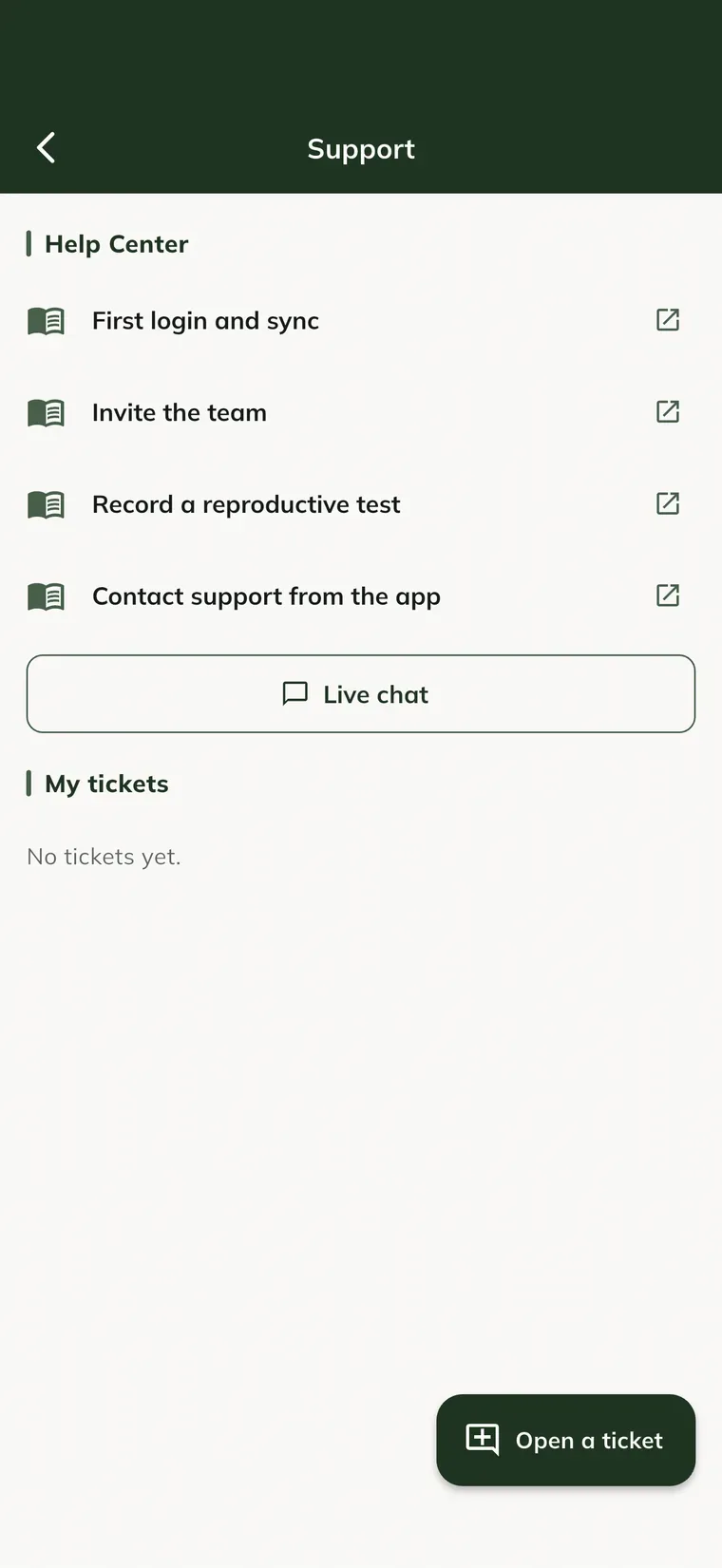
Open a ticket
- Tap Open a ticket.
- Fill in the Subject and choose the Type (Question, Problem, Billing / subscription, Suggestion, Data migration or Other).
- In Describe what happened, tell what you were doing and what you expected.
- If you want, tap Attach photo and pick a screenshot or a photo of the problem (up to 5 MB).
- Tap Send.
The ticket shows in My tickets. When the team replies, the status changes to Waiting for you.
If the phone has no signal, the ticket stays in Waiting for connection and goes out on its own when the internet is back. To give up, tap the trash can next to it.
Reply and close
- In My tickets, tap the ticket.
- Type in Write a message and tap send. The photo icon attaches an image.
- When the problem is solved, tap Close ticket.
Live chat
- In Support, tap Live chat.
- Write your question and tap send. Someone from the team joins the conversation; you see when they are typing.
- To finish, tap End.
Outside chat hours, the app shows the support hours. In that case, open a ticket.
Common problems
The ticket stayed in "Waiting for connection". The phone has no internet. It goes out on its own when the connection is back; open Support again to check.
"Image up to 5 MB" appeared. Pick a smaller photo or take a screenshot.
Next steps

Didn’t this article solve it?
Talk to the GENNO team. Tell us what you were doing and, if you can, send a screenshot.