How to change the GENNO language
GENNO speaks Portuguese, English and Spanish. Each person chooses the language on their own phone and in their own browser.
Before you start
- The app language applies only to the app on this phone. The web language applies only to the web in this browser.
- Text typed by the team (names, notes, diagnoses) is not translated.
In the app, in Settings
- Tap More and, in the Account section, tap Settings.
- Under General, tap App language.
- Choose Português, English or Español.
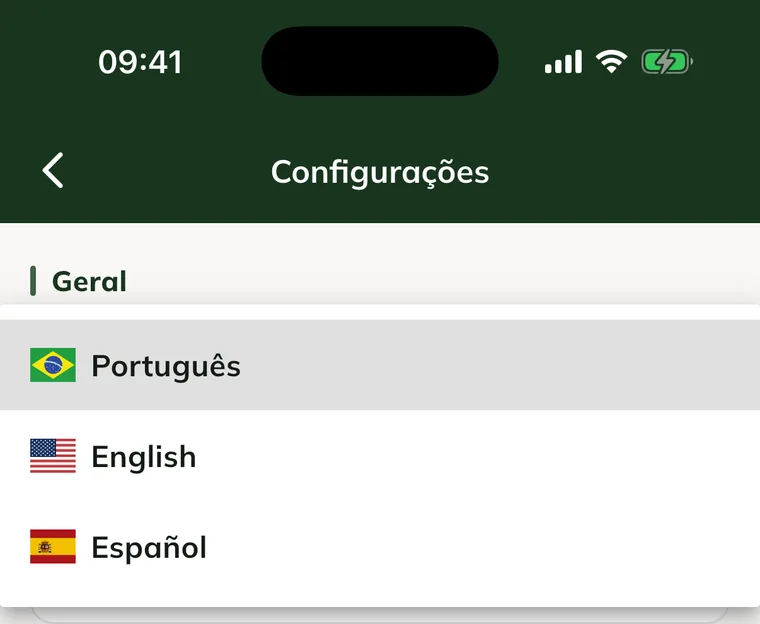
The app switches right away, without signing out.
In the app, on the login screen
Before signing in, tap one of the flags at the bottom of the login screen: Brazil (Portuguese), United States (English) or Spain (Spanish).
On the web and in the Owner portal
- Click the language selector (the letters PT, EN or ES). It sits in the top corner of the login screen and, after you sign in, at the top of the screen, next to Switch property. In the Owner portal, it is in the top bar, next to help.
- Choose Português, English or Español.
The page reloads in the chosen language, and the browser remembers your choice.
Common problems
Some text stayed in Portuguese. Names, notes and other text typed by the team stay as they were written. Buttons and screens change language.
I changed the language in the app and the web is still in Portuguese. That is expected: the app and the web each store their own language. Change it in the web selector too.
Next steps

Didn’t this article solve it?
Talk to the GENNO team. Tell us what you were doing and, if you can, send a screenshot.