How to create a custom access profile
When none of the system profiles fits, you create a profile with exactly what the person can see and do.
Before you start
- Creating and editing profiles is for people with the users permission (the administrator, by default).
- Profiles are created on the web, at web.genno.app.
- First check what the system profiles already do. Often duplicating one of them is enough.
Create the profile
- In the side menu, under Account, click Access profiles.
- Choose how to start:
- To start from a ready-made profile, click it in the list and then Duplicate. The copy opens ready to edit.
- To start from scratch, click New profile.
- In Name, give it a short name, such as "Groom" or "Manager".
- In Description (optional), explain who the profile is for.
- In the matrix, select what the profile can do. Each row is an area and each column is an operation.
- To select a whole area, use the box next to its name. To select an operation in every area, use the box at the top of the column.
- Check the summary below the matrix: Can and Cannot.
- Click Save profile.
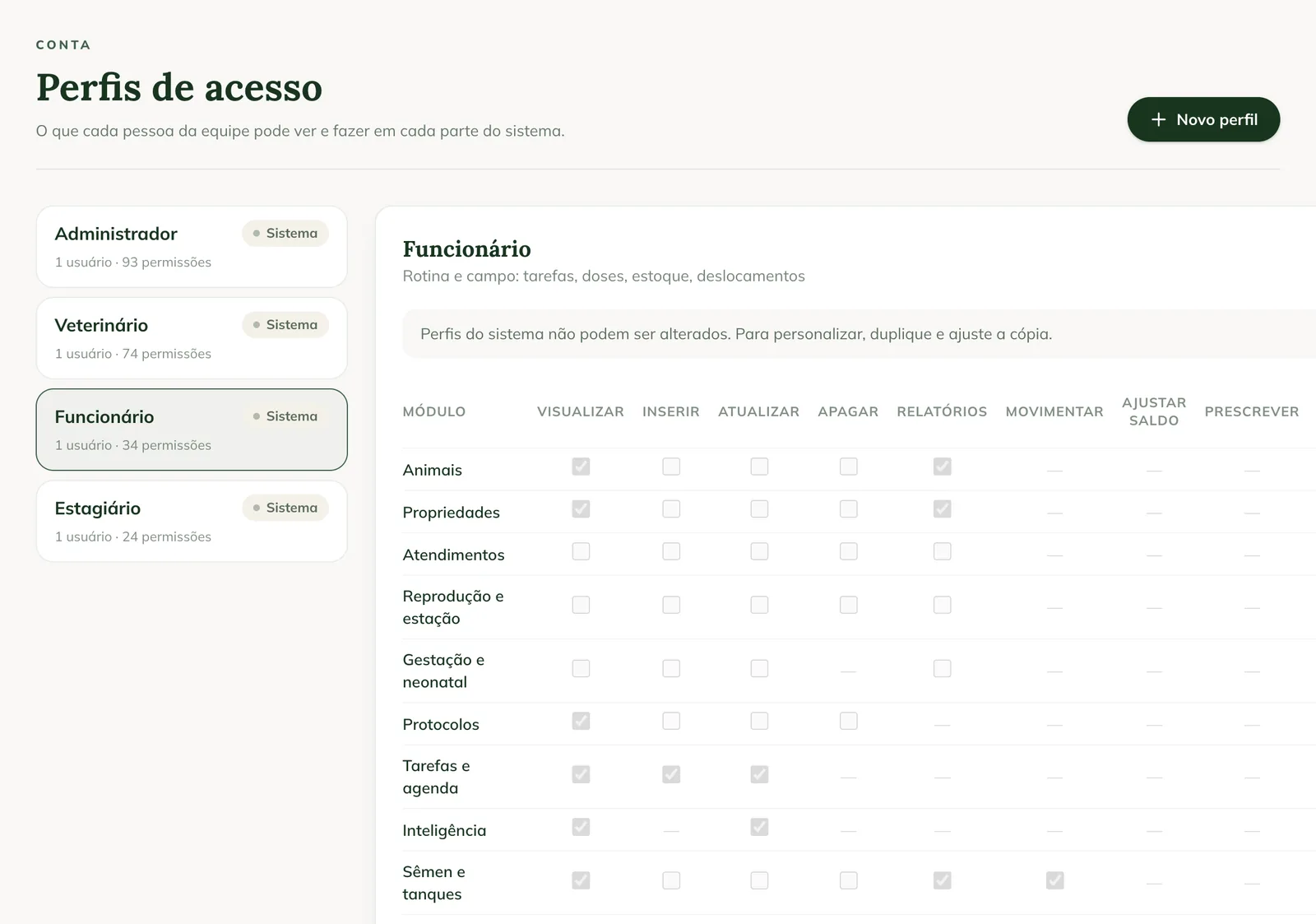
The new profile appears in the list, with the number of users and permissions.
Give the profile to a person
- Under Account, click Users.
- Click Edit on the person's row.
- In Access profile, choose the profile in the Organization's group.
- Click Save.
You also choose the profile when registering a new person.
Edit or delete a profile
- To change the profile, click it and then Edit. People with that profile receive the changes.
- To delete it, click Delete. If someone uses the profile, choose which profile those people will move to and click Delete profile.
System profiles show System profiles cannot be changed. To customize, duplicate and adjust the copy.
Common problems
The Save profile button doesn't work. The profile needs a Name. Fill in the name and click again.
Edit and Delete don't appear. The selected profile is a system profile. Use Duplicate and edit the copy.
The person still can't see an area. Check that the area is in the farm's plan. The profile doesn't unlock a module the plan doesn't have.
Next steps

Didn’t this article solve it?
Talk to the GENNO team. Tell us what you were doing and, if you can, send a screenshot.