How to set up GENNO notifications
You decide which GENNO Intelligence alerts notify you right away, when the daily summary arrives and at what time your phone stays quiet.
Before you start
- Preferences are stored on the server and need internet. They are the same in the app and on the web.
- Each person sets up their own notifications.
- The phone or browser must allow GENNO notifications.
- Even without push, alerts always appear in GENNO Intelligence.
In the app
- Tap More and, in the Account section, tap Settings.
- Tap Notifications.
- Under This device, tap Enable notifications on this device.
- Under Right away, turn on Notify right away and choose the Minimum severity: Critical only, Warnings and critical or Everything.
- Under Daily summary, turn on Get the daily summary and choose the Summary time.
- Under Quiet hours, turn on Quiet hours and choose From and To. Critical alerts notify anyway.
- Under Areas, tap the areas to turn them on or off.
- Tap Send a test notification to check.
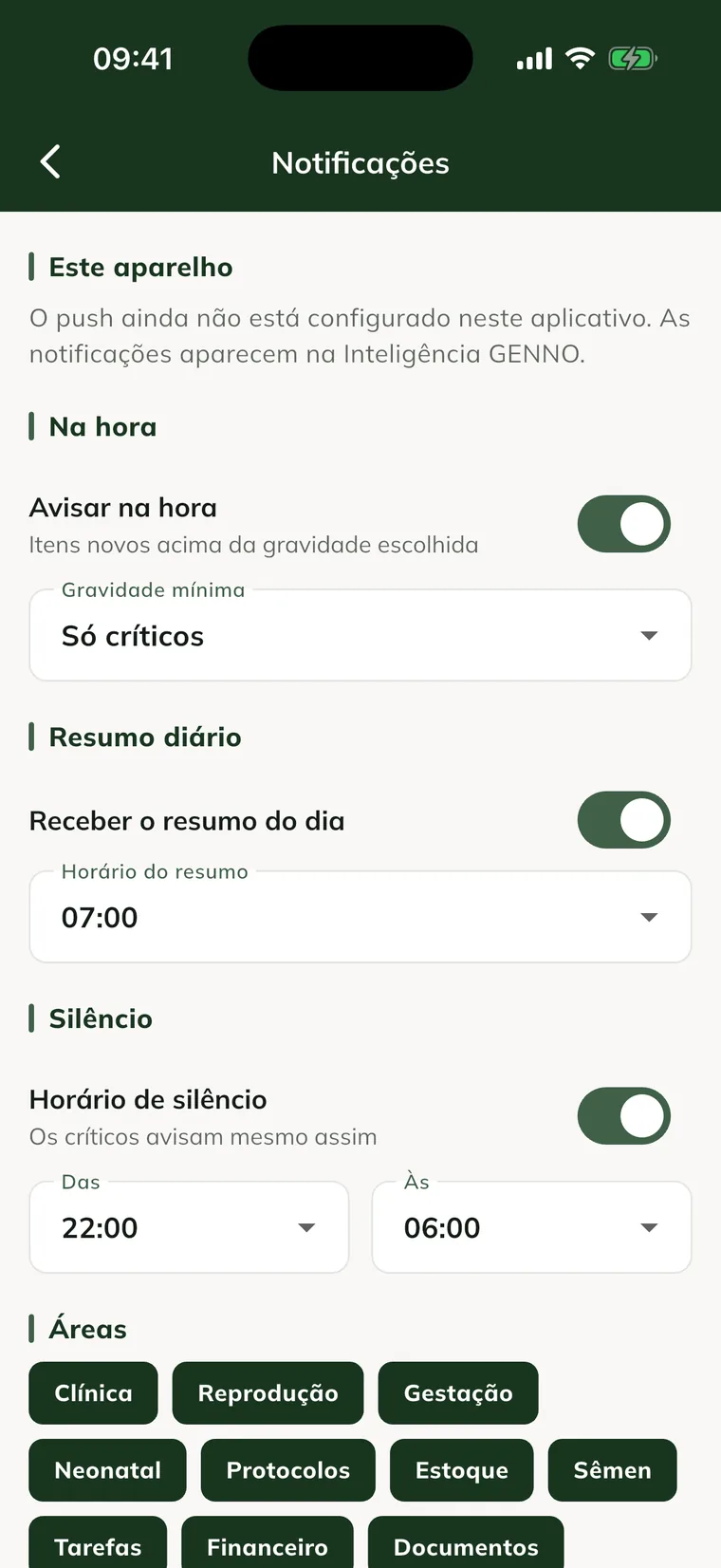
Changes are saved right away.
On the web
- In the side menu, under Account, click Settings.
- Scroll to the Notifications card.
- Under This browser, click Turn on notifications in this browser and allow it when the browser asks.
- Under Notify right away, choose the severity or Don't notify right away.
- Under Daily summary, choose the time or No summary.
- Under Quiet hours (critical ones notify anyway), choose the start and the end, or No quiet hours.
- Under Areas, click the areas to turn them on or off.
- Click Send a test notification.
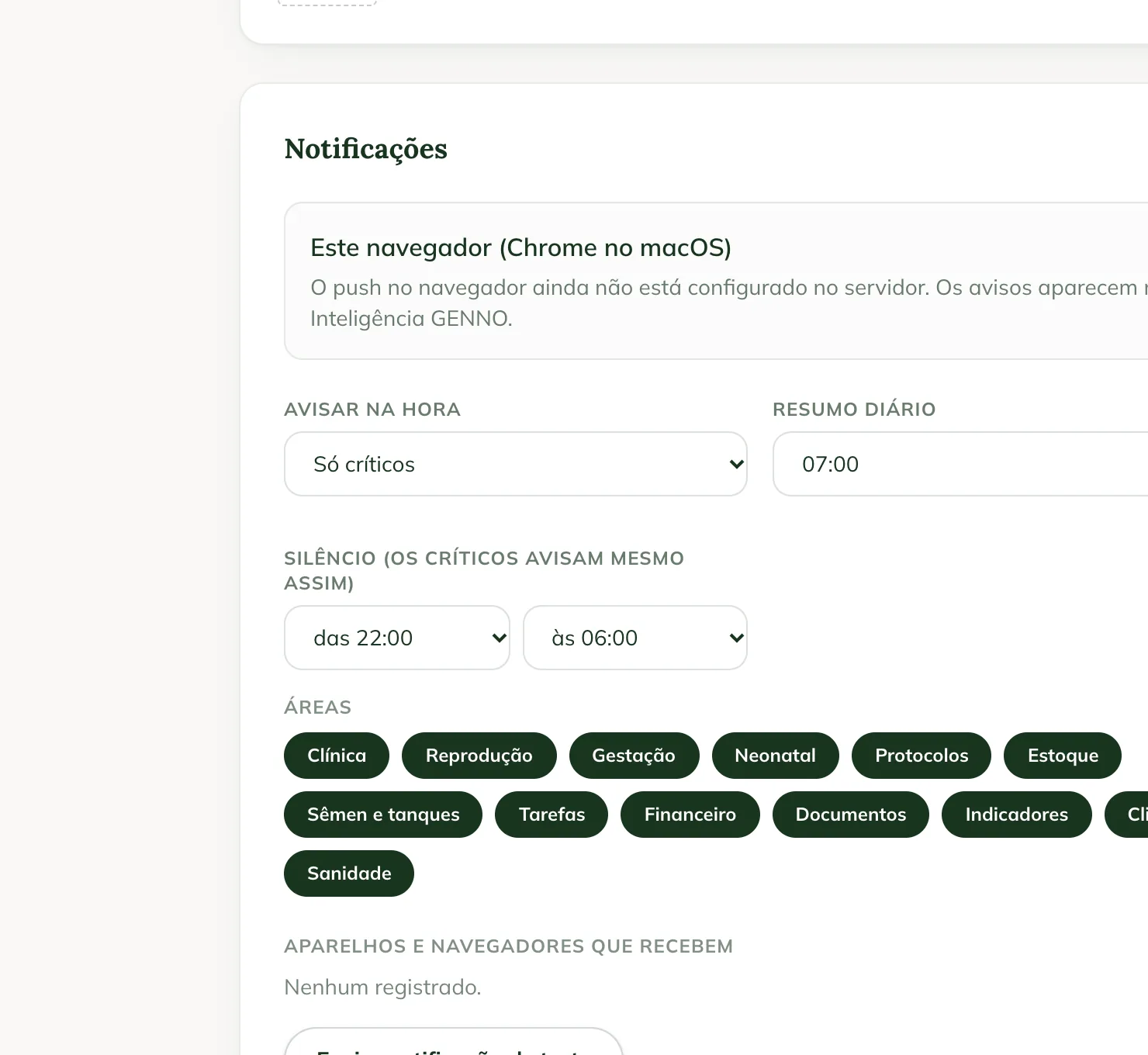
The areas
Clinical, Reproduction, Pregnancy, Neonatal, Protocols, Inventory, Semen and tanks, Tasks, Finance, Documents, Indicators, Weather and Health. An area that is turned off doesn't send notifications, but its items stay in GENNO Intelligence.
Devices that receive
The Devices that receive list shows the phones and browsers registered for you. To stop receiving on one of them, tap Remove.
Common problems
"Push is not set up in this app yet." appears. Phone notifications are not turned on in this version yet. Alerts appear in GENNO Intelligence.
The web shows "GENNO notifications are blocked in this browser." The browser is blocking GENNO. Allow notifications in the site settings, in the padlock next to the address.
The app shows "Offline". Preferences are stored on the server. Connect and tap Try again.
The test shows "logged (the server does not have the push credential yet)". The device was registered, but sending is not active yet. Follow the alerts in GENNO Intelligence.
Next steps

Didn’t this article solve it?
Talk to the GENNO team. Tell us what you were doing and, if you can, send a screenshot.