How to store the farm's contracts and documents
Boarding and breeding contracts, lab exams and certificates are stored in GENNO, together with the reports you sign.
Before you start
- Uploading files is for the Administrator, Veterinarian and Staff, by default. The Intern can only view.
- The farm's plan must include reports, and it sets how many documents per month the organization can store. See how to see the plan and the limits.
- Uploading requires internet, on the web and in the app.
- The file can be PDF, JPEG or PNG, up to 10 MB.
Upload a document on the web
- At web.genno.app, click Documents in the menu.
- Click + Add document.
- Fill in the Title, for example "Breeding contract".
- In Category, choose Contract, Exam, Certificate, Report or Other.
- In Animal (optional), choose the animal, if the document is about it.
- In File (PDF, JPEG or PNG, up to 10 MB), choose the file.
- Write the Notes, if you want, and click Send.
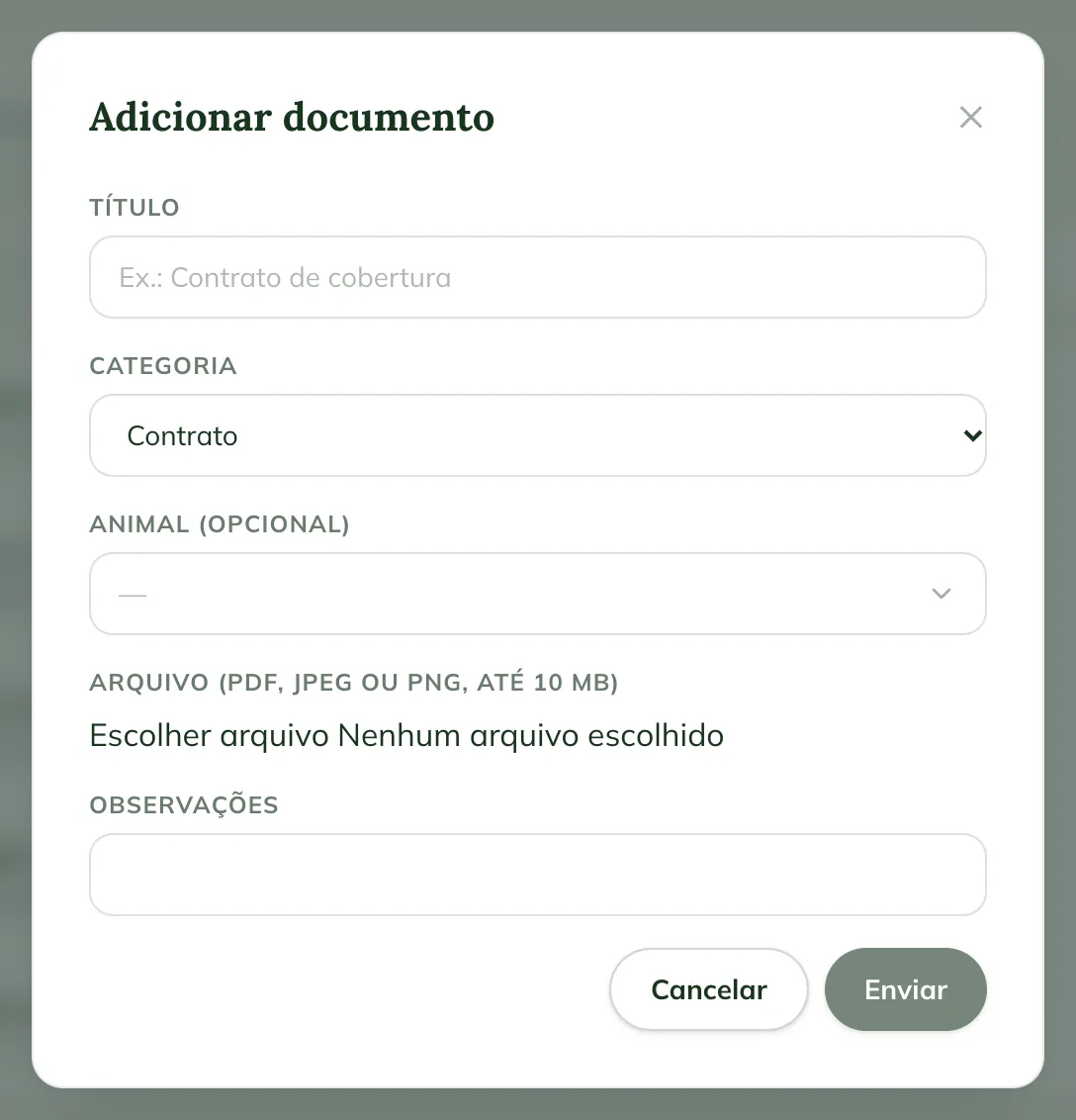
The document opens right after, with the Verification code.
Find a document
The Documents page splits the files into All, Reports, Contracts, Exams and Others. Use Search document or code to find one by title or code.
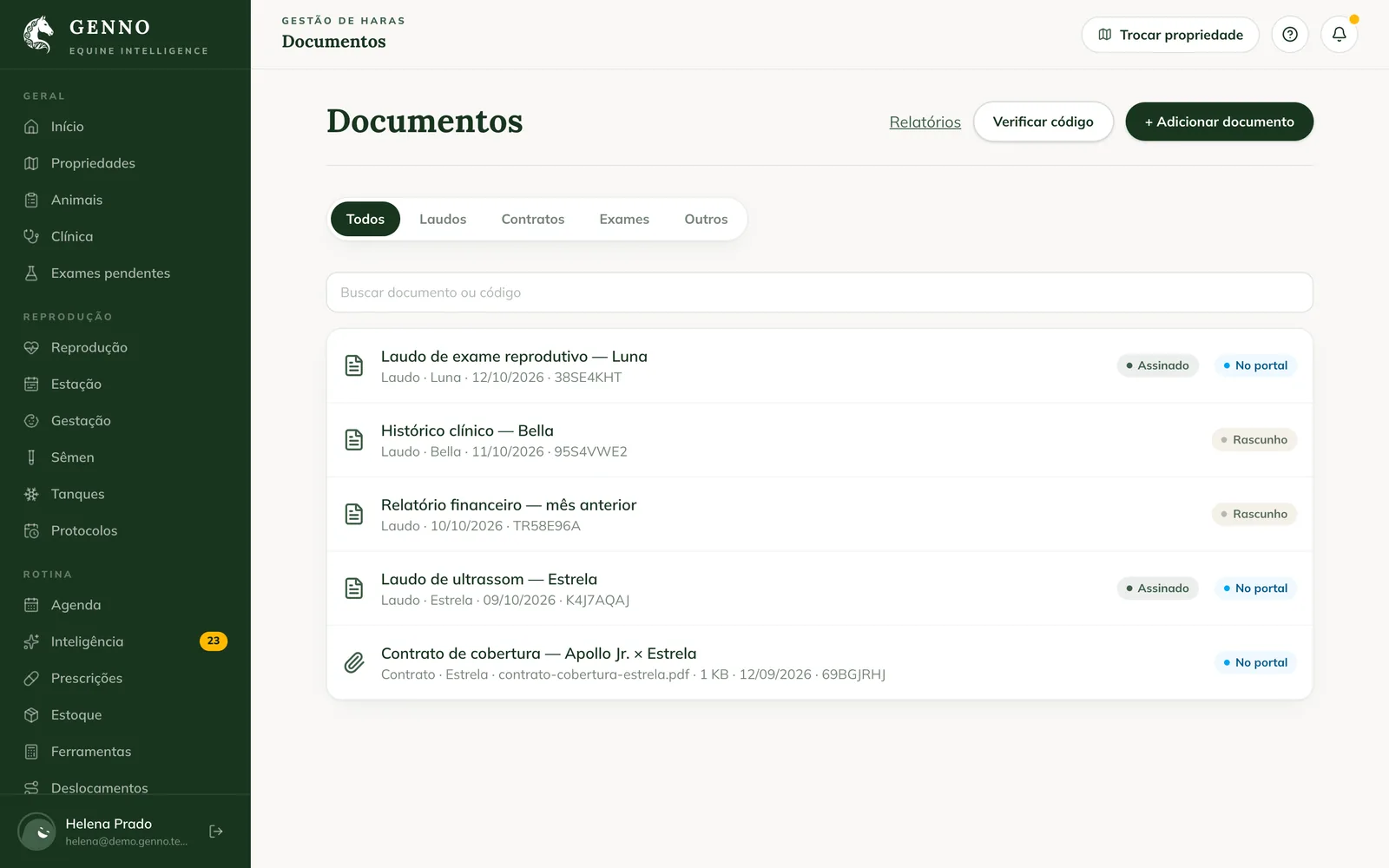
The labels show the status: Signed or Draft on reports, In the portal on what is shared with the owner, and Waiting for the owner or Signed by the owner on signature requests.
To check whether a PDF is genuine, click Verify code and type the Verification code (8 characters).
Request the owner's signature
For a PDF contract the owner needs to sign:
- Open the document.
- Under Signatures, click Request the owner's signature.
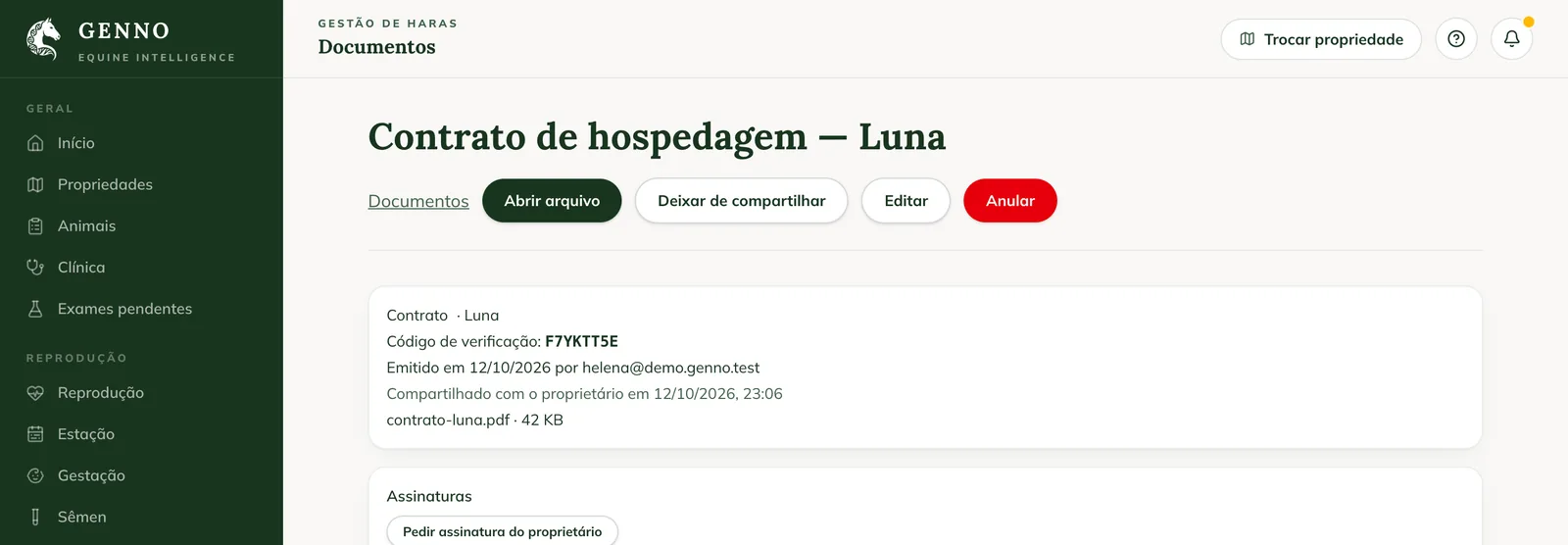
The request appears in the Owner portal, with the Sign button. Until the owner signs, the document shows Waiting for the owner. To withdraw it, click Cancel the request. The owner's step by step is in how to sign a document in the Portal.
The request only exists for PDFs uploaded to GENNO. When you request it, the document is also shared with the owner. That's why it must be linked to an animal: choose the Animal (optional) when uploading.
Share with the owner
On the document page, click Share with the owner. It starts appearing under Documents (or Reports, if it is a report) in the Portal. To remove it, click Stop sharing.
Correct or void
- Edit changes the title and category of an uploaded document.
- Void asks for a Reason. The document stays in the history, marked as voided.
In the app
- In More, tap Documents.
- Tap Add document.
- Fill in the Title and the Category.
- Tap Choose file and choose from the camera, the gallery or the files.
- Tap Send.
In the app you can also search and Verify code, at the top of the screen.
Common problems
"File up to 10 MB." appeared. The file is over the limit. Make the PDF smaller or take the photo at a lower resolution.
"Send a PDF or an image (JPEG or PNG)" appeared. GENNO only stores PDF, JPEG and PNG. Save the file in one of these formats.
"Your plan allows up to ... documents per month." appeared. The organization has reached the month's document limit. See how to see the plan and the limits.
I don't see Request the owner's signature. The button only appears on PDFs uploaded to GENNO, not on generated reports or images.
"Link the document to an animal, property or client to share it" appeared. The document was uploaded without an animal. Upload it again choosing the Animal (optional).
Next steps

Didn’t this article solve it?
Talk to the GENNO team. Tell us what you were doing and, if you can, send a screenshot.