How to register a property
Each farm or ranch you work with is a property in GENNO. Inventory, reproduction, season and schedule are kept separate per property.
Before you start
- Registering and editing properties is for the Administrator, by default. Other profiles can only view.
- The plan sets how many properties the organization can have. See how to see the plan and the limits.
- In the app, registration works offline and uploads on the next sync.
Register on the web
- At web.genno.app, click Properties in the menu.
- Click New property.
- Fill in the Property name and, if you want, the Total area (hectares).
- Under Address, choose the Country and type the ZIP code. GENNO looks up the address: check State, City, Street, Number, Unit / complement and Neighborhood / locality.
- Under Location (latitude, longitude), check the point on the map. If Approximate point from the ZIP code: drag the pin to the gate. appears, drag the pin to the property entrance.
- To add a photo, click the circle at the top (Change photo) and choose the image.
- Click Save.
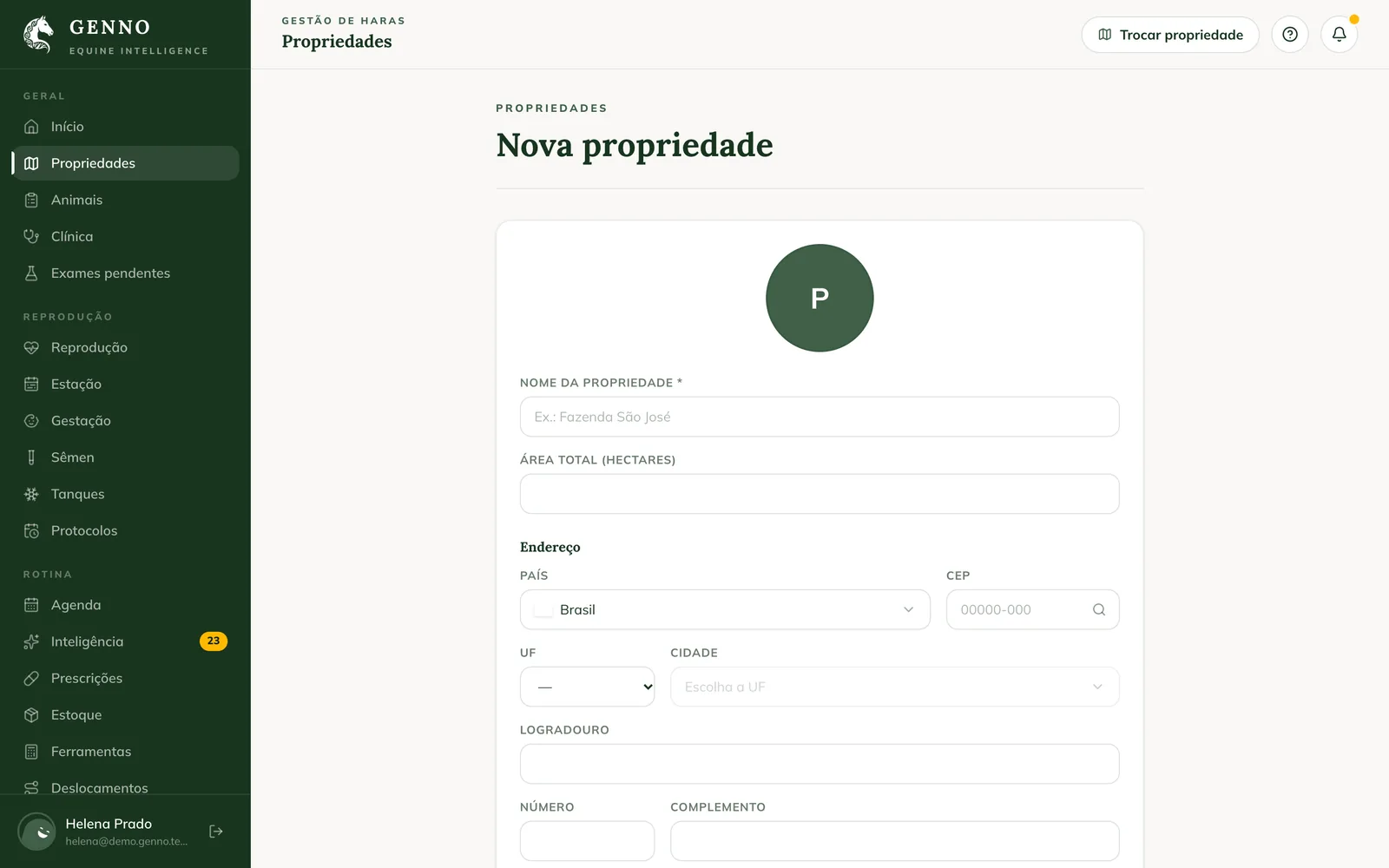
Without a location, GENNO finds the property from the address when you save. The location is used for field trips and for the Intelligence weather alerts.
Choose the property in use
The Properties list shows each one with its city and area.
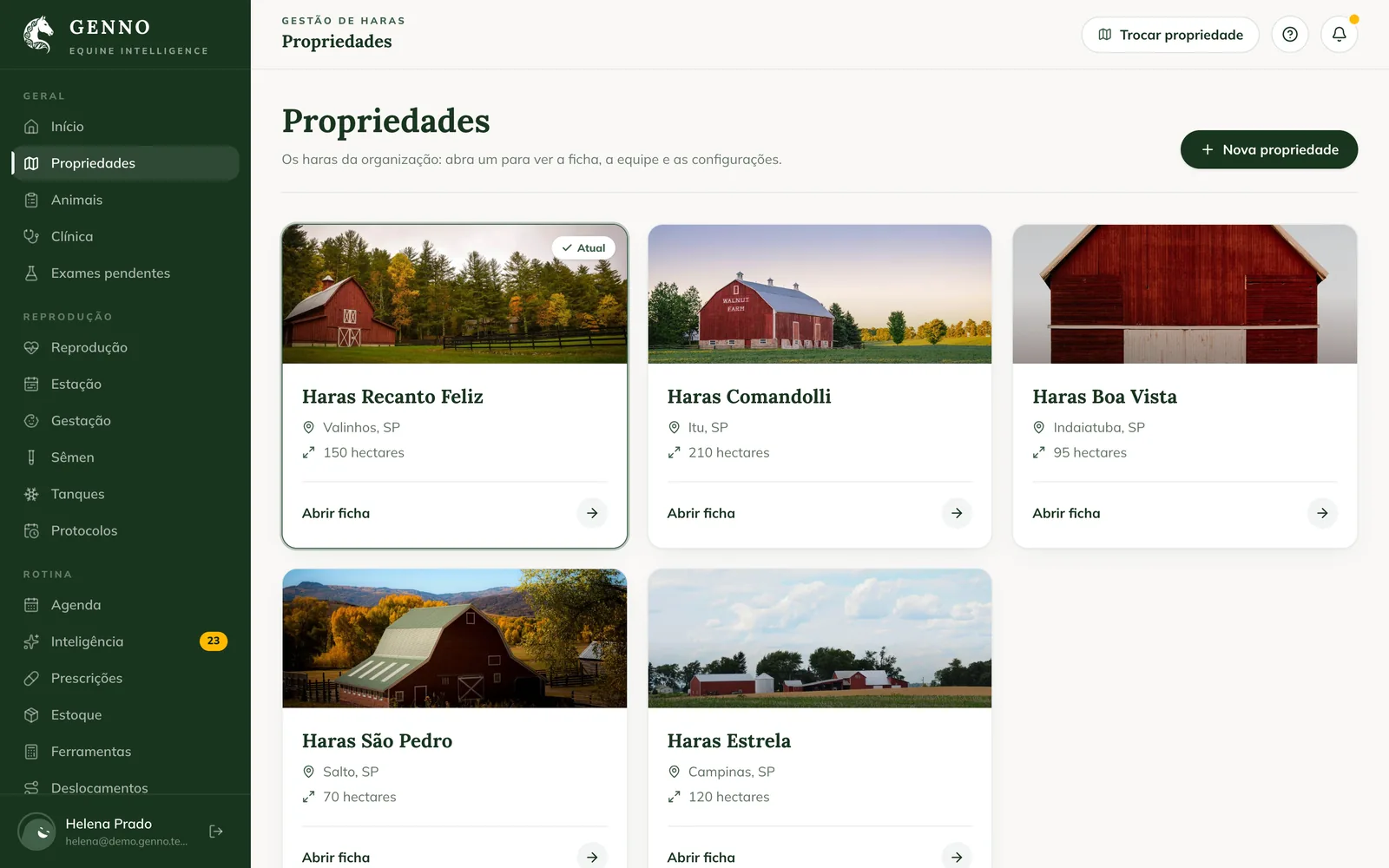
- Click Open record on the property.
- On the Summary, click Use this property. The one in use shows Property in use.
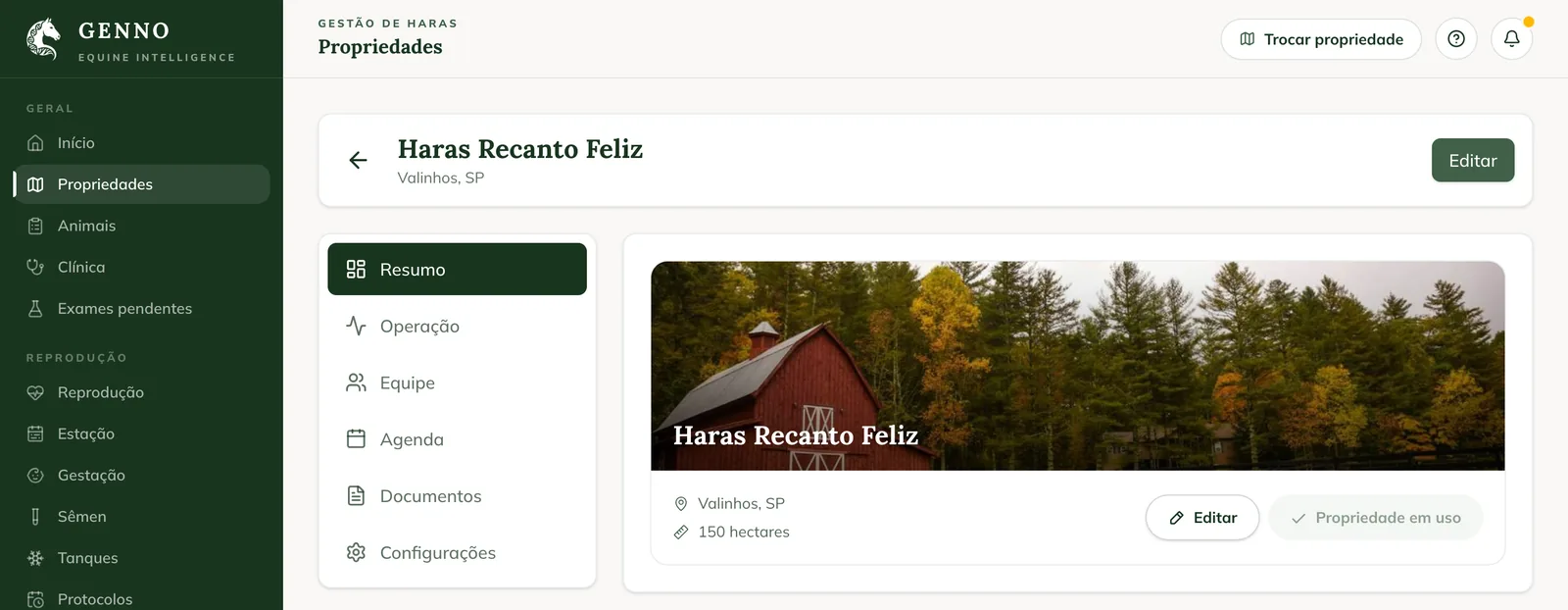
The record has the Summary, Operation, Staff, Schedule, Documents and Settings tabs. To change the details, click Edit on the Summary or open Settings. To work on another property later, use Switch property at the top of the screen. See how to switch property.
Register in the app
- In More, tap Properties.
- Tap + (New property) at the top of the screen.
- Tap the circle to add a photo, if you want.
- Fill in the Property Name, the Address and the Total Area.
- Tap Save.
On the Select the Property screen, which appears when you sign in to the app, you can also tap Add new property.
Put the pin at the gate, not in the middle of town. On the day of the route, the itinerary and the cost per km come out right.
Common problems
"Your plan allows up to 1 property. To add more, change your plan in Settings › Subscription." appeared. The organization has reached the plan's property limit. See how to see the plan and the limits.
"ZIP code not found." or "Could not look up the ZIP code right now: fill in the address." appeared. Fill in the address by hand and save. GENNO finds the property from the address.
I don't see the New property button. Your profile doesn't register properties. Ask the administrator.
The new property doesn't appear on the other device. Sync the app. The property appears after it uploads to the server.
Next steps

Didn’t this article solve it?
Talk to the GENNO team. Tell us what you were doing and, if you can, send a screenshot.