How to sign a document in the Portal
This article is for the owner. When the farm asks for your signature on a contract or form, you sign it through the Portal, without printing.
Before you start
- You can only sign what the farm requested. For the farm, the request is made in Documents.
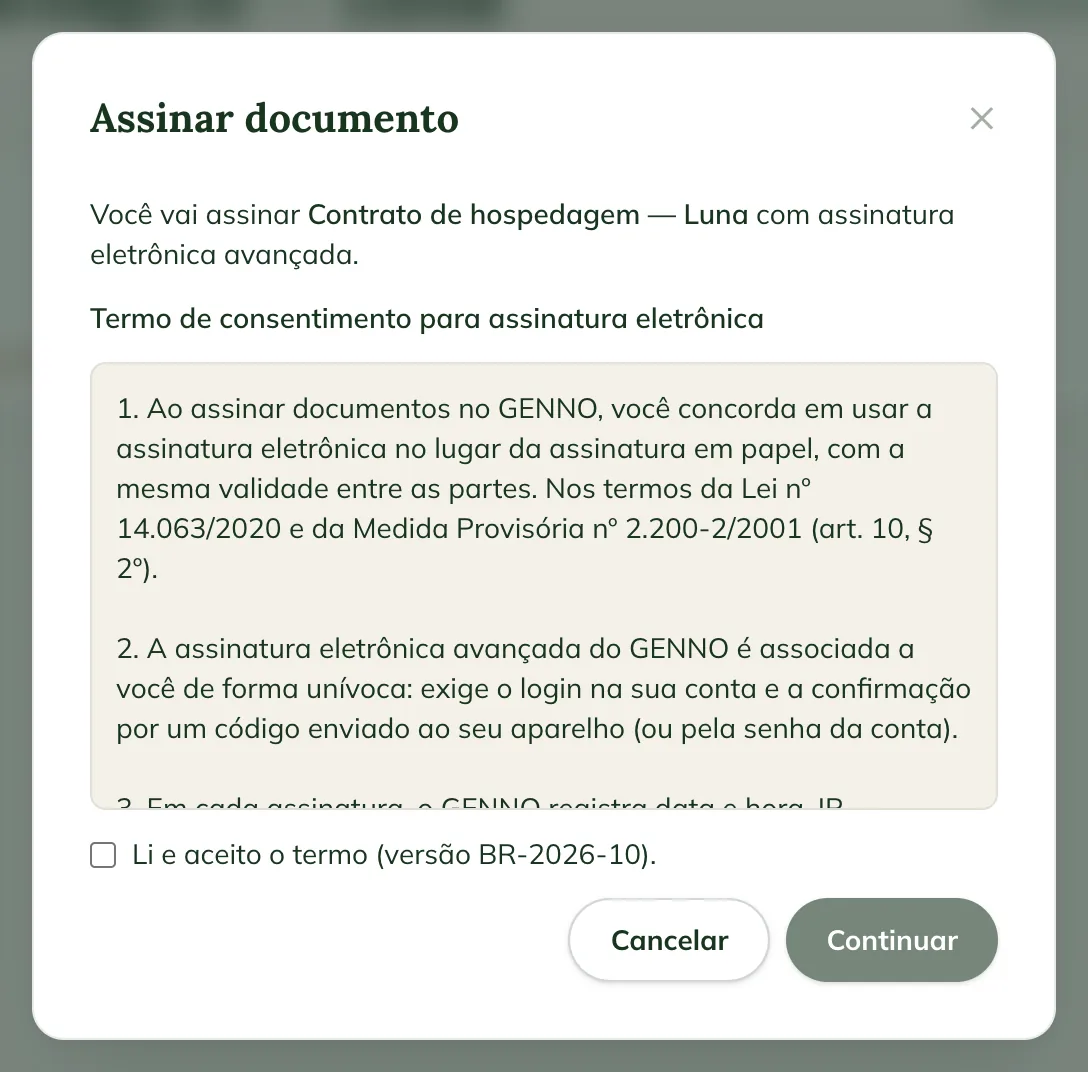
- The signature is an advanced electronic signature: it requires signing in to your account and confirming with a code or your password.
- It requires internet.
Sign
- Sign in to the Portal and click Documents. The document waiting for you shows Signature pending.
- Click the document. The farm asked for your signature on this document. Read the file and tap Sign. appears.
- Click Open file and read the document to the end.
- Click Sign.
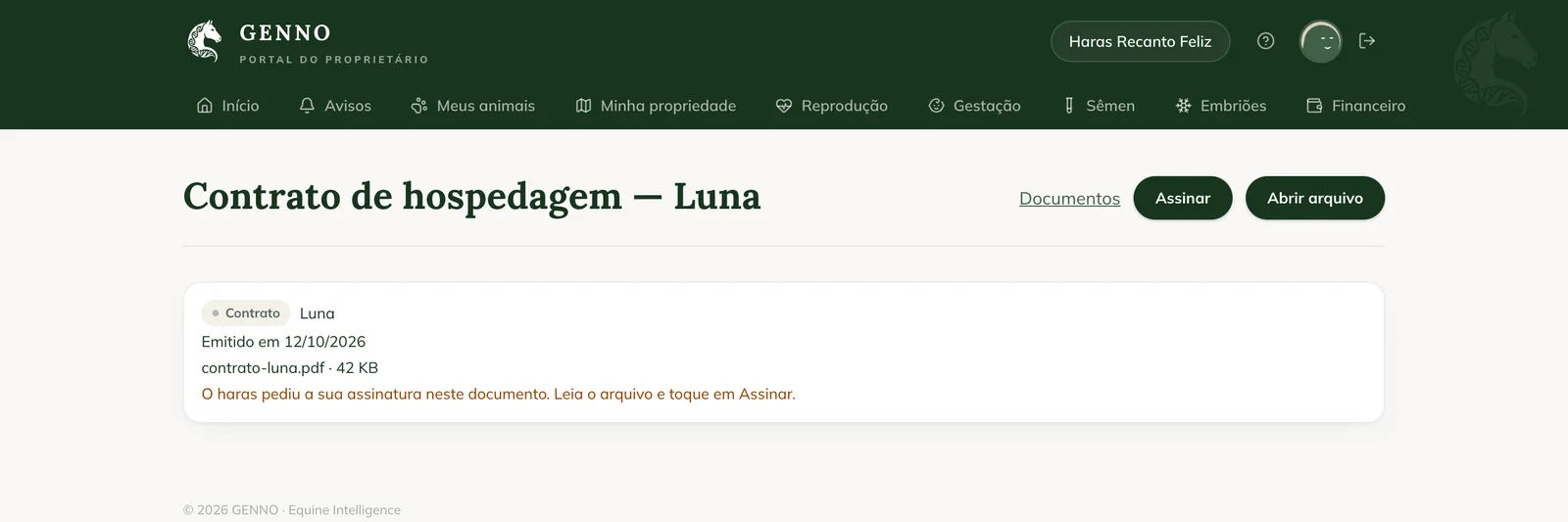
- The first time, the Consent terms for electronic signature appear. Read them, check I have read and accept the terms and click Continue.
- Confirm it's you:
- If you have the GENNO app with notifications on, a 6-digit code arrives in the app. It is valid for 10 minutes. Type it in Code.
- If you don't, Confirm with your GENNO account password. appears. Type the Password.
- Click Sign.
Done: You signed this document. The file is now the signed PDF appears, with the verification code. The farm sees the document as Signed by the owner.
Check the signature
Click the document's verification code. The verification page shows whether the document is Valid and, under Signatures, the author and the owner, with the date. There you can also choose a PDF and check whether it is identical to the signed PDF.
Common problems
The code didn't arrive in the app. Check that you signed in to the GENNO app with the same account and that notifications are on. Click Cancel and Sign again to receive another code.
"Turn on GENNO app notifications to receive the signing code" appeared. Your account has no password and no device with notifications. Turn on GENNO app notifications and try again.
"This document is not waiting for your signature" appeared. The farm cancelled the request, or you have already signed. Talk to the farm.
Next steps

Didn’t this article solve it?
Talk to the GENNO team. Tell us what you were doing and, if you can, send a screenshot.