How to set up the farm's breeding season
Organize the farm's season in one place: who is going to be bred, with which stallion, the breedings, the embryos and the pregnancy rates.
Before you start
- Creating and ending the season is done on the web, with internet.
- In the app, the season appears after the sync. Planning and records work offline.
- Only the veterinarian and administrator create and change it. Other profiles can only view.
- The mares and stallions must be registered. See how to register an animal.
Create the season (web)
- At web.genno.app, choose the property.
- Click Season in the menu.
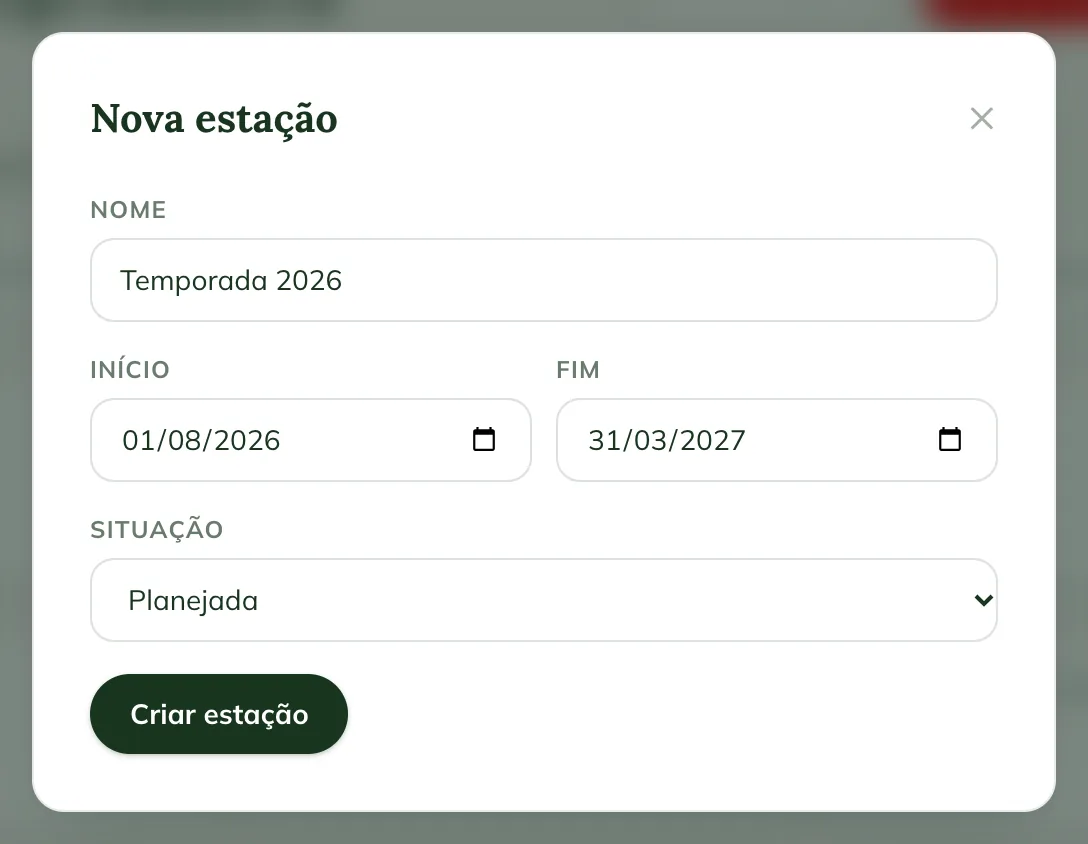
- Click New season.
- Check the season's Name, Start and End.
- In Status, choose In progress or Planned.
- Click Create season.
Each property has at most one season in progress. Breedings and embryos join the season when their date falls within its period.
Build the plan per animal
- Open the Breeding plan tab.
- Click Add to the plan.
- Choose the Animal.
- Choose the role: Mare (she will carry the pregnancy herself), Donor or Recipient.
- For a mare, choose the Method: AI with cooled, fresh or frozen semen, or live cover.
- For a mare or donor, choose the Stallion. If he isn't from the farm, choose Outside (enter the name) and fill in Outside stallion name.
- For a donor, enter the Embryo target.
- Choose the Planned month and the Status.
- Click Save.
Each animal joins once per season. Use Edit and Remove on the animal's row.
The plan status is up to you: Planned, Waiting, Resting, Done or Cancelled. Cycling and Pregnant aren't typed in: they come from the exams and results.
Record breedings and inseminations
- Open the Breedings tab.
- Click Record breeding.
- Choose the Mare and the Method.
- For insemination, choose the Semen bank batch, if there is one. Enter the Straws used. The stallion comes from the batch.
- Without a batch, choose the Stallion and note the semen in Semen (batch, doses).
- Check the Date and time.
- Click Record.
The breeding goes into the mare's history and can advance her protocols.
Enter the diagnosis
The breeding stays Waiting for PD until you enter the result.
- On the breeding's row, click Pregnant or Open.
- With Pregnant, the mare starts appearing as pregnant in reproduction.
A pending result doesn't count in the rates.
Record flushes and transfers (ET)
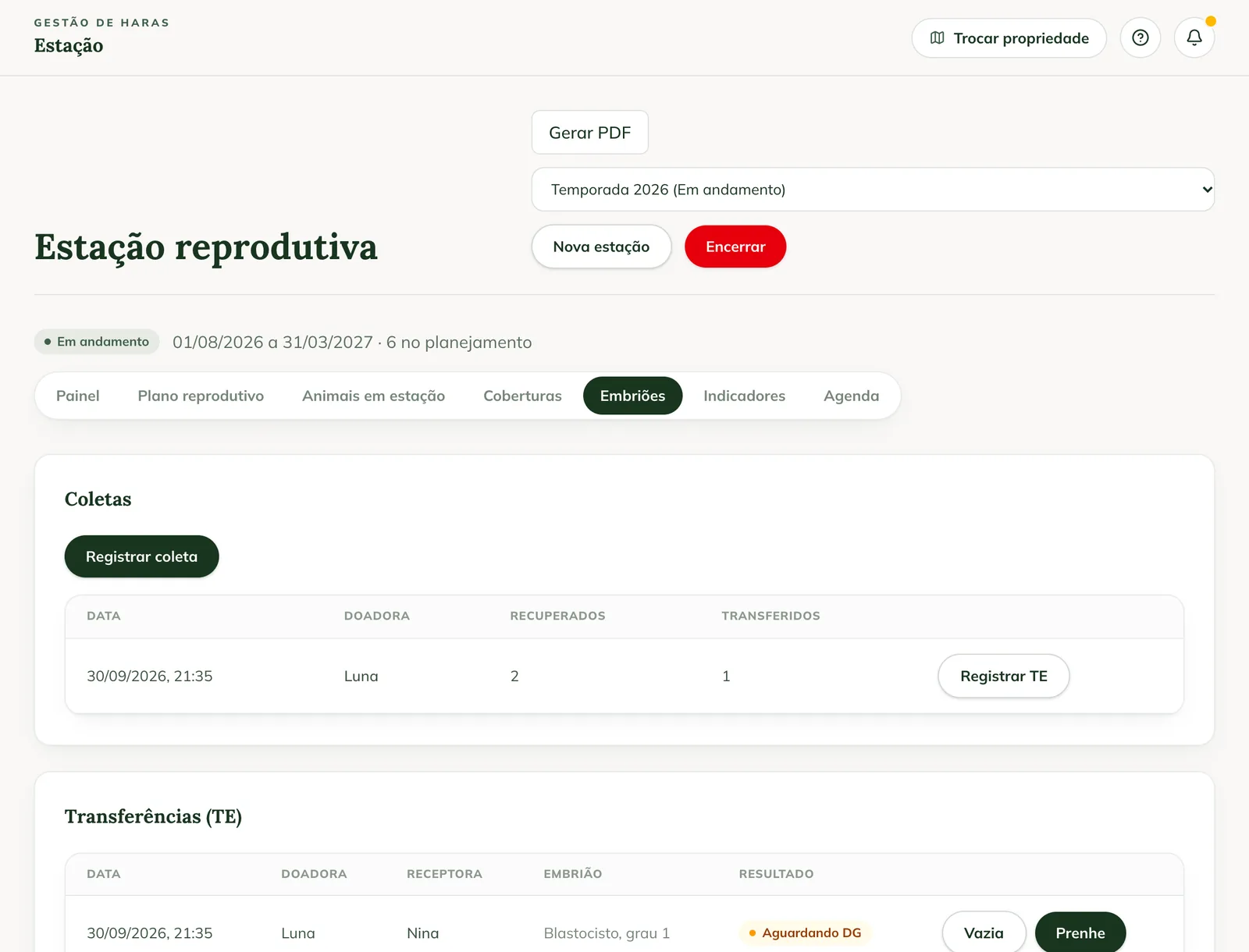
- Open the Embryos tab.
- Under Flushes, click Record flush.
- Choose the Donor (in the plan), enter the Embryos recovered and the Date and time.
- Click Record.
- On the flush's row, click Record ET.
- Choose the Recipient and describe the Embryo quality/stage.
- Click Record ET.
- After the diagnosis, click Pregnant or Open on the transfer.
GENNO doesn't let you transfer more embryos than were recovered in the flush.
Follow the indicators
- Dashboard: mares in the plan, cycling, pregnant and ET, with the four rates.
- Indicators: Pregnancy per cycle, Pregnancy per mare, Embryo recovery and ET pregnancy, also By stallion and By method.
- Animals in the season: mares, donors, recipients and stallions, with the status of each one.
- Schedule: what is pending for the animals in the plan.
Use the season in the app
- Tap More and Reproduction.
- Tap the Breeding season icon at the top of the screen.
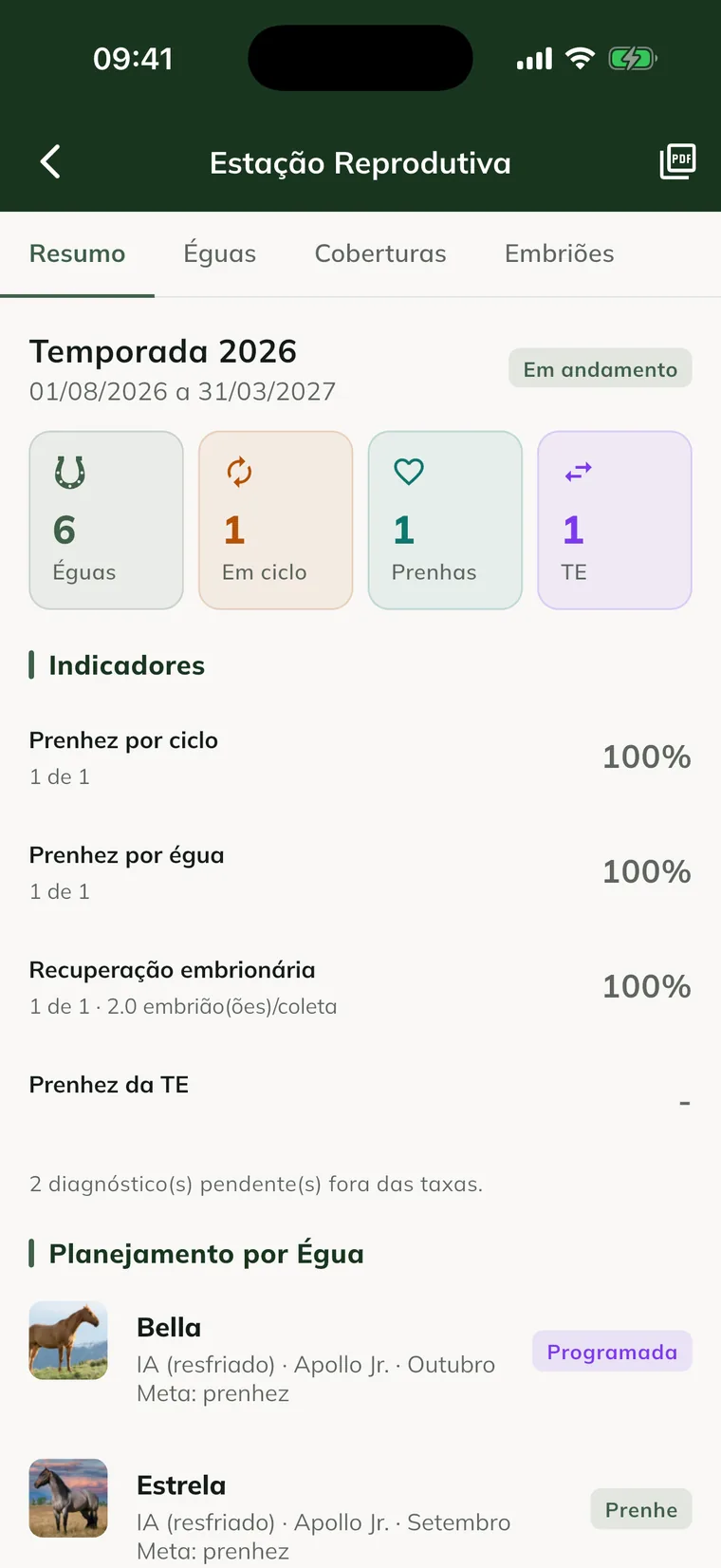
- Use the Summary, Mares, Breedings and Embryos tabs.
- Summary: counters, indicators, Plan by Mare and the Add to the Plan button.
- Mares: tap the animal to Record breeding / AI, Record embryo flush (donor) or change the plan status.
- Breedings: Record breeding and the Pregnant and Open buttons.
- Embryos: the flushes, with Record ET, and the transfers.
 The embryo flush is recorded from the Mares tab, by tapping the donor.
End the season (web)
- On the Season page, click End.
- Confirm with End season.
The plan is frozen. Breedings, embryos and indicators remain available to view.
After a positive diagnosis, pregnancy and foaling are followed in the pregnancy module.
Common problems
The app says "No active season on this property". Create the season on the web, with the In progress status, and sync the app.
"There is already a season in progress: end it first." appears. End the current season or create the new one as Planned.
The animal doesn't appear in the list to add to the plan. It is already in this season's plan. Look for it in the list and use Edit.
I don't see the buttons to record. Your profile can only view, or the season has ended. Ask the administrator for the veterinarian profile.
The record shows "Waiting to send" or "Rejected". "Waiting to send" uploads on the next sync. If "Rejected" appears, contact support.
Next steps

Didn’t this article solve it?
Talk to the GENNO team. Tell us what you were doing and, if you can, send a screenshot.