How to create document templates and generate contracts, consent forms and certificates
A document template is the text of a contract, consent form, certificate, prescription or statement with fields such as {{animal.name}} and {{owner.name}}. When generating, GENNO replaces the fields with the details on record and builds the PDF with the farm's logo and appearance.
Before you start
- Creating and editing templates requires the Templates permission. Generating documents requires the permission to create documents.
- GENNO templates are reference texts: check them with your lawyer before using them. In English and Spanish, the text starts with that notice.
- The generated document keeps the text of the time: changing the template later doesn't change documents already saved.
Create a template
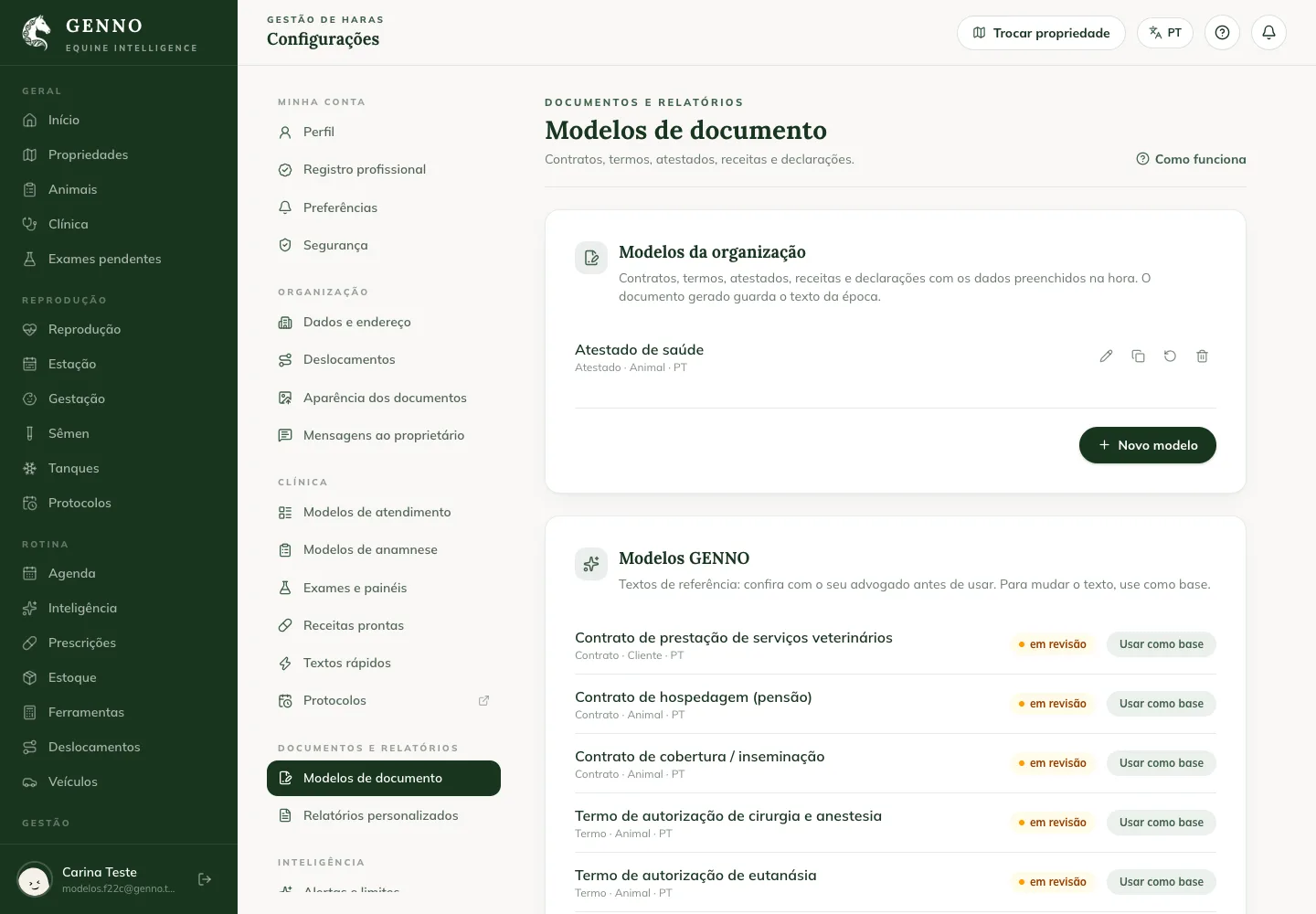
- At web.genno.app, click Settings and, under Documents and reports, Document templates.
- Under GENNO templates, click Use as a starting point on the closest template (for example, the health certificate), or click New template.
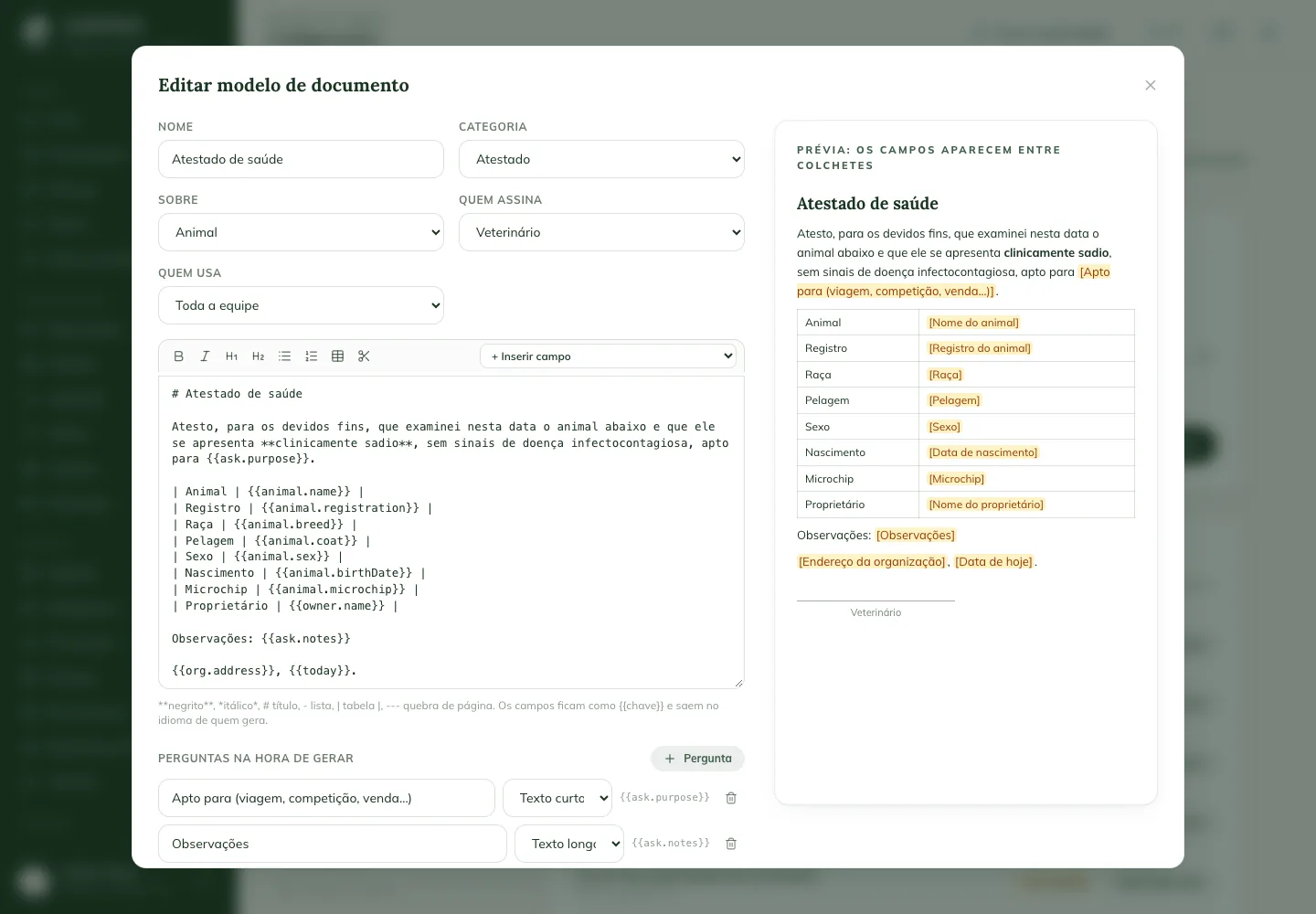
- Fill in the Name, the Category, About (animal, customer, property or visit), Who signs and Who uses it.
- Write the text. The top bar adds bold, italic, heading, list, table and page break.
- Under + Insert field, choose the detail GENNO fills in, such as the animal's name or the owner's ID.
- For something only known at the time, such as the purpose of a certificate, click Question: the question appears when generating the document.
- Check the preview on the right and click Save.
Generate the document on the web
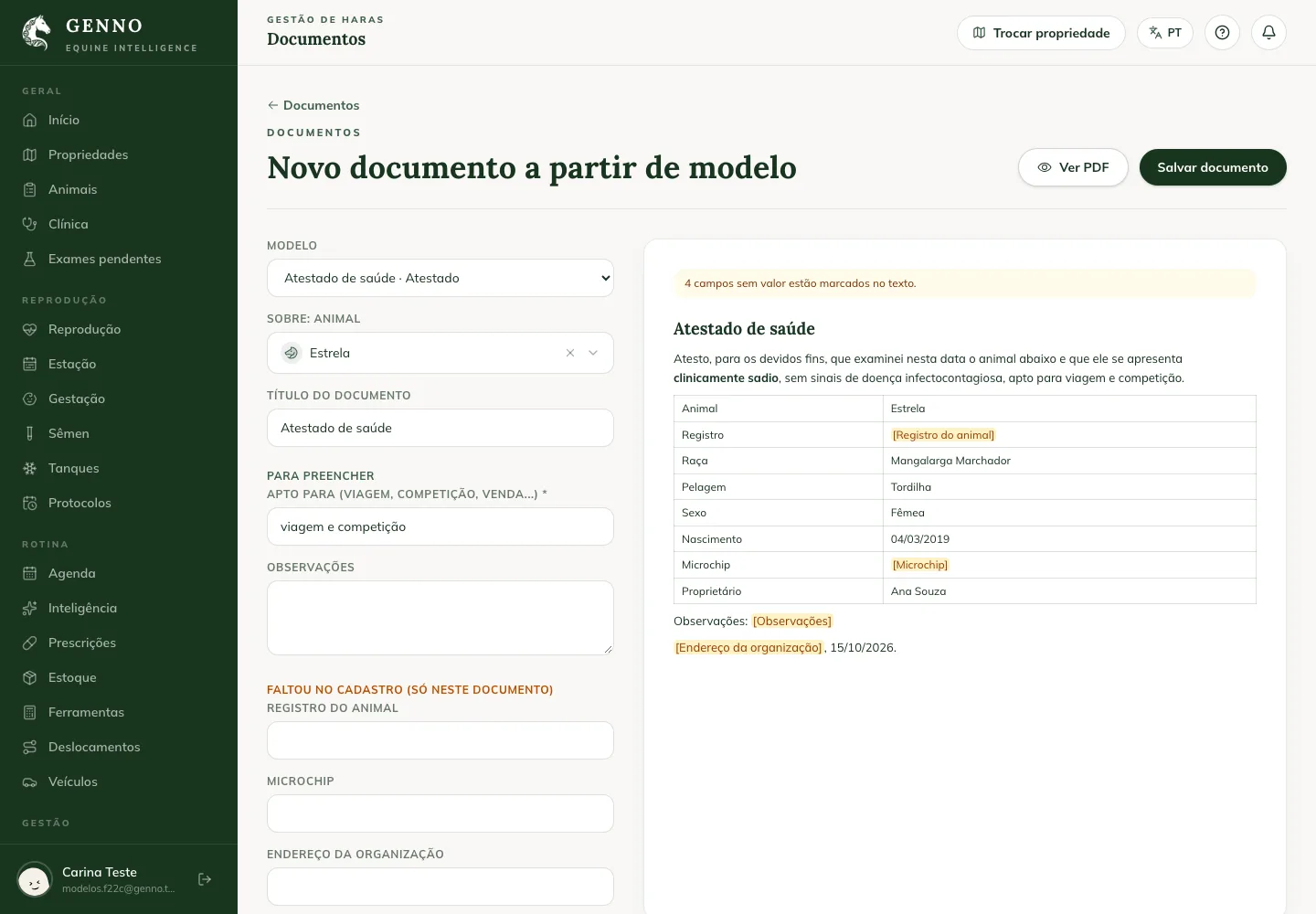
- Click Documents and + From a template. From a visit record, use Generate document.
- Choose the Template and the animal, customer or visit.
- Answer the template's questions. Anything missing from the records shows under Missing from records (this document only): fill it in there without changing the records.
- Click View PDF to check it and Save document.
The saved document gets the verification code and, if numbering is on, the number (for example, ATE-2026-0012). See how to customize the PDF appearance.
Generate the document in the app
- Under More, tap Documents and the Document from a template button at the top.
- Choose the Template and the animal, customer, property or visit.
- Answer the questions and tap Save document.
Offline, the app generates the document with the data on the device. The number arrives with the sync.
Common problems
"Unknown field" appeared. The text has a field GENNO doesn't know. Use + Insert field instead of typing the field.
The app says there are no templates on the device. The app hasn't synced the templates yet. Sync with internet.
The owner's name came out blank. The animal has no owner on record. Fill it in under Missing from records or link the owner to the animal's record.
Next steps

Didn’t this article solve it?
Talk to the GENNO team. Tell us what you were doing and, if you can, send a screenshot.