How to register products and suppliers
A product is what goes into inventory: a medication, a supply, a material. Register it once and use it on every property.
Before you start
- Registering products and suppliers is for the Administrator and Veterinarian, by default.
- In the app, registration works offline and uploads on the next sync.
Register a product (web)
- At web.genno.app, click Inventory and Products.
- Click New product.
- Fill in the Name.
- In Category, choose Medications, Supplies, Materials, Semen or Others.
- In Stock unit, write how the product is counted, for example vial or box.
- In Minimum stock, enter the balance that triggers the low stock warning.
- If the product is given in doses, fill in the Content per unit and the Content unit. For example: 50 ml vial.
- If the farm charges for the product, fill in the Sale price. With a price, usage goes into the visit invoice.
- In Default supplier, choose who you usually buy from.
- Click Save.
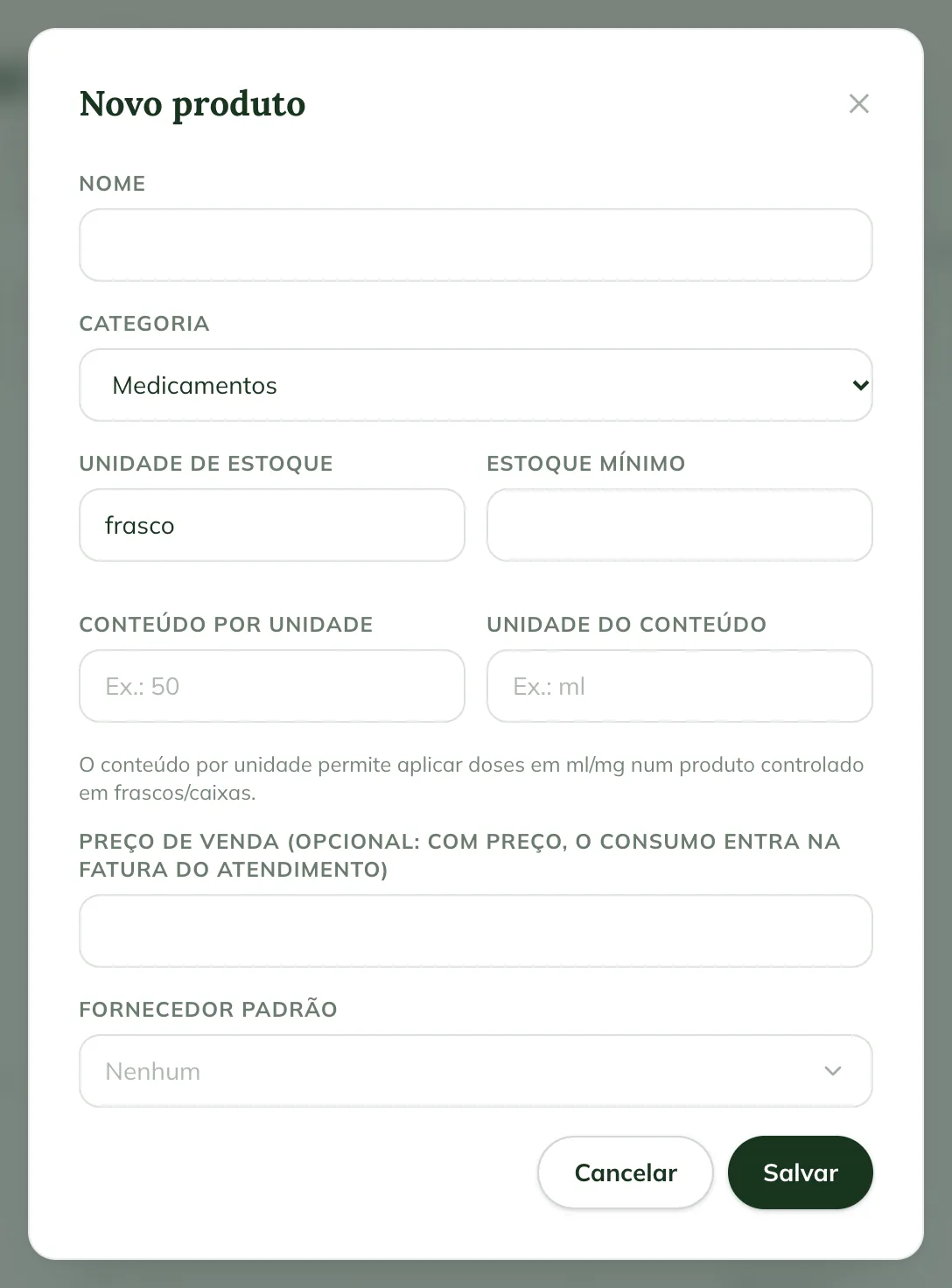
With the content per unit, the treatment dose is recorded in ml or mg and inventory deducts the fraction of the vial.
The Products list has the Search product... search and category filters. To stop using a product without losing its history, click Edit and uncheck Active product.
Register a supplier (web)
- In Inventory, click Suppliers.
- Click New supplier.
- Fill in the Name, the CNPJ/CPF (Brazilian tax ID), the Phone, the Email and the Notes.
- Click Save.
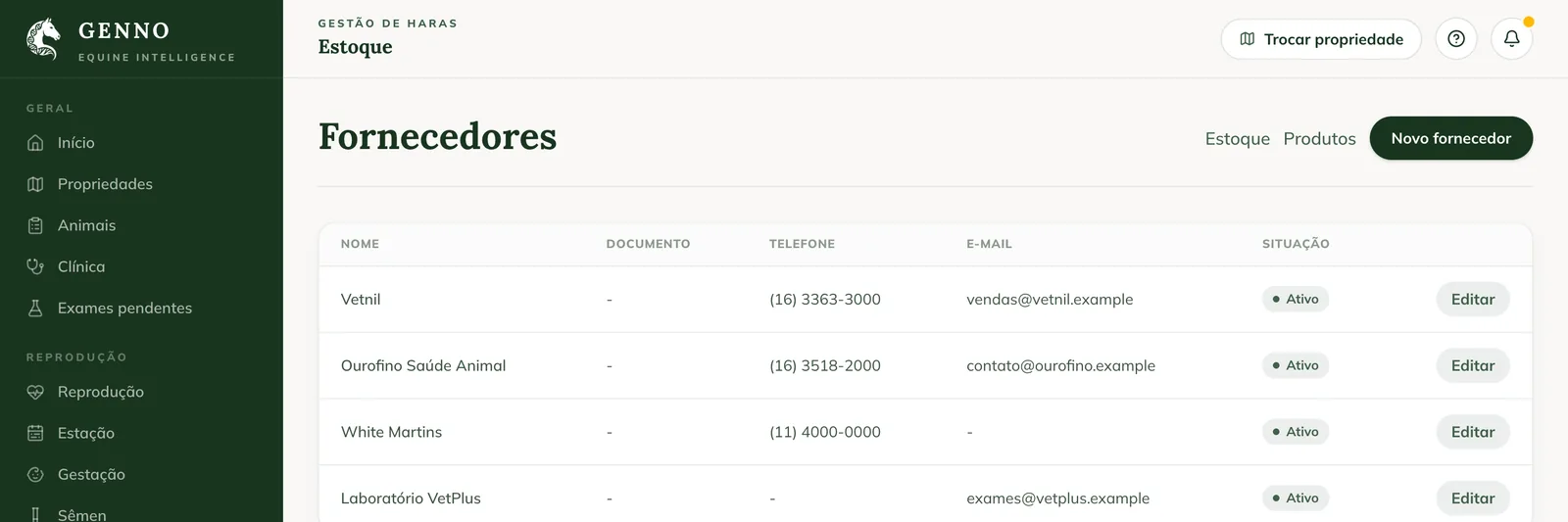
The supplier appears on the stock entry and on the purchase expense. To remove it from the list, click Edit and uncheck Active supplier.
In the app
- In More, tap Inventory.
- Tap the Products icon at the top.
- Tap New product, fill in the same fields as on the web and tap Save product.
- For suppliers, tap the Suppliers icon at the top of the products screen and New supplier.
Common problems
"Enter the content unit (e.g.: ml)." appeared. You filled in the content per unit without the unit. Write the unit, such as ml or mg.
The product doesn't appear on the stock entry. Check that it is active. An inactive product doesn't appear for recording.
I don't see the New product button. Your profile doesn't register products. Ask the administrator.
Next steps

Didn’t this article solve it?
Talk to the GENNO team. Tell us what you were doing and, if you can, send a screenshot.