How to register an animal
Everything else (visits, reproduction, passport, markings) starts from the animal record. Register the herd first.
Before you start
- Registering and editing animals is for the Administrator and Veterinarian, by default.
- The plan sets how many animals the herd can have. Outside ancestors, registered only in the pedigree, don't count. See how to see the plan and the limits.
- In the app, registration works offline and uploads on the next sync.
Register on the web
- At web.genno.app, click Animals in the menu.
- Click Add animal.
- Under Identification, fill in the Name. If you have them, fill in the Registration, Breed, Sex (Female, Male or Gelding), Birth and Coat color.
- To add the photo, click Upload photo.
- Under Pedigree, choose the Sire and the Dam among the registered animals. If the sire or dam isn't in GENNO, leave Not registered / external and type in Sire's name (external) or Dam's name (external).
- Click Register animal.
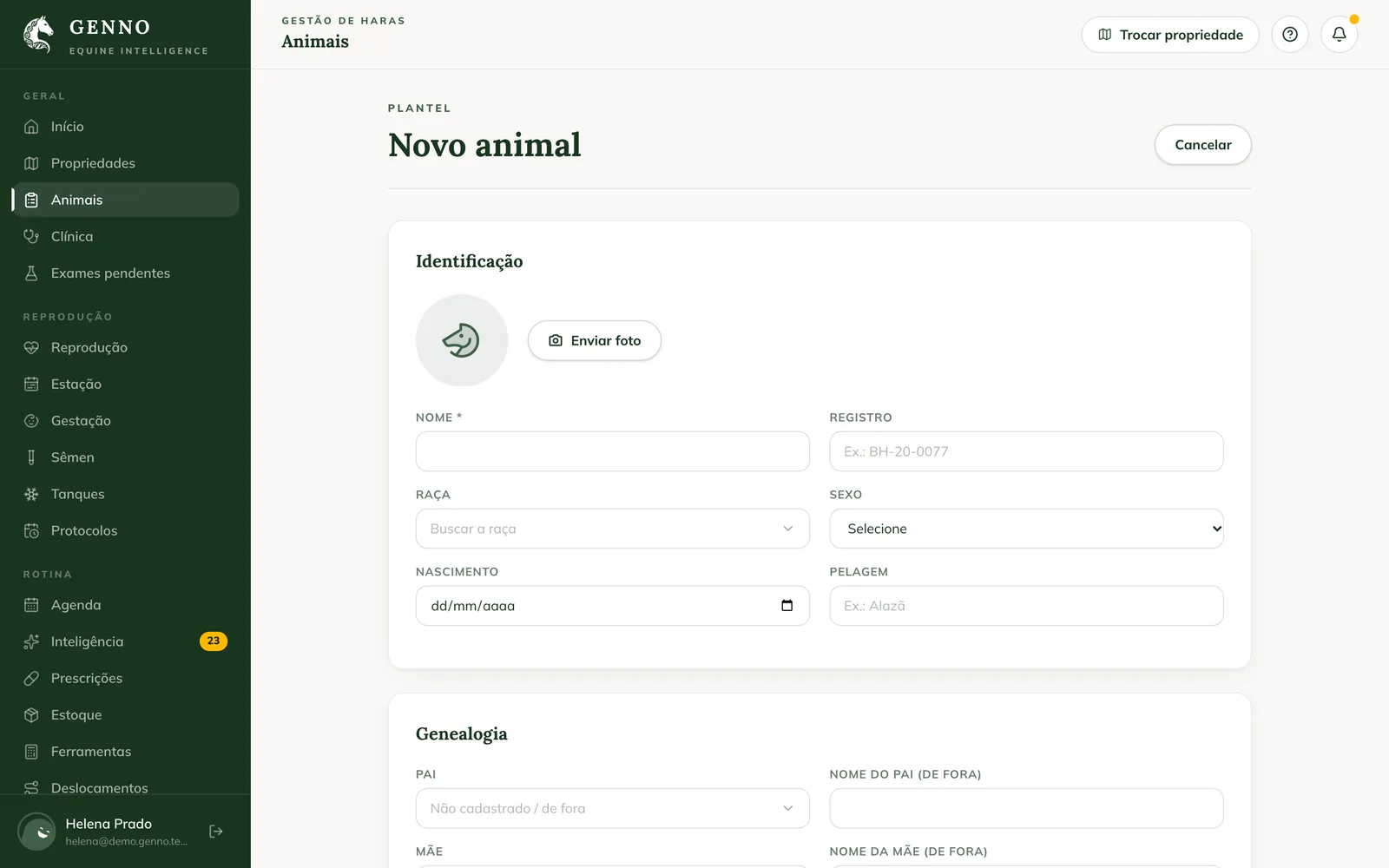
In Breed, type to search the catalog. If the breed isn't there, choose Use "..." (not in the catalog) or Register "..." as an organization breed, to use it again on the next animals.
The animal record opens right after. For the full pedigree, with grandparents and great-grandparents, see how to build the pedigree.
The animal list
The Animals page shows the herd with name, breed, sex and registration. Use Search by name, registration or microchip and the All, Females and Males filters.
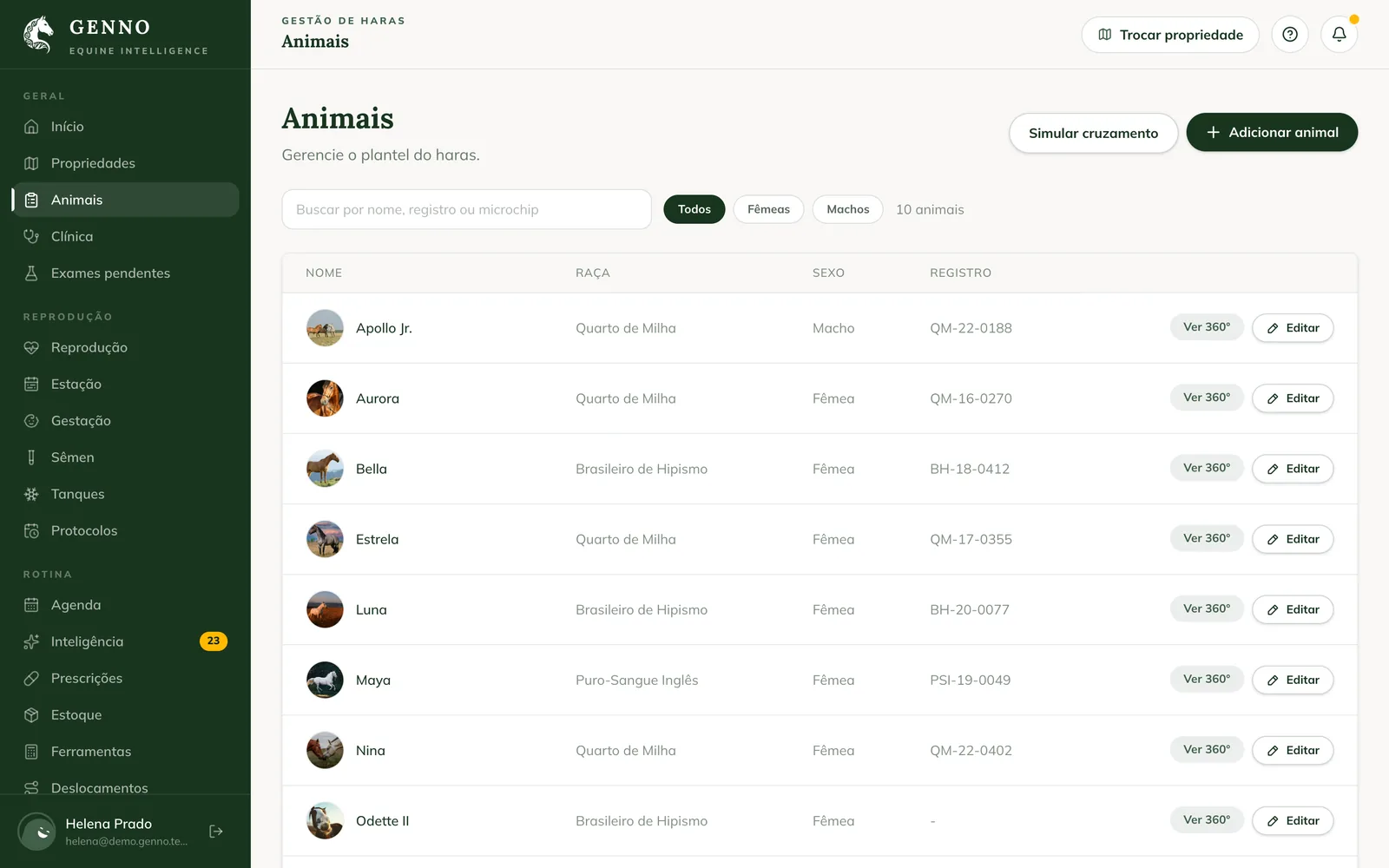
On each row, View 360° opens the record and Edit opens the registration.
Register in the app
- Tap Animals in the bottom bar and + (New Animal) at the top. Or tap the Quick Actions button and New Animal.
- Tap the circle (Tap to add a photo) to take or choose the photo.
- Fill in the Animal Name.
- In Breed, search the catalog. If you can't find it, use the breed outside the catalog or tap Add "..." as a farm breed.
- In Sex, choose Male or Female.
- Tap Save.
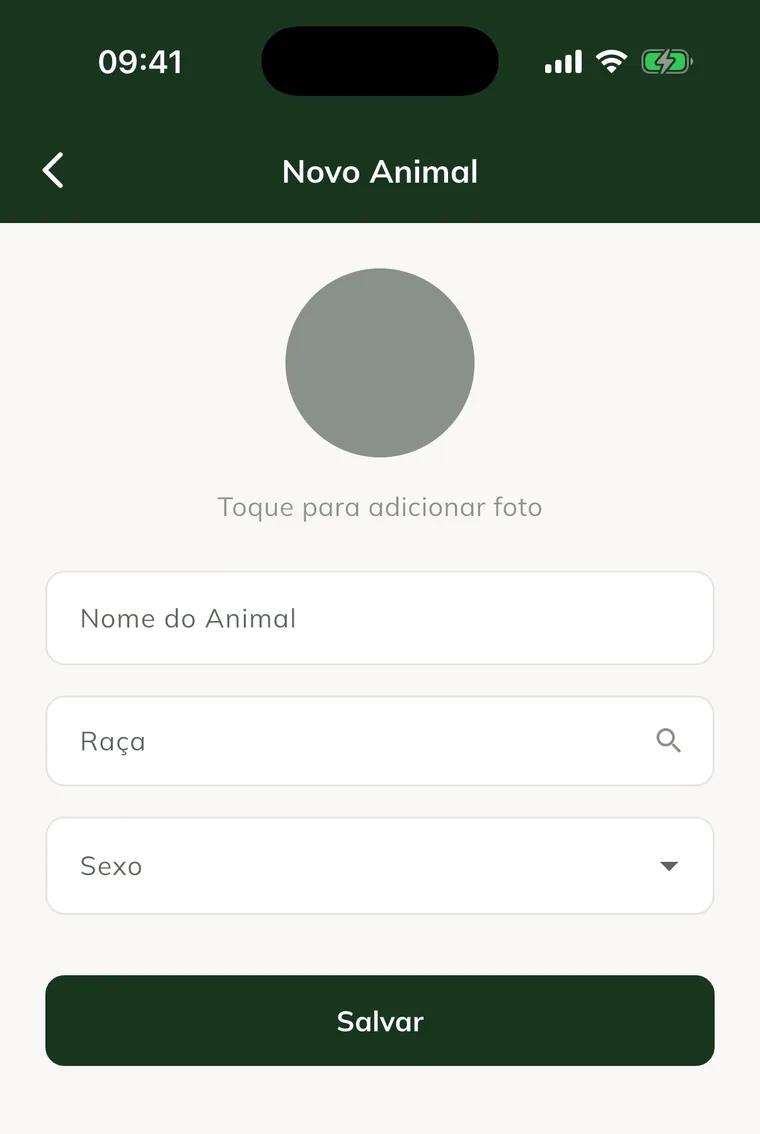
Offline, the animal appears in the list with Not sent until the sync. Registration, birth, coat color and parents you complete later, on the web.
Edit or delete
- Web: on the record, click Edit. In the registration, click Save changes or Delete animal.
- App: on the record, tap the pencil (Edit) or the trash can (Delete).
Deleting can't be undone. Only the Administrator and the Veterinarian can delete, by default.
Common problems
"Your plan allows up to ... horses in the herd." appeared. The herd has reached the plan limit. See how to see the plan and the limits.
The sire or dam doesn't appear to choose. It isn't registered. Leave Not registered / external and type the name, or register the ancestor in the pedigree.
The animal registered in the app doesn't appear on the web. It is still Not sent. Sync the app with internet.
Next steps

Didn’t this article solve it?
Talk to the GENNO team. Tell us what you were doing and, if you can, send a screenshot.