How to see costs by property, animal and mare
Costs show how much result each property brings, how much each animal costs and how much each mare costs in reproduction.
Before you start
- Costs are for the Administrator and Veterinarian.
- They require internet, on the web and in the app.
By property
- At web.genno.app, click Finance and the Costs tab.
- In By property, choose the month with the arrows.
- See, for each property, the Income, the Expenses, the Inventory used, the Field Trip, the Result and the Margin.
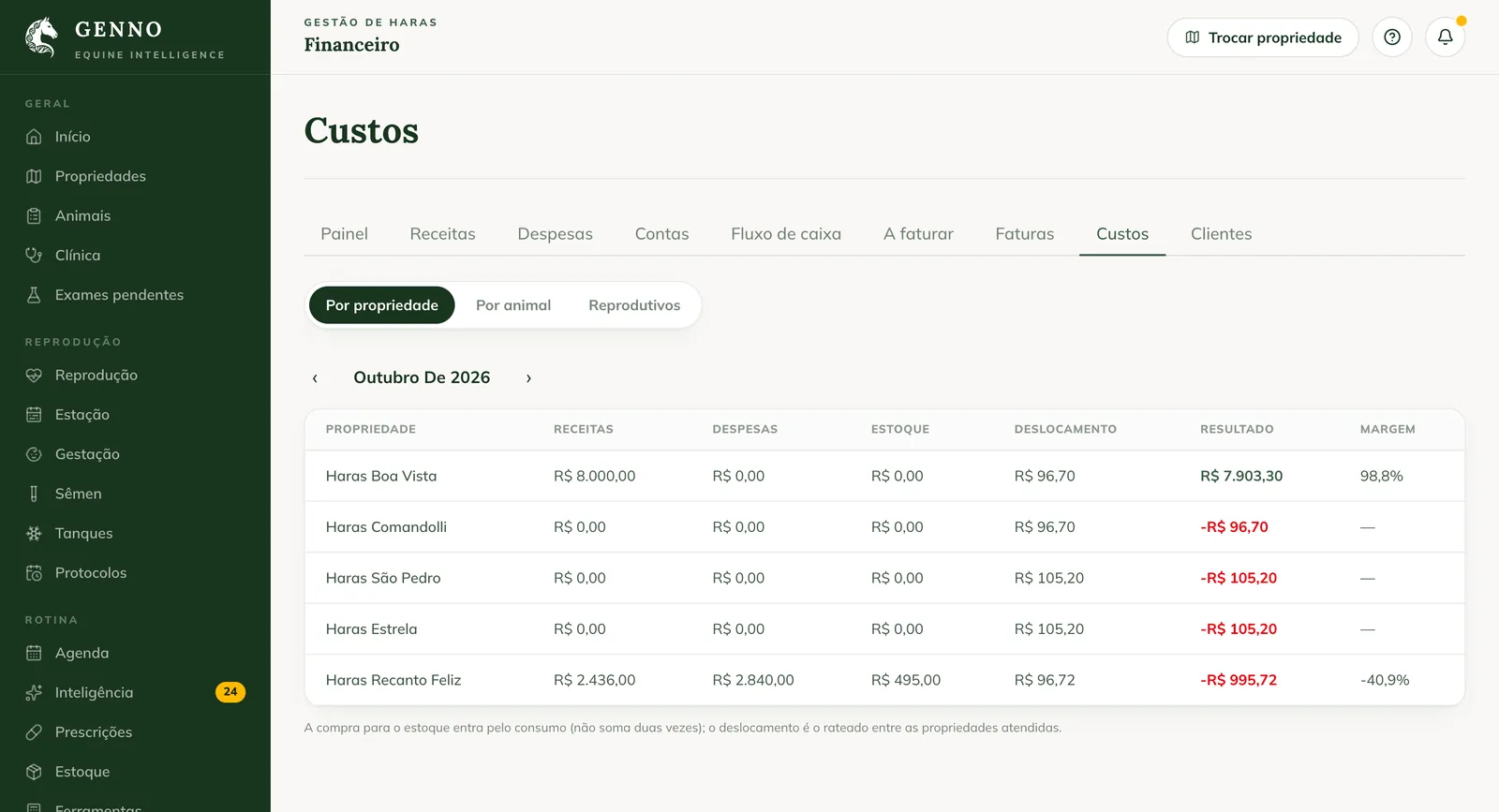
Inventory purchases count through usage, so they aren't counted twice. The field trip is the amount split among the properties visited.
By animal
- Click By animal.
- Choose the animal in Choose the animal... and the year with the arrows.
- See the Total cost, the Services, the Inventory and the Expenses, the cost By category and the Cost history.
Medication given counts through inventory, at cost, not through the invoice.
Reproductive
- Click Reproductive.
- Choose the current year or a season.
- See the Reproductive cost, the Mares worked and the Cost per mare, and the table per mare, with Services, Semen, Total and Pregnancies.
In the app
In More › Finance, tap the Costs shortcut. The app has the By property and Reproductive tabs. The cost per animal is on the animal record, on the Finance tab.
Common problems
"No activity in the period." appeared. The property had no entries or usage in the month. Choose another month.
The app shows "Costs require a connection." Connect to the internet and open it again.
Next steps

Didn’t this article solve it?
Talk to the GENNO team. Tell us what you were doing and, if you can, send a screenshot.