How to see the farm's cash flow
WebAppWorks offline
The cash flow shows whether money will be left over or short: what has already come in and gone out and what is expected from the due dates.
Before you start
- The cash flow is for the Administrator and Veterinarian.
- It uses the entries and accounts. The more complete they are, the better the forecast. See how to record income and expenses.
See it on the web
- At web.genno.app, click Finance and the Cash flow tab.
- Choose the month with the arrows.
- Choose Day, Week or Month (quarter).
- See Realized inflows, Expected inflows, Realized outflows, Expected outflows and the Period balance.
- Check the Inflows, outflows and cumulative balance chart and the table with Period, Inflows, Outflows, Period balance and Cumulative.
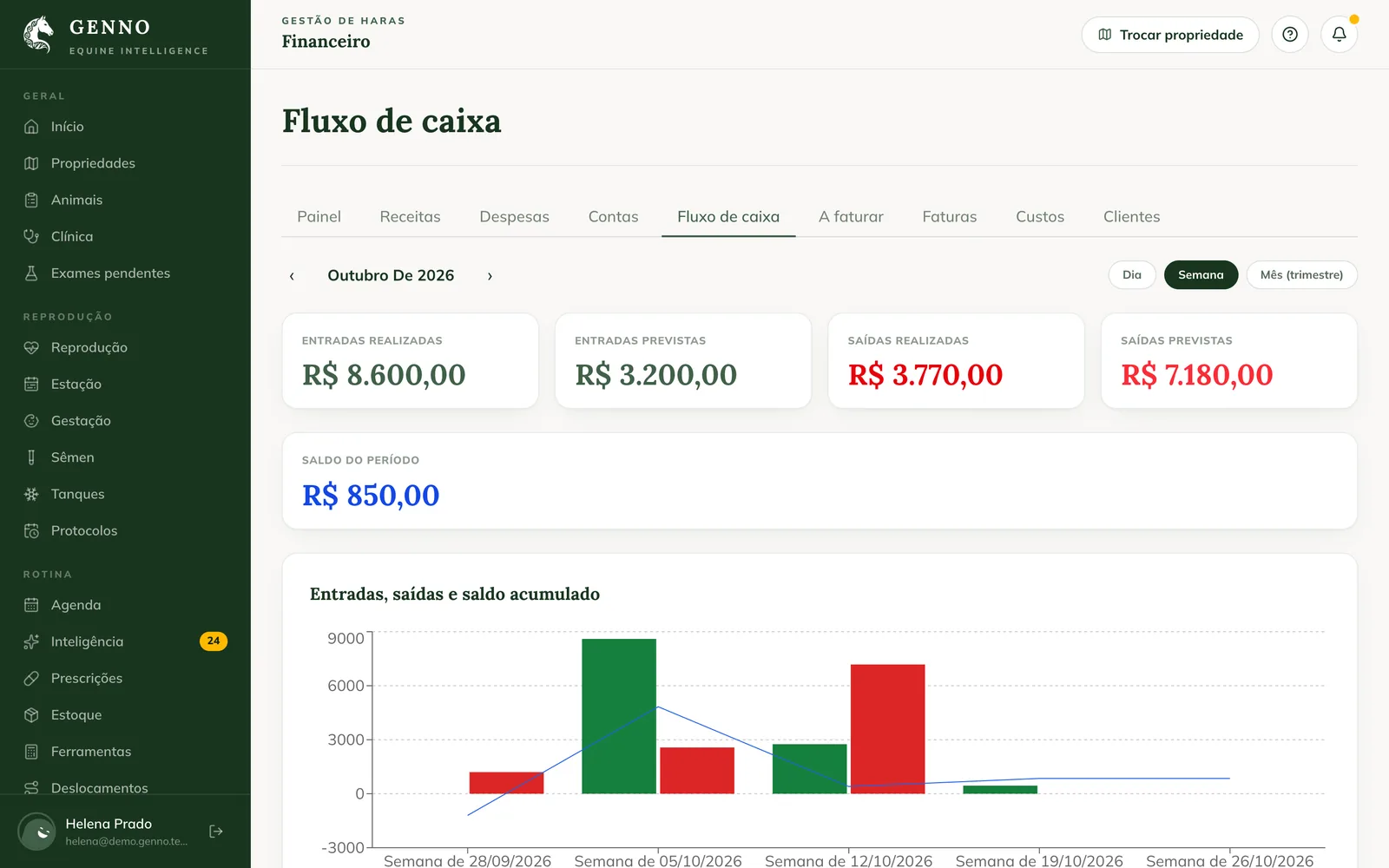
Realized amounts count by payment date. Expected amounts count by due date: anything overdue and unpaid counts as today.
In the app
In More › Finance, tap the Cash flow shortcut. Choose Day, Week or Month. It works offline, with the entries on the device.
Common problems
An overdue account appears today in the expected amounts. That's how it works: anything overdue and unpaid goes on today's date. Record the payment or change the due date.
The balance doesn't match the bank. Check that all receipts and payments were recorded, with the right date.
Next steps

Didn’t this article solve it?
Talk to the GENNO team. Tell us what you were doing and, if you can, send a screenshot.