Understand the farm finances in GENNO
GENNO finance brings the farm's money together in one place: what comes in, what goes out, what is still to be received and how much each property, animal and mare costs.
Who uses it
- The farm's plan must include Finance. Without it, the menu doesn't appear. See the plan and the limits.
- The Administrator does everything. The Veterinarian records entries, but doesn't record payments or cancel. Staff and Interns don't see finance.
The web tabs
At web.genno.app, click Finance in the menu. The tabs are:
| Tab | What it's for |
|---|---|
| Dashboard | The month's summary: income, expenses, balance, the weekly chart and overdue items. |
| Income and Expenses | The month's entries, by category. See how to record income and expenses. |
| Accounts | What is still to be received and paid, by due date. |
| Cash flow | Actual and expected inflows and outflows, and the running balance. |
| To invoice | Services done that haven't become an invoice yet. |
| Invoices | The invoices to clients and the Services and prices table. |
| Costs | The result per property, the cost per animal and the reproductive cost. |
| Clients | The owners and how much each one owes. |
The dashboard
The Dashboard shows the month chosen with the arrows: Income and Expenses, with the change against the previous month, the Period balance, the Income × expenses per week chart and the Summary, with Income received, Income receivable, Expenses paid and Expenses payable. Below come income and expenses by category.
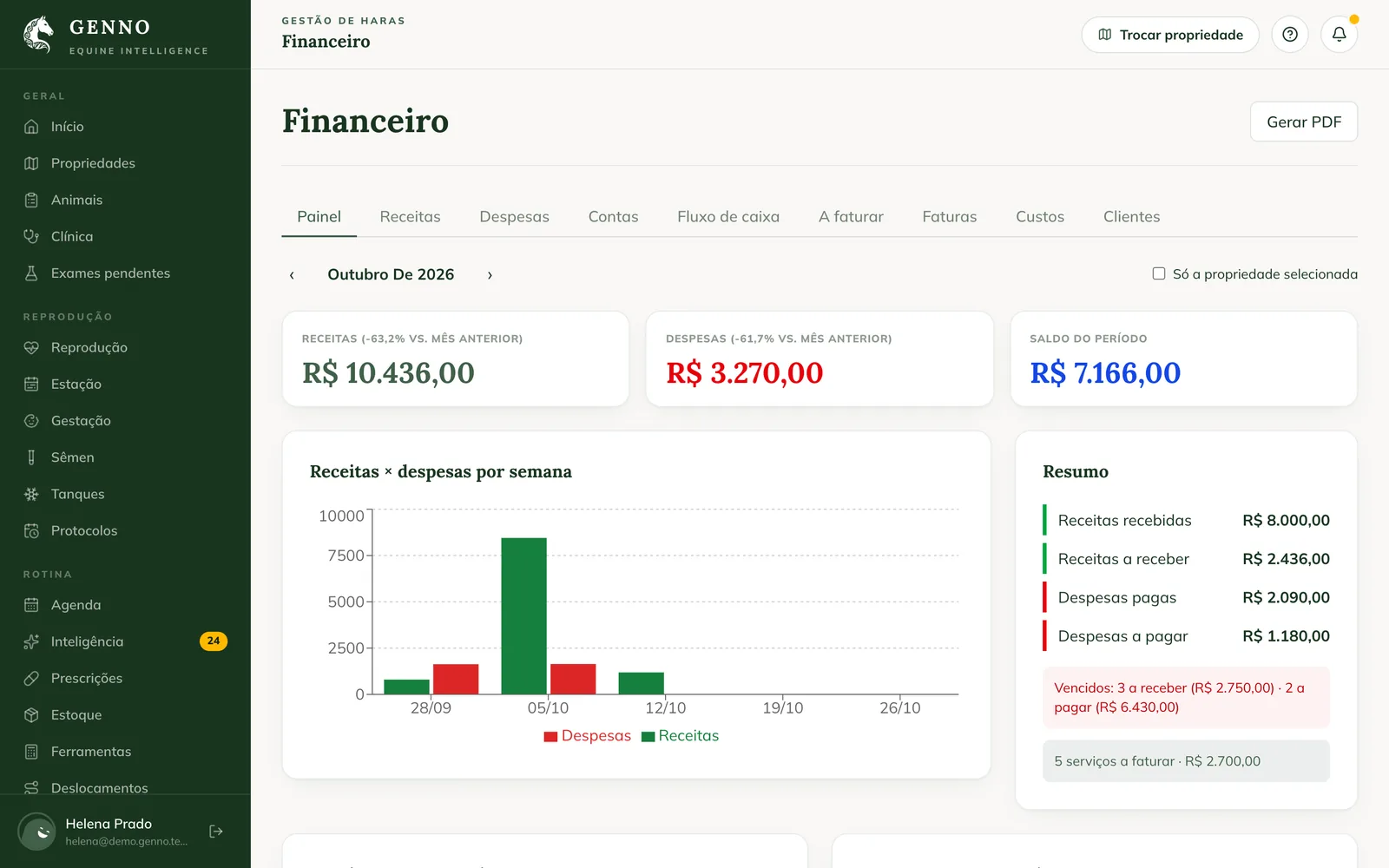
Check Only the selected property to see only the property in use.
In the app
In More, tap Finance. The app shows the chart, the Summary, overdue items and services to invoice, and the Shortcuts: Income, Expenses, Accounts, Cash flow, To invoice, Invoices, Clients and Costs.
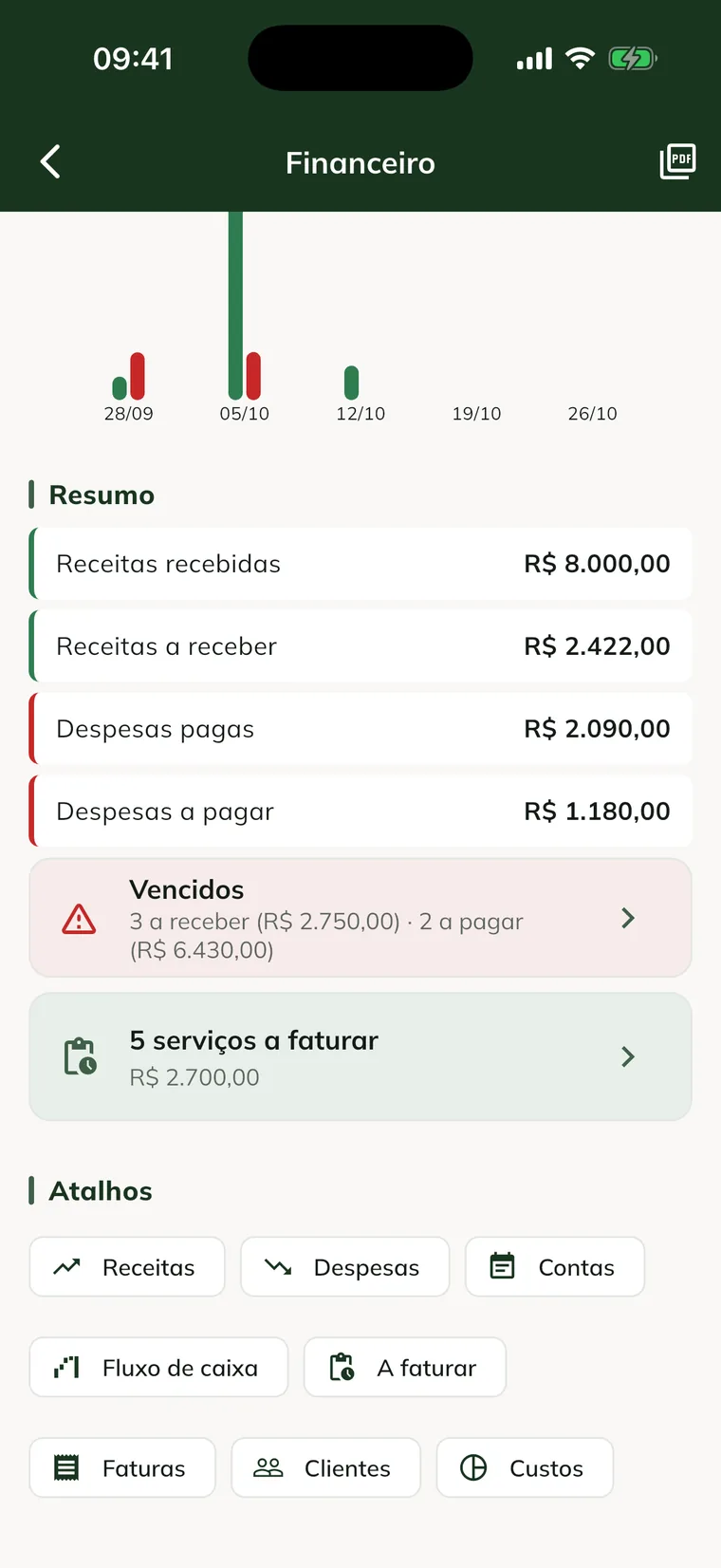
Entries made offline show Waiting to be sent to the server. and upload on the next sync. Costs require a connection.
Where entries come from
Many things come in on their own:
- An issued invoice becomes income receivable. See from visit to invoice.
- A purchase recorded in inventory can become an expense. See how to manage inventory.
- Field trip costs come in as expenses. See field trips and costs.
On the entry's page, Origin shows where it came from: Invoice, Stock entry or Trip cost.
Common problems
I don't see the Finance menu. The farm's plan doesn't include finance, or your profile doesn't see finance.
The dashboard shows amounts for all properties. Check Only the selected property.
An entry from the app doesn't appear on the web. It is Waiting to be sent to the server. Sync the app with internet.
Next steps

Didn’t this article solve it?
Talk to the GENNO team. Tell us what you were doing and, if you can, send a screenshot.