How to register the farm's services and prices
The services table says how much the farm charges for a visit, exam, breeding or km driven. With the event linked, GENNO records the charge on its own, without you typing anything.
Before you start
- Registering and changing services is for the Administrator, by default. The Veterinarian can view.
- The farm's plan must include Finance.
Register a service (web)
- At web.genno.app, click Finance and the Invoices tab.
- Click Services and prices.
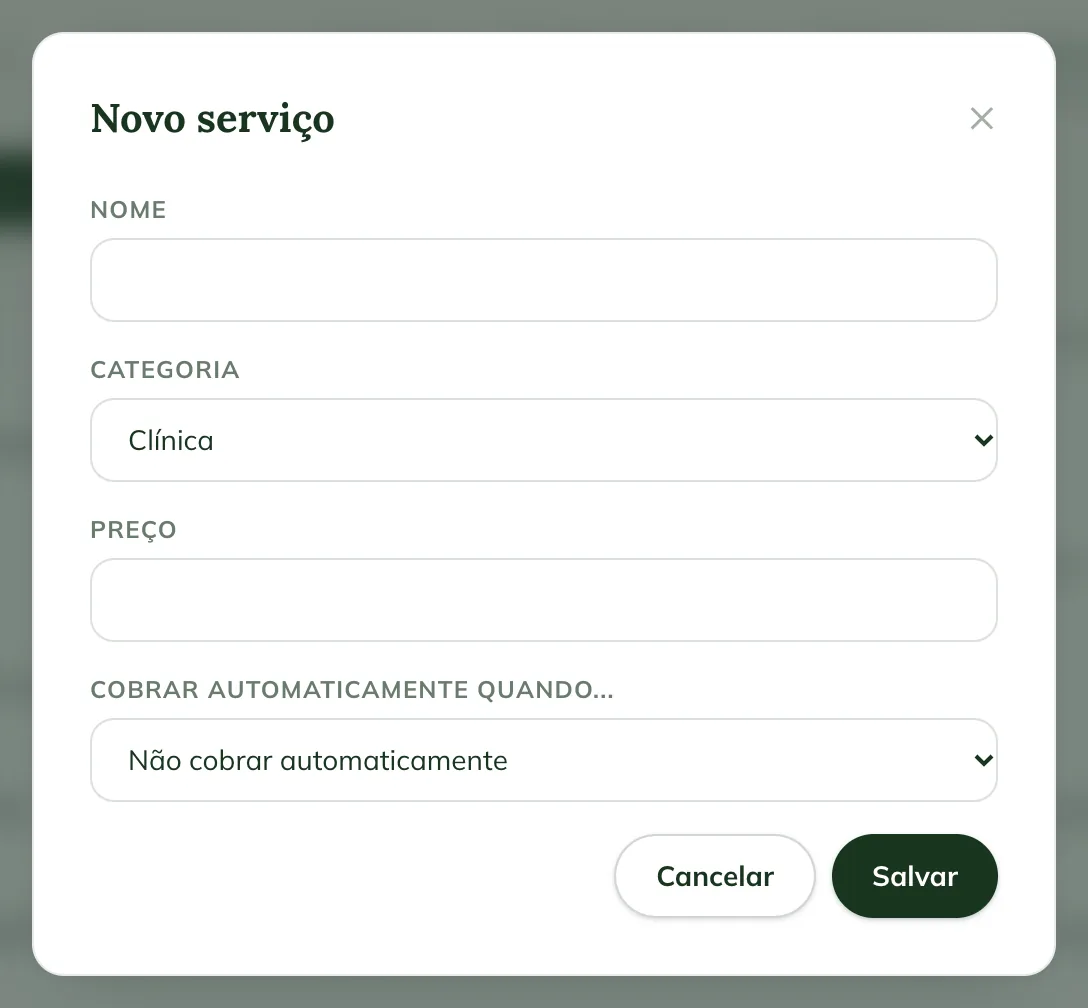
- Click New service.
- Fill in the Name.
- In Category, choose Clinical, Reproduction, Exams or Others.
- Fill in the Price.
- In Charge automatically when..., choose the event that creates the charge, or leave Do not charge automatically.
- Click Save.
Events that charge on their own
| Event | When the charge is created |
|---|---|
| Clinical visit recorded | When a clinical visit is saved. |
| Reproductive exam / ultrasound | When a reproductive exam is recorded. |
| Breeding or insemination | When the breeding or AI is recorded. |
| Embryo flush and Embryo transfer | When the flush and the ET are recorded. |
| Pregnancy diagnosis | When the diagnosis is recorded. |
| Foaling and Neonatal exam | When the birth and the foal's assessment are recorded. |
| Semen collection (own batch) and Semen shipment (per straw) | When the semen collection and shipment are recorded. |
| Trip (price per km) | When the field trip is finished: the price per km times the km driven, split among the properties visited. |
Each event accepts only one active service. The charge goes to To invoice, in the name of the animal's owner. See from visit to invoice.
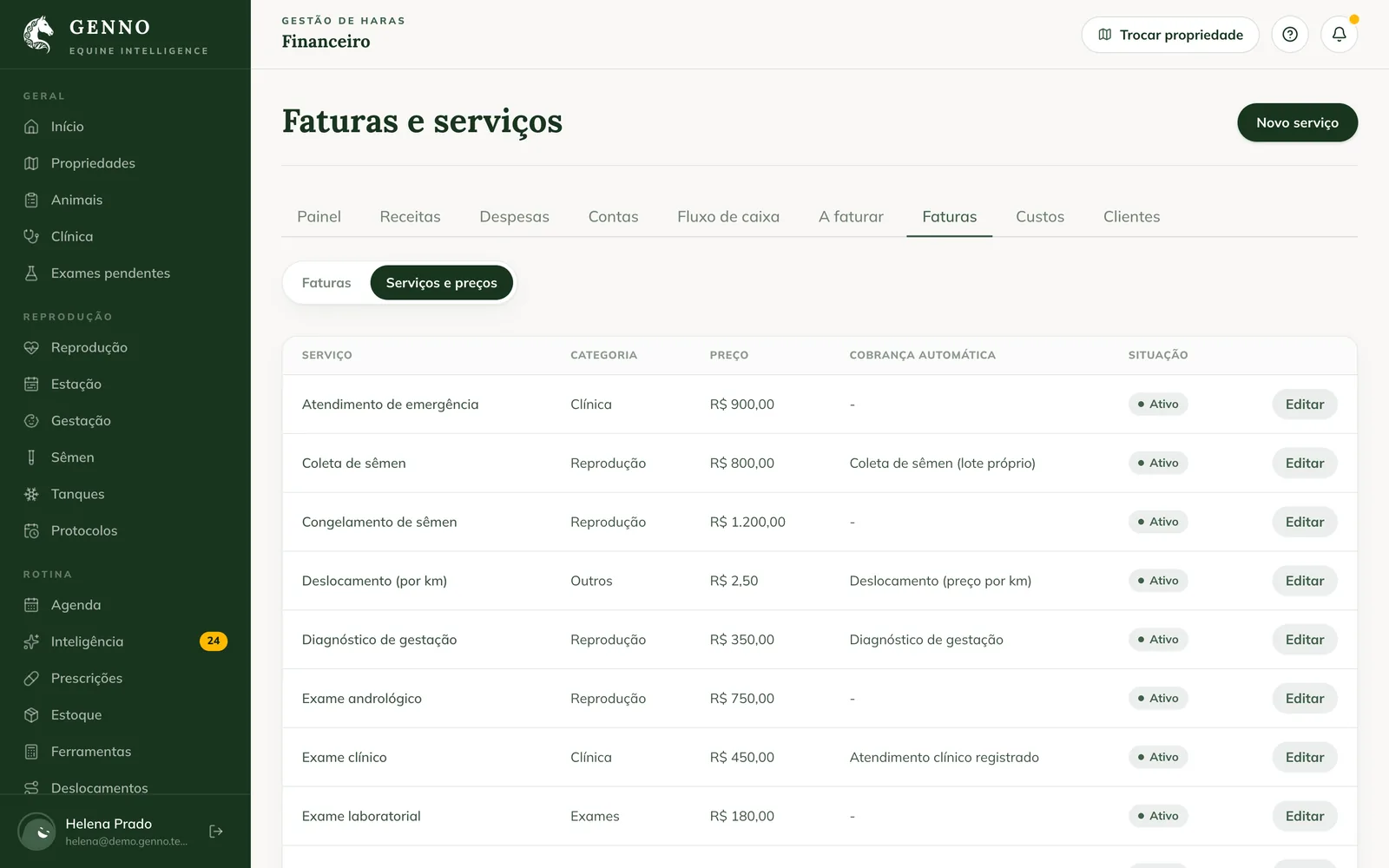
To stop using a service without losing its history, click Edit and uncheck Active service.
In the app
- In More, tap Services and prices.
- Tap New service, fill in Name, Category and Price and choose the event in Charge automatically when….
- Tap Save service.
Use Search service... to find it in the list.
Common problems
"Enter a valid price." appeared. The price is empty or negative. Fill in an amount.
"The service "..." already uses this trigger" appeared. Another active service already charges for this event. Deactivate the other one or choose another event.
"A service with this name already exists" appeared. Use another name, or edit the service that already exists.
I recorded the visit and the charge didn't appear. Check that the service is active and linked to the event. If you recorded it offline, sync.
Next steps

Didn’t this article solve it?
Talk to the GENNO team. Tell us what you were doing and, if you can, send a screenshot.