How to register the farm's clients
The client is the animals' owner. Charges, invoices and Portal access go to them.
Before you start
- Registering clients is for the Administrator and Veterinarian, by default. Staff can only view.
- The farm's plan must include Finance.
- In the app, registration works offline.
Register on the web
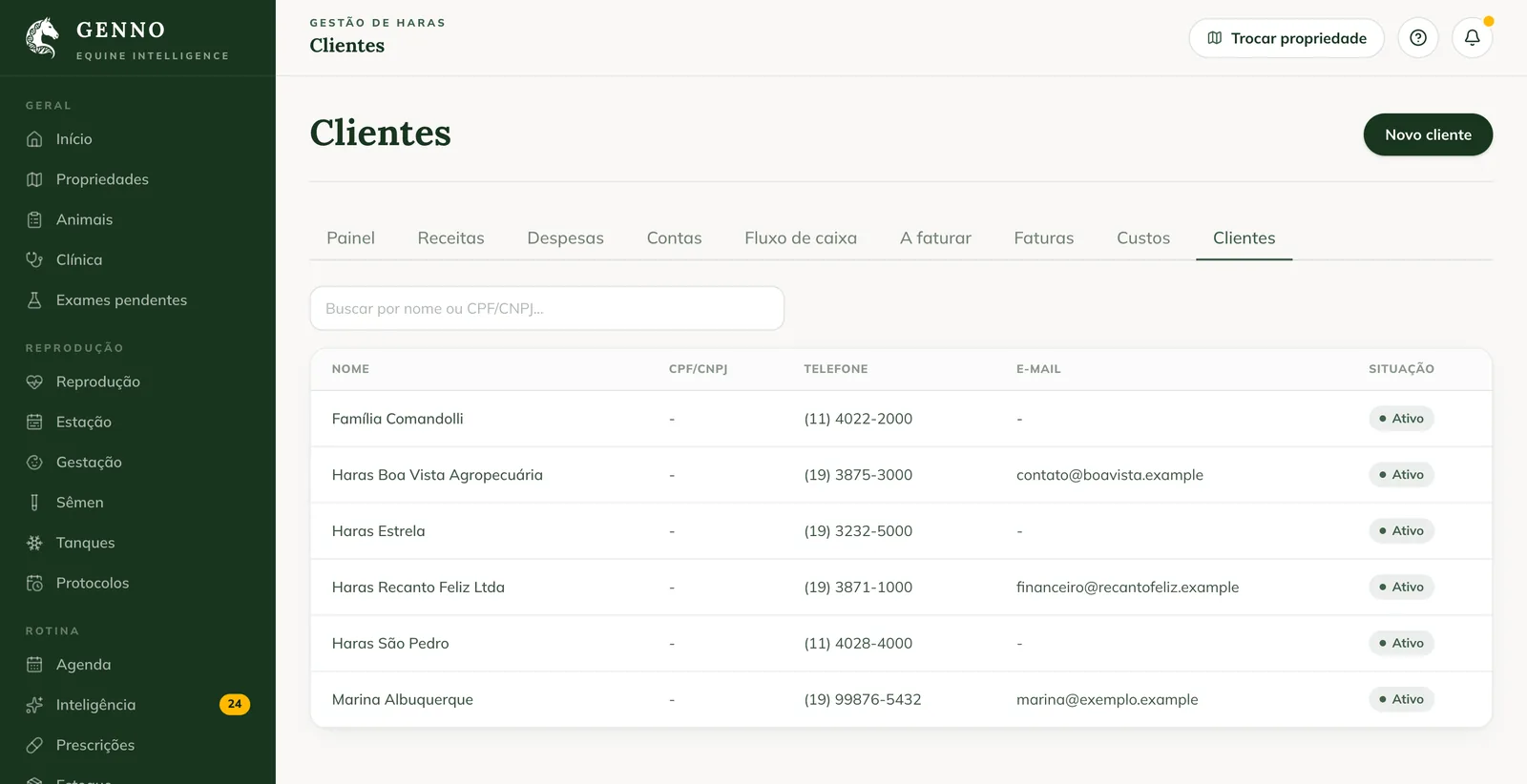
- At web.genno.app, click Clients in the menu.
- Click New client.
- Fill in the Name, the Tax ID (CPF or CNPJ), the Email and the Phone.
- Fill in the Address and the Notes, if you want.
- Click Save.
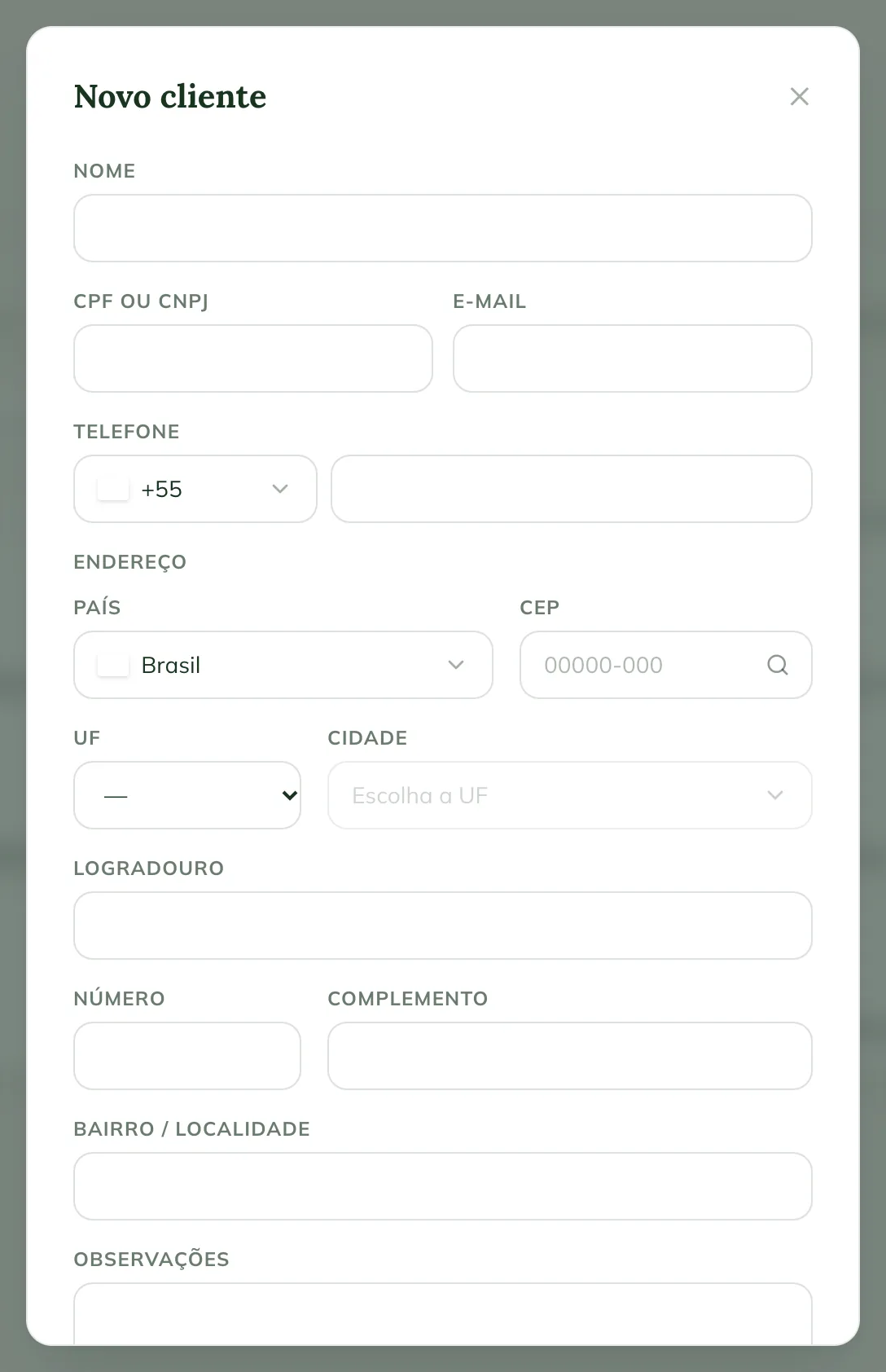
The email is used for the Portal invitation. The phone and email are also used for owner notices.
The Clients list has the Search by name or tax ID... search.
Link animals and properties
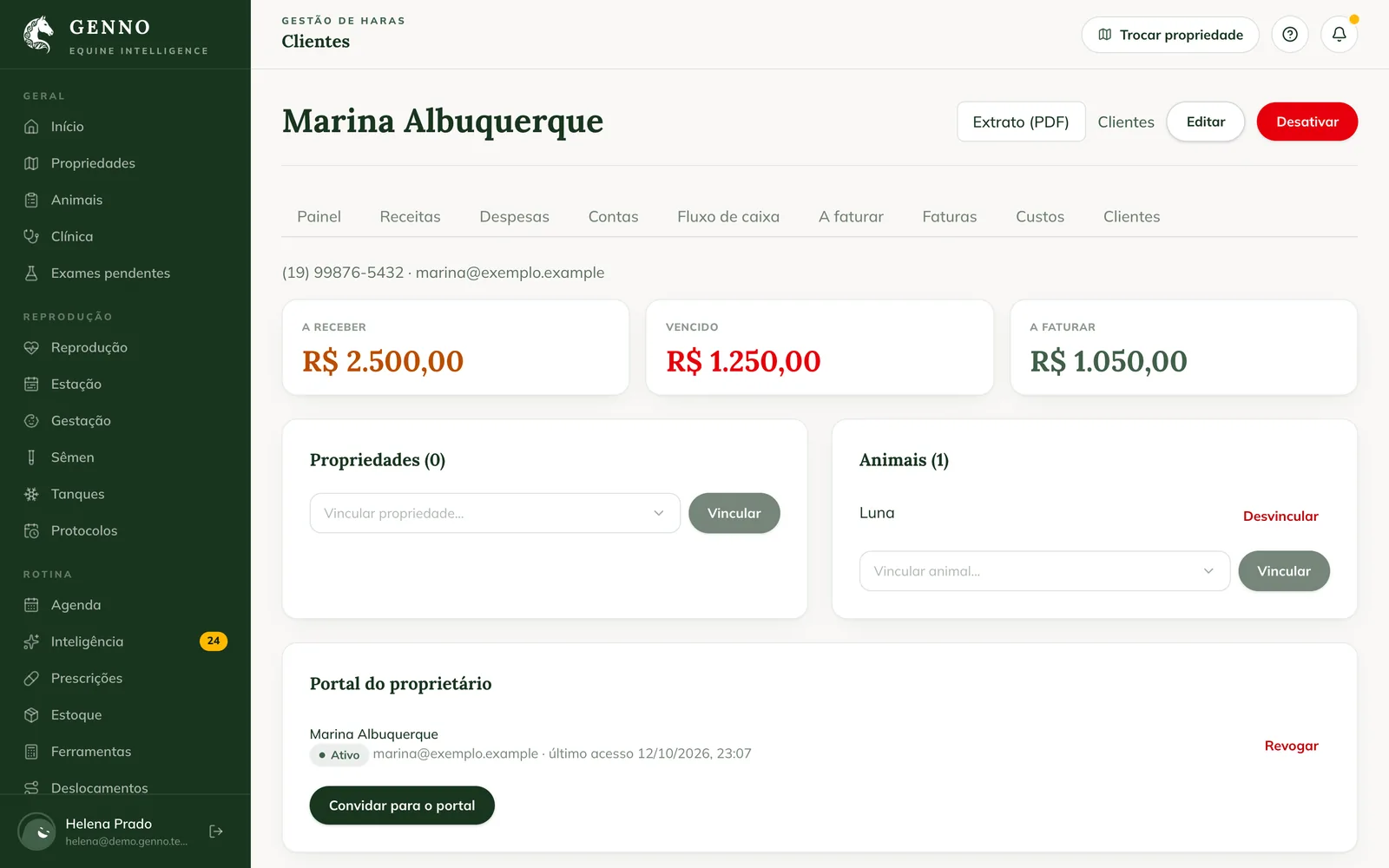
- Click the client to open the record.
- Under Animals, choose in Link animal... and click Link.
- Under Properties, choose in Link property... and click Link.
To remove a link, click Unlink. The animal's link also changes through the passport, in Change owner. See how to keep the horse's passport.
Whoever pays a charge is the animal's owner. If the animal has no owner, the property owner applies.
The client record
- Receivable, Overdue and To invoice: how much the client owes.
- Statement (PDF): the client's account statement.
- Owner portal: the invitation and the accesses. See how to invite the owner to the Portal.
- Edit and Deactivate: a deactivated client leaves the lists, but the history remains.
In the app
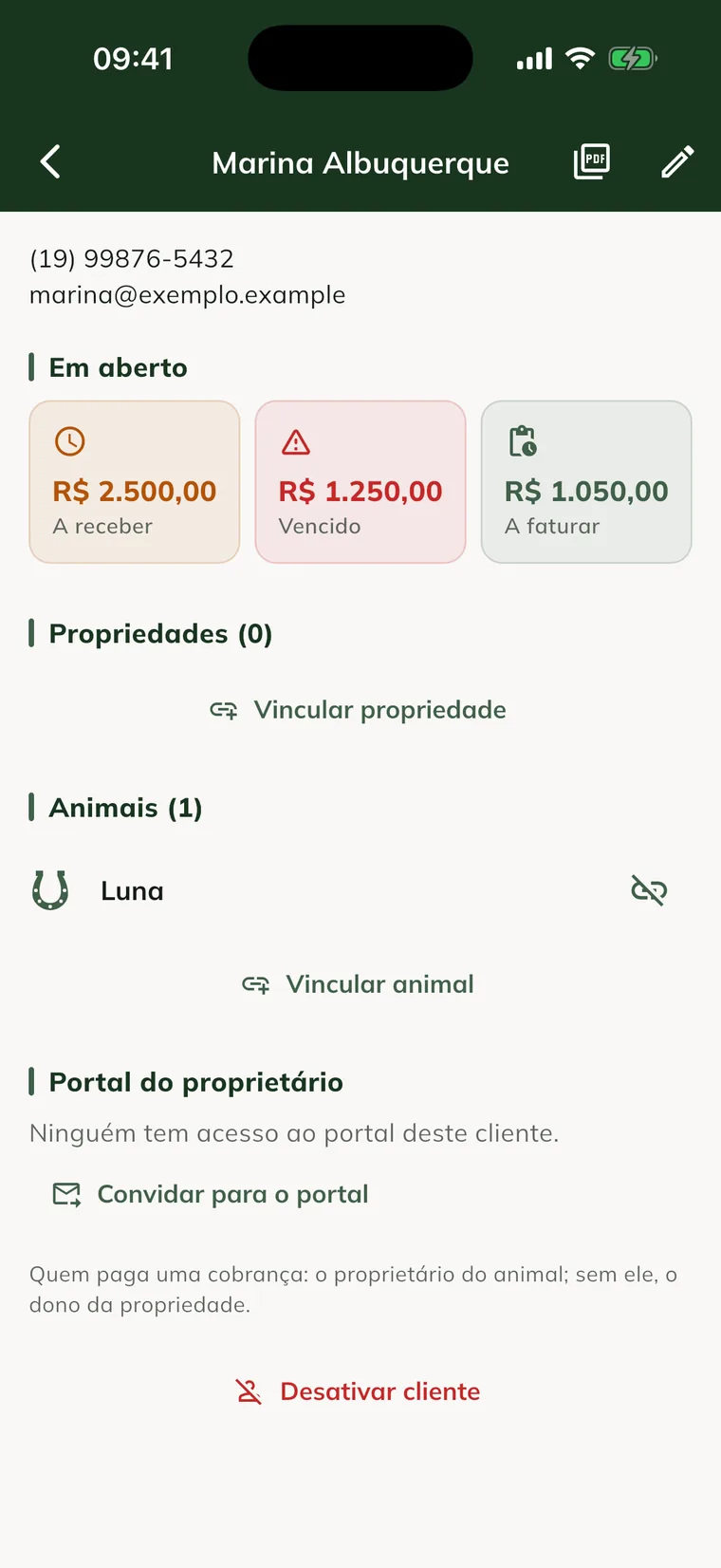
- In More, tap Clients (or Finance › Clients).
- Tap New client, fill it in and tap Save.
- Tap the client to open the record. Use Link property and Link animal.
Common problems
"Enter the name." appeared. The name is required. Fill it in and save.
"Register the client before invoicing." appeared. The service has no client. Register the client and link the animal or the property.
I don't see the Clients menu. The plan doesn't include finance, or your profile doesn't see clients.
Next steps

Didn’t this article solve it?
Talk to the GENNO team. Tell us what you were doing and, if you can, send a screenshot.