How to see your plan and the subscription limits
The plan defines which areas of GENNO the farm uses and how much it can register. The Subscription and limits card shows today's usage.
See the plan on the web
- At web.genno.app, click Settings in the menu.
- Scroll to the Subscription and limits card.
- See the plan name and the next due date.
- See the use of each limit: Properties, Animals in the herd, Documents this month and Team users. Each one shows how much has been used and the plan's maximum, or unlimited.
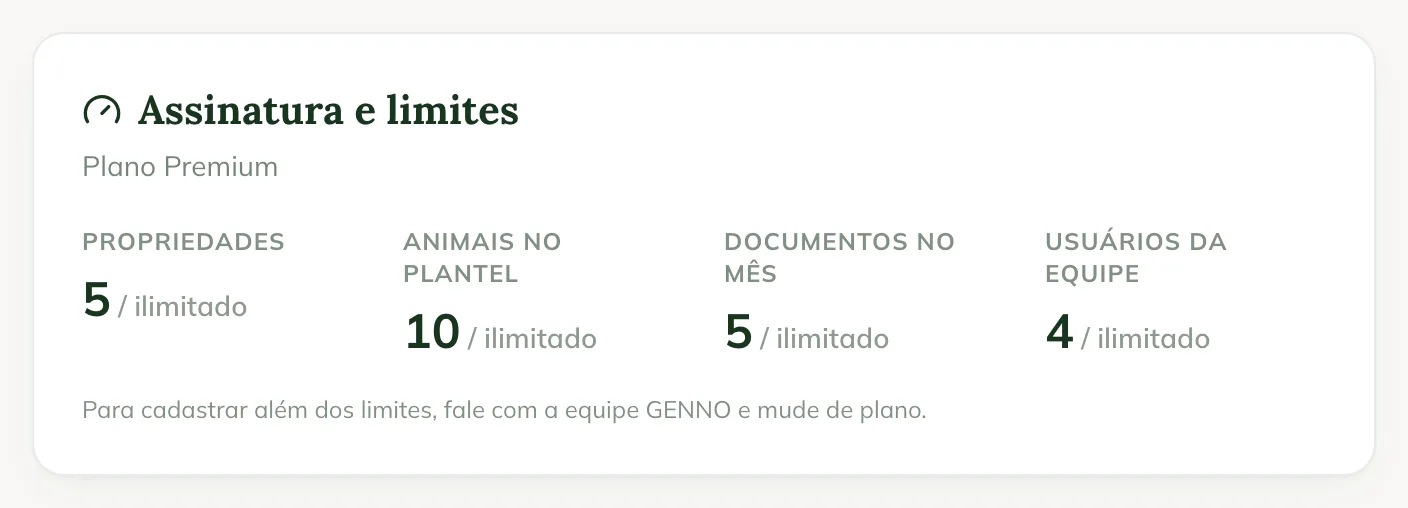
The bar turns yellow near the limit and red when it is reached. Outside animals, registered only in the pedigree, don't count toward the herd. Documents count in the month they were saved.
If the organization has add-ons, the administrator also sees the Subscription add-ons card, with the active add-ons and one-off charges.
In the app
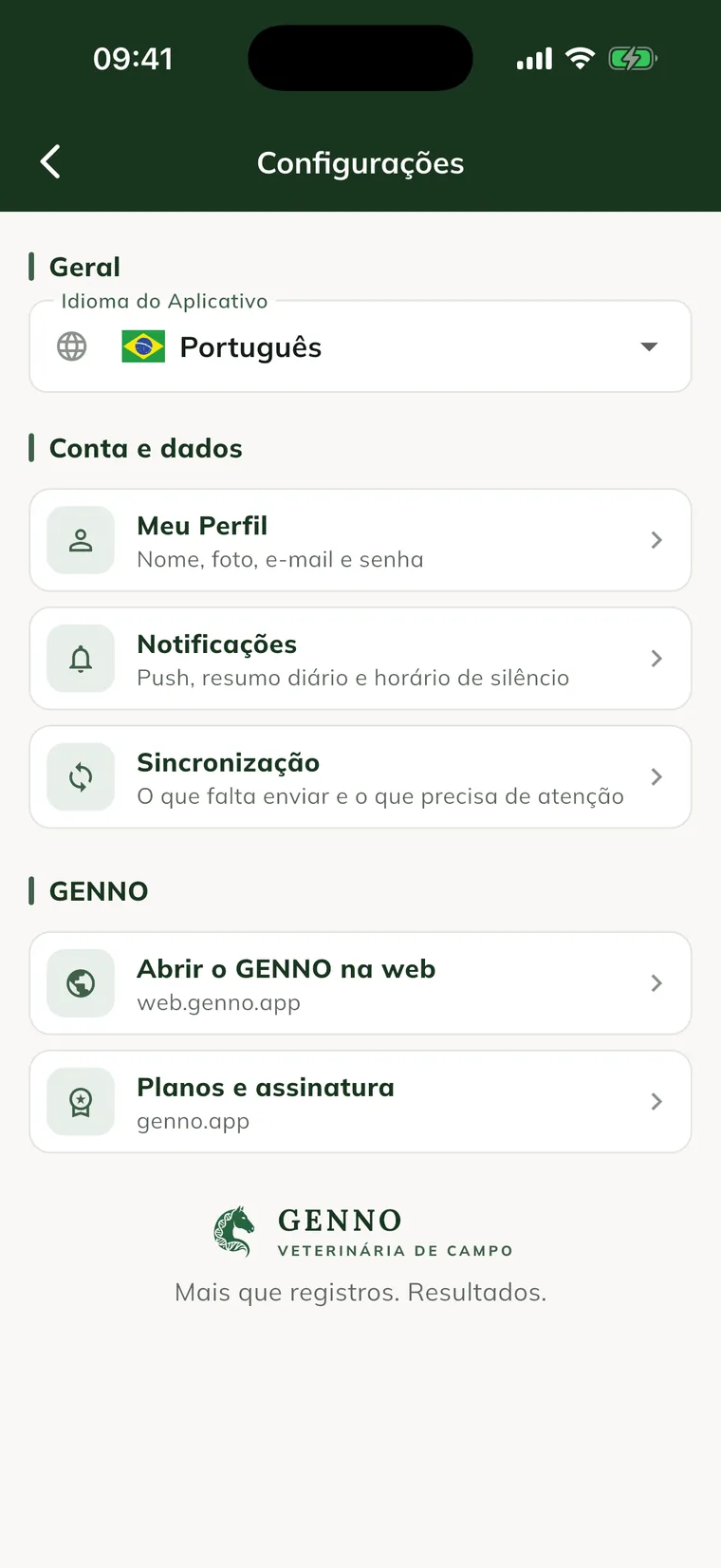
In More, tap Settings and Plans and subscription. The plans open on the website genno.app/planos.
What the plan unlocks
Besides the limits, the plan says which areas the farm uses, such as finance, reproduction, reports and the Owner portal. An area outside the plan doesn't appear in the web menu, not even for the administrator. In the app, it appears as Module Locked. See the access profiles.
You've reached the limit
Past the limit, GENNO won't let you register and shows a message such as "Your plan allows up to 1 property. To add more, change your plan in Settings › Subscription." Nothing that already exists is deleted.
To change plans, talk to the GENNO team. See how to contact support. The plans and what each one includes are at genno.app/planos.
Common problems
The card shows "No subscription". The organization has no active plan. See how to create the account and subscribe.
I don't see the Subscription add-ons card. It only appears for the administrator and when the organization has an add-on or a one-off charge.
The user limit doesn't match the team. Owners with Portal access don't count as team users.
Next steps

Didn’t this article solve it?
Talk to the GENNO team. Tell us what you were doing and, if you can, send a screenshot.