How to change plan in GENNO
WebNeeds internet
Changing plan is done in GENNO's own screens. Before confirming, you see how much the next cycle costs and when the change applies.
Before you start
- Only the organization's Administrator changes the plan.
- The subscription must be active (or in the grace period). If it is awaiting payment, pay first.
- Subscription with a negotiated amount with the GENNO team: the change goes through support.
Changing the plan or the cycle
- At web.genno.app, click Settings › Plan and data › Subscription and limits.
- In the Payment card, click Change plan.
- Choose the Plan and the Cycle (monthly, semiannual or annual).
- Check the amount of the next cycle and when the change applies.
- Click Confirm change.
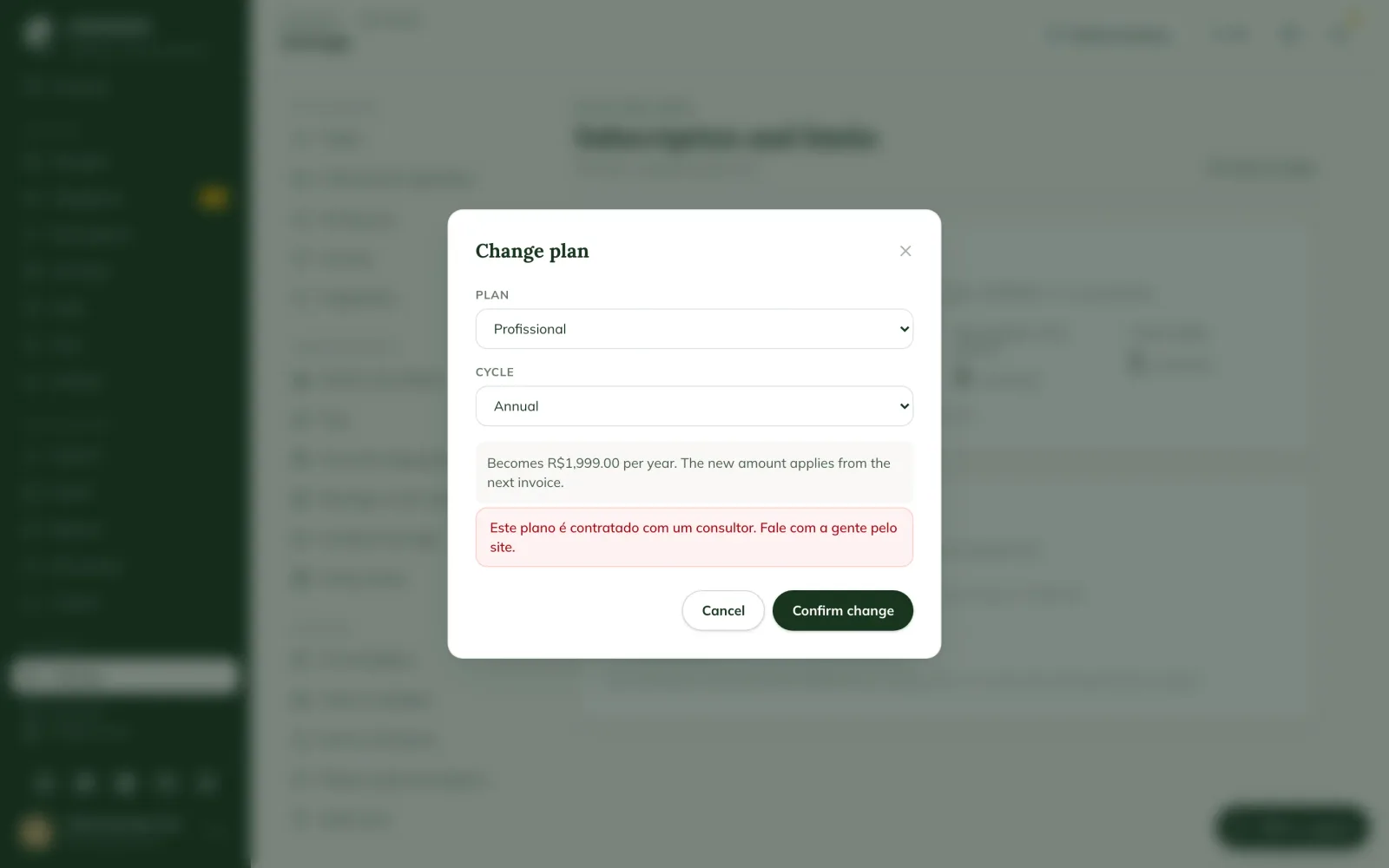
When the change applies
- Credit card: the change applies right away. The difference for the current period is charged (or credited) proportionally on the next invoice.
- Pix or boleto: the new amount applies from the next invoice; the period already paid stays as it is.
- The limits of the new plan (properties, animals, documents and users) apply right away. If the new plan has a lower limit than the current usage, registering new records is blocked until adjusted.
The plans and the prices per country are at genno.app/planos.
Common problems
The Change plan button does not appear. The subscription is not active, or has an amount negotiated with the team. Contact support.
I want the Premium plan. Premium is contracted with a consultant: talk to us through the site or support.
Next steps

Didn’t this article solve it?
Talk to the GENNO team. Tell us what you were doing and, if you can, send a screenshot.