How to customize the messages to the owner
WebNeeds internet
After the visit, the owner gets notices from GENNO: the visit summary, the scheduled follow-up, reminders, test results and doses. You choose the language they go out in, the signature and the text of each one.
Before you start
- Changing the texts requires the Templates permission.
- The automatic notices through GENNO's WhatsApp use the template approved by WhatsApp, with your text inside. Through the portal, email and WhatsApp from your phone, the whole text goes out.
Language and signature
- At web.genno.app, click Settings and, under Organization, Messages to the owner.
- Under Message language, choose Portuguese, English or Spanish.
- Under Signature, write what goes at the end of each message, such as the farm's name and phone.
- Click Save.
Edit a notice's text
- Under Notice texts, choose the language under Editing in.
- On the notice, change the Title and the Text.
- To add a detail, click the field below the text, such as + Animal name or + Visit summary.
- Check the Preview and click Save.
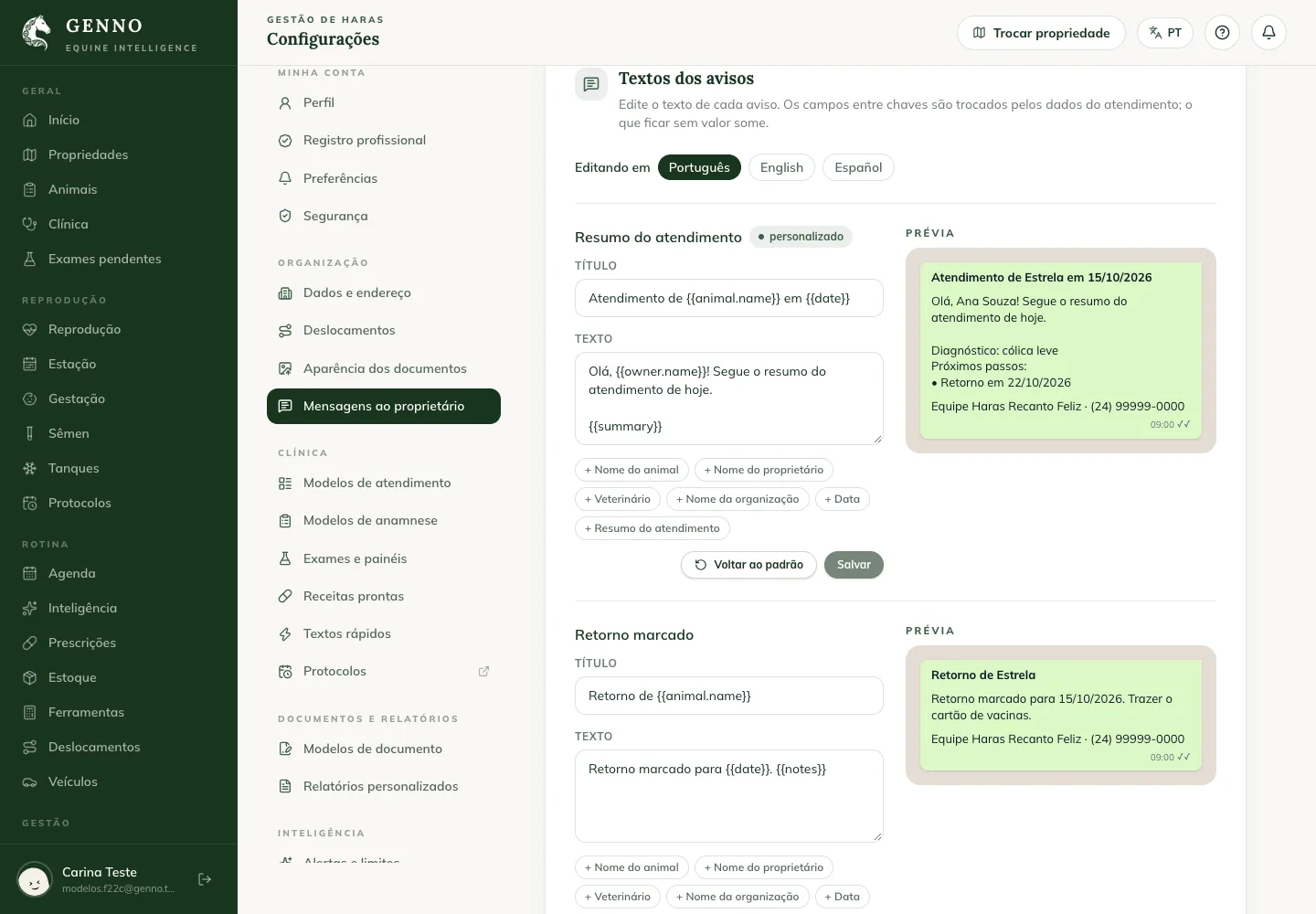
A field with no value is left out of the text. To go back to GENNO's text, click Back to default.
Common problems
"Unknown field" appeared. The text has a field that this notice doesn't accept. Use the field buttons below the text.
The owner got the message in another language. Messages go out in the Message language, not in the screen's language. Check the choice at the top of the page.
Next steps

Didn’t this article solve it?
Talk to the GENNO team. Tell us what you were doing and, if you can, send a screenshot.