How to request a custom report or dashboard
When the ready-made reports aren't enough, the GENNO team builds a dashboard with the data you already record. You tell us what you need, receive the quote and follow everything in GENNO.
Before you start
- Requesting and approving is for the Administrator, by default.
- The request is made on the web.
Make the request
- At web.genno.app, click Custom in the menu.
- Click New request.
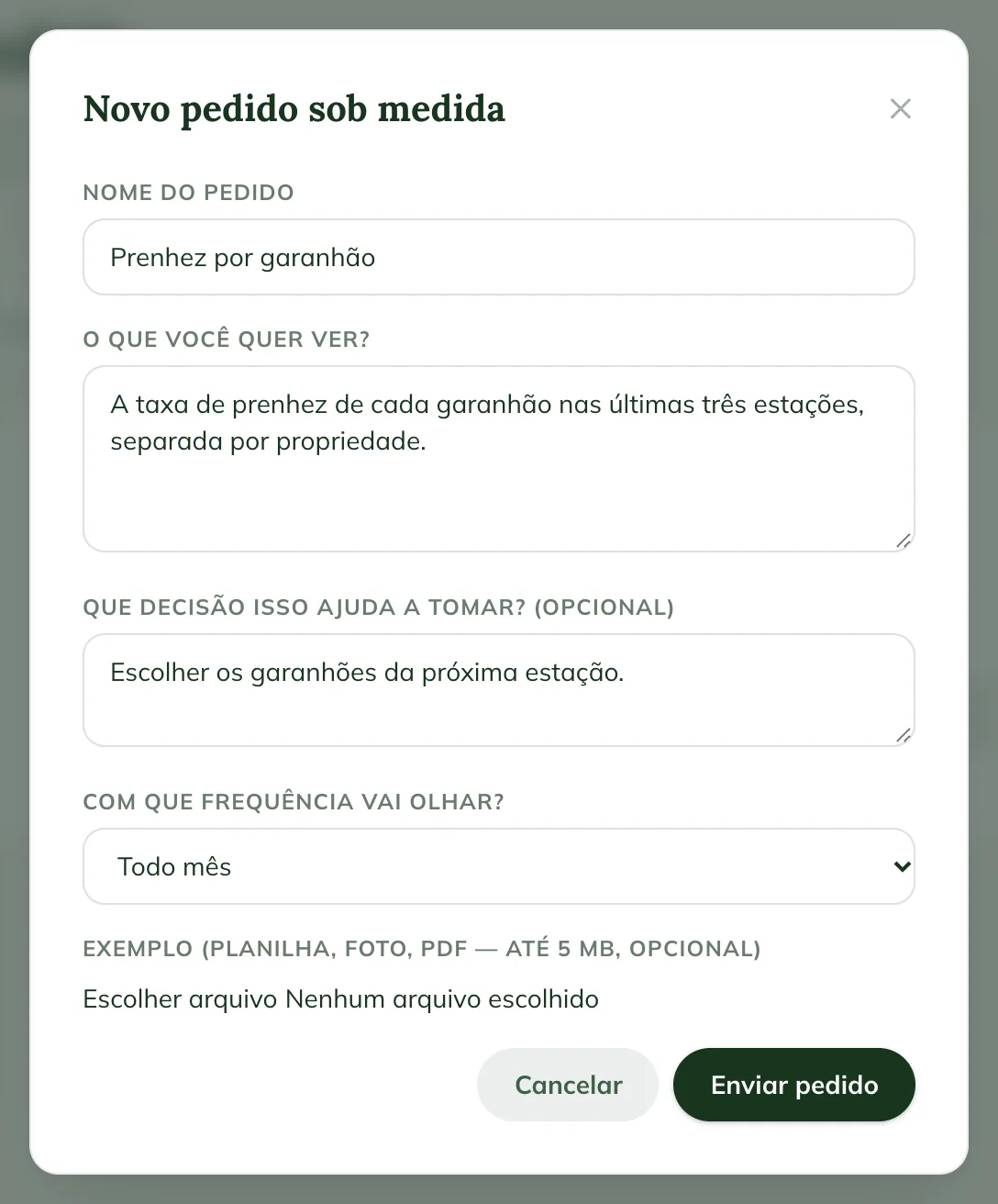
- Fill in the Request name, for example "Pregnancy by stallion".
- In What do you want to see?, describe it in your own words.
- In What decision does this help you make? (optional), explain what you'll use it for.
- In How often will you check?, choose Once, Every week, Every month or Every season.
- If you have an example (spreadsheet, photo or PDF, up to 5 MB), attach it.
- Click Send request.
Follow and approve the quote
On the Requests tab, each request shows its status: Received, Under review, Quote sent, Approved, In progress, Delivered, Rejected or Cancelled. Open the request to talk to the GENNO team, in the Write to the GENNO team field.
When the status is Quote sent:
- Open the request and check the Quote: the Setup (one-time), the Monthly (added to the subscription) and the Deadline.
- Click Approve quote, or Decline.
- When approving, check I have read and accept the custom service terms and the data access authorization.
- Click Approve.
The setup becomes a one-off charge, and the monthly amount is added to the subscription from the next cycle. Both appear in Settings, on the Subscription add-ons card.
The authorization lets the GENNO team look up the organization's data for up to 90 days, only to build the dashboard. Each lookup goes into the audit log. To remove access earlier, click Revoke access on the request.
Use the dashboard
When the request is Delivered, the dashboard appears on the Panels tab. Open the dashboard and use the From, Until and Property filters, and click Apply. Click a number to see the list behind it.
Common problems
"Give the request a name and tell us what you want to see." appeared. Fill in the Request name and What do you want to see?.
"Attach files of up to 5 MB." appeared. The example is over 5 MB. Make the file smaller or send a screenshot.
I don't see the Custom menu. It appears for the administrator.
Next steps

Didn’t this article solve it?
Talk to the GENNO team. Tell us what you were doing and, if you can, send a screenshot.