How to refer GENNO and earn credit
Whoever joins GENNO through your link gets a discount on the subscription, and you get credit on your monthly payment for each referral that subscribes.
The rules apply as stated in the Refer and earn rules. Today's discount, credit and deadlines appear on the Refer and earn page itself.
Refer on the web
- At web.genno.app, click Refer and earn in the menu.
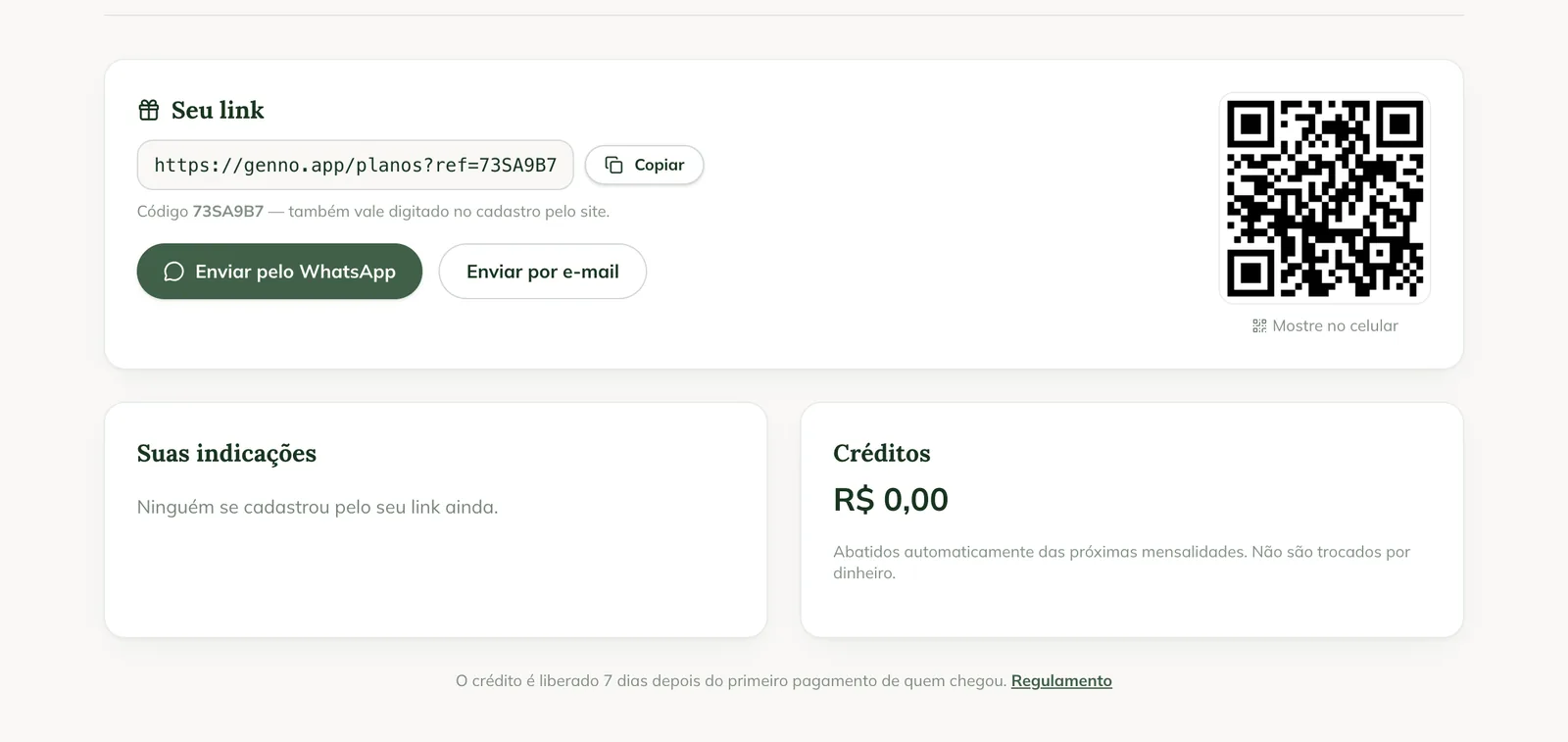
- Under Your link, click Copy and send it to your colleague. The Code also works when typed in the sign-up on the website.
- Or click Send via WhatsApp or Send by email: the message already includes your link.
- To refer someone in person, show the QR code on your phone.
Follow your referrals
Under Your referrals, each colleague appears with a status:
- Signed up: created the account through your link.
- Subscribed: paid for the subscription. The credit comes a few days after the first payment.
- Credit released: your credit has been added.
- Not valid: the referral didn't follow the rules.
Under Credits, you see the balance and each entry. Credits are deducted automatically from the next monthly payments and can't be exchanged for cash.
In the app
In More, tap Invite a friend. The screen shows the same link, with Copy link and Share, your referrals and the credits. It requires internet.
Common problems
"The program is paused" appears. For now, new referrals don't give a discount or credit.
My colleague signed up and doesn't appear. They must use your link or type your code in the sign-up on the website.
The app shows "No connection. The invite needs internet to show your link." Connect and tap Try again.
Next steps

Didn’t this article solve it?
Talk to the GENNO team. Tell us what you were doing and, if you can, send a screenshot.