How to change the organization details
WebAppNeeds internet
The organization is the farm's or clinic's account in GENNO. Its details appear on documents and are the starting point for field trips.
Before you start
- Changing the organization is only for the Administrator.
- It requires internet.
Change it on the web
- At web.genno.app, click Settings in the menu.
- In Organization Settings, change the Organization Name, the Tax ID (CNPJ/CPF), the Email or the Phone.
- In Address, choose the country, type the ZIP code and check the fields.
- In Trip base, fill in the Base name and the Base location (latitude, longitude). If empty, the organization's address applies.
- Click Save. Organization updated successfully! appears.
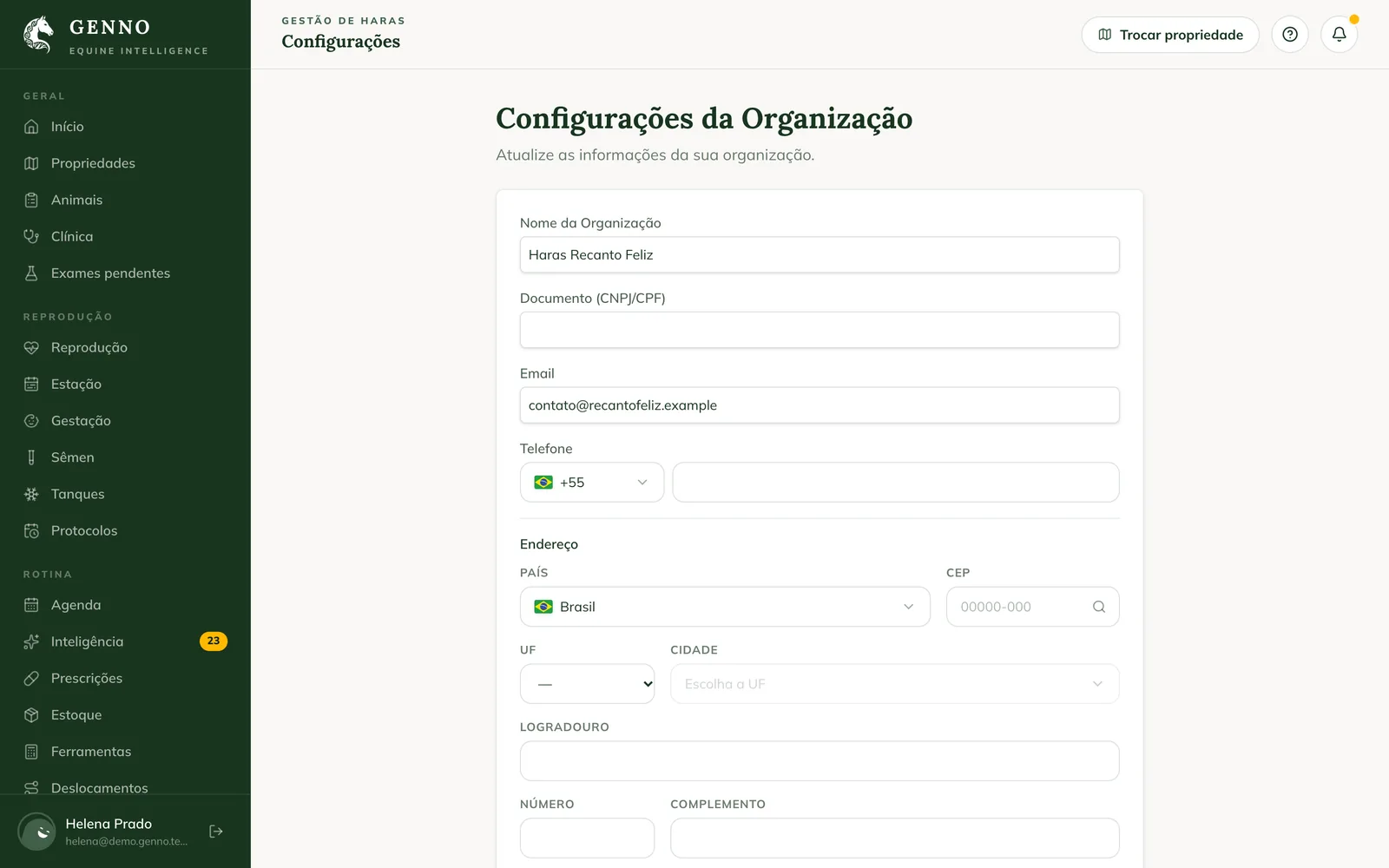
The base is the starting point of the day's route. See how to record field trips and costs.
The same page has the plan and the limits, the documents logo, notifications, Intelligence and the data export.
In the app
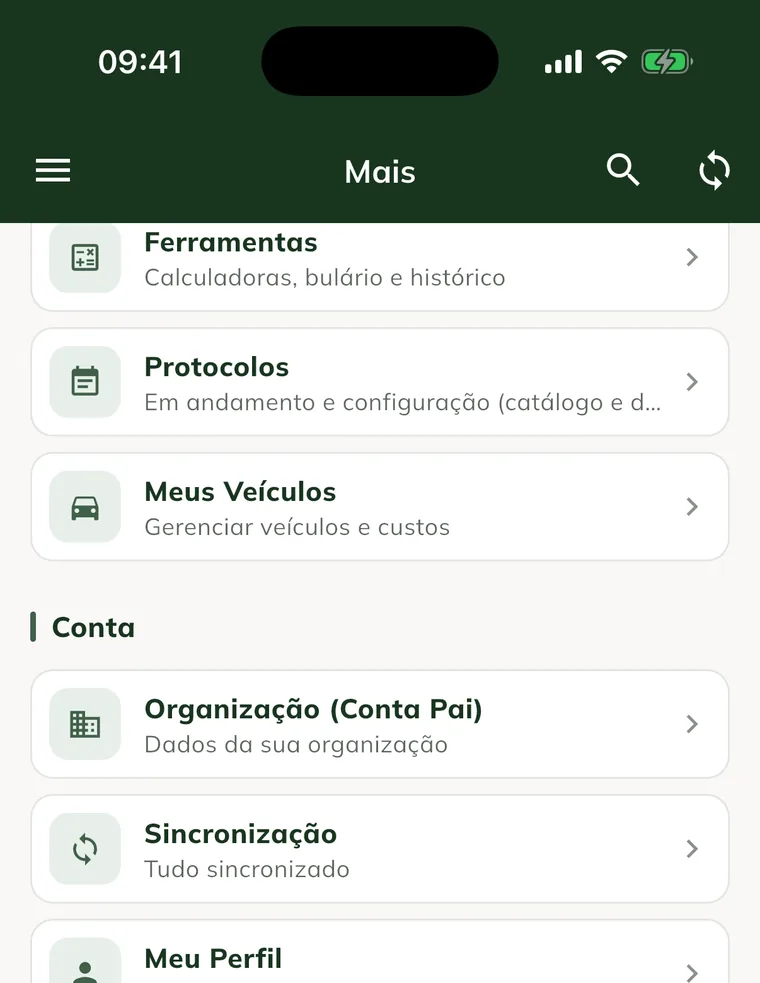
- In More, tap Organization (Parent Account).
- Change the Organization Name, the Tax ID (CNPJ/CPF), the Email or the Address.
- In Trip base, fill in the Base name and the Base location (latitude, longitude). Paste the coordinates from Google Maps.
- Tap Save.
Common problems
"Error updating the organization." appeared. Your profile can't change the organization, or the internet was down. Check and try again.
The app shows "Organization not found." Sync the app with internet and open it again.
The route starts from the wrong place. Check the Base location in the format "-22.9056, -47.0608".
Next steps

Didn’t this article solve it?
Talk to the GENNO team. Tell us what you were doing and, if you can, send a screenshot.