How to edit the profile and professional details
Your profile has your access details and your professional details. The title, license and drawn signature appear in the signature block of PDF reports.
Edit the profile on the web
- At web.genno.app, click your name at the bottom of the menu. It opens Settings › My account › Profile.
- To change the photo, click Change photo or avatar.
- Change the Full name or the Email.
- Click Save changes. Profile updated. appears.
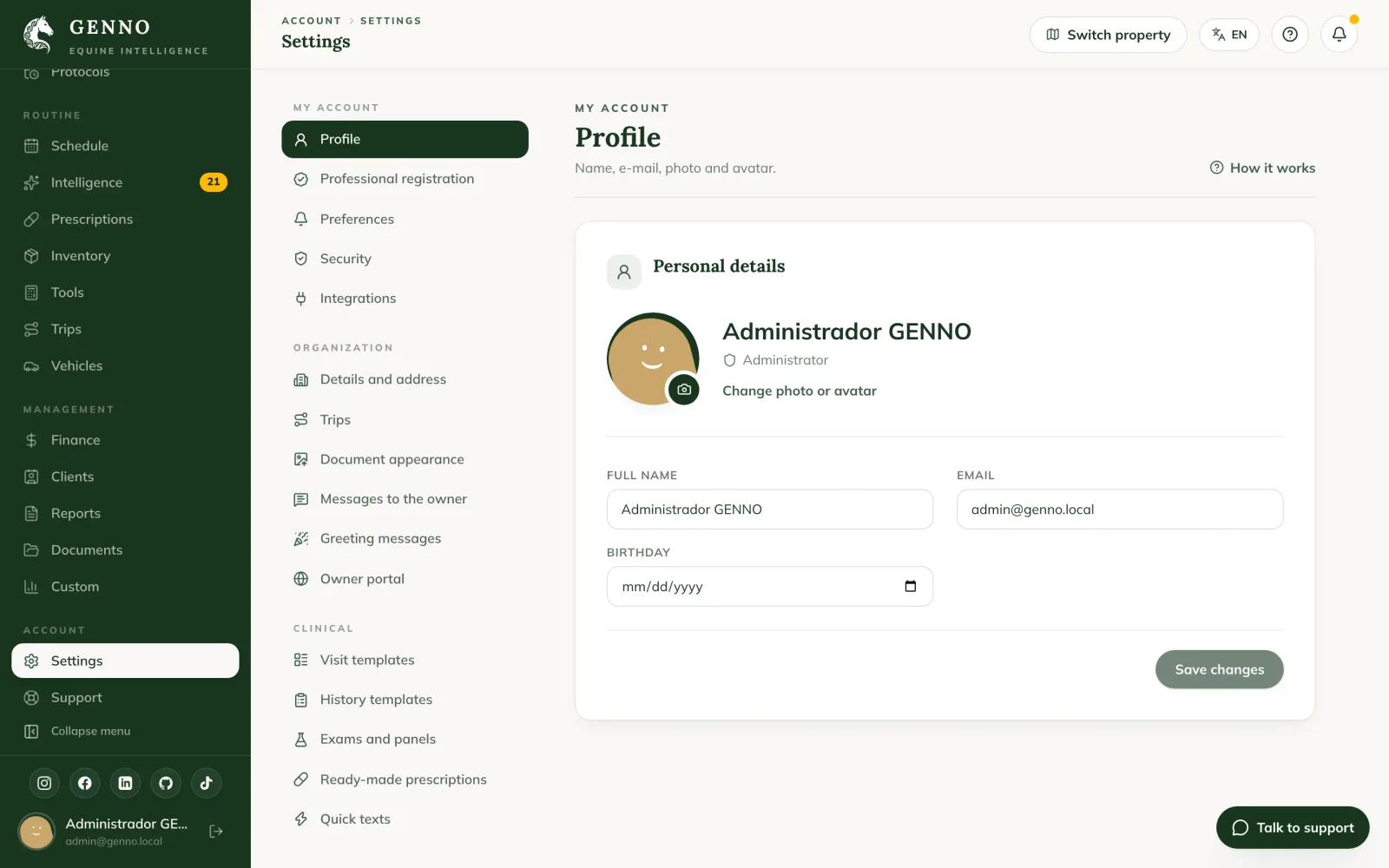
Below your name is your access profile. The administrator changes the profile. See the access profiles.
Fill in the professional details
- In Settings › My account, click Professional registration. On the Professional registration and signature card, fill in the Title, for example "Veterinarian".
- Choose the Country of the license, the region (the License state, in Brazil) and fill in just the number, for example "12345". Documents show "CRMV-SP 12345".
- Choose up to 3 Specialties from the list; the first appears next to the title in the signature block. See how to set up your professional license and specialties.
- Fill in the Phone / WhatsApp (for owners). It appears in the Portal notices, so the owner can contact you.
- In Signature, draw your signature in the box. To redo it, click Clear.
- Click Save record.
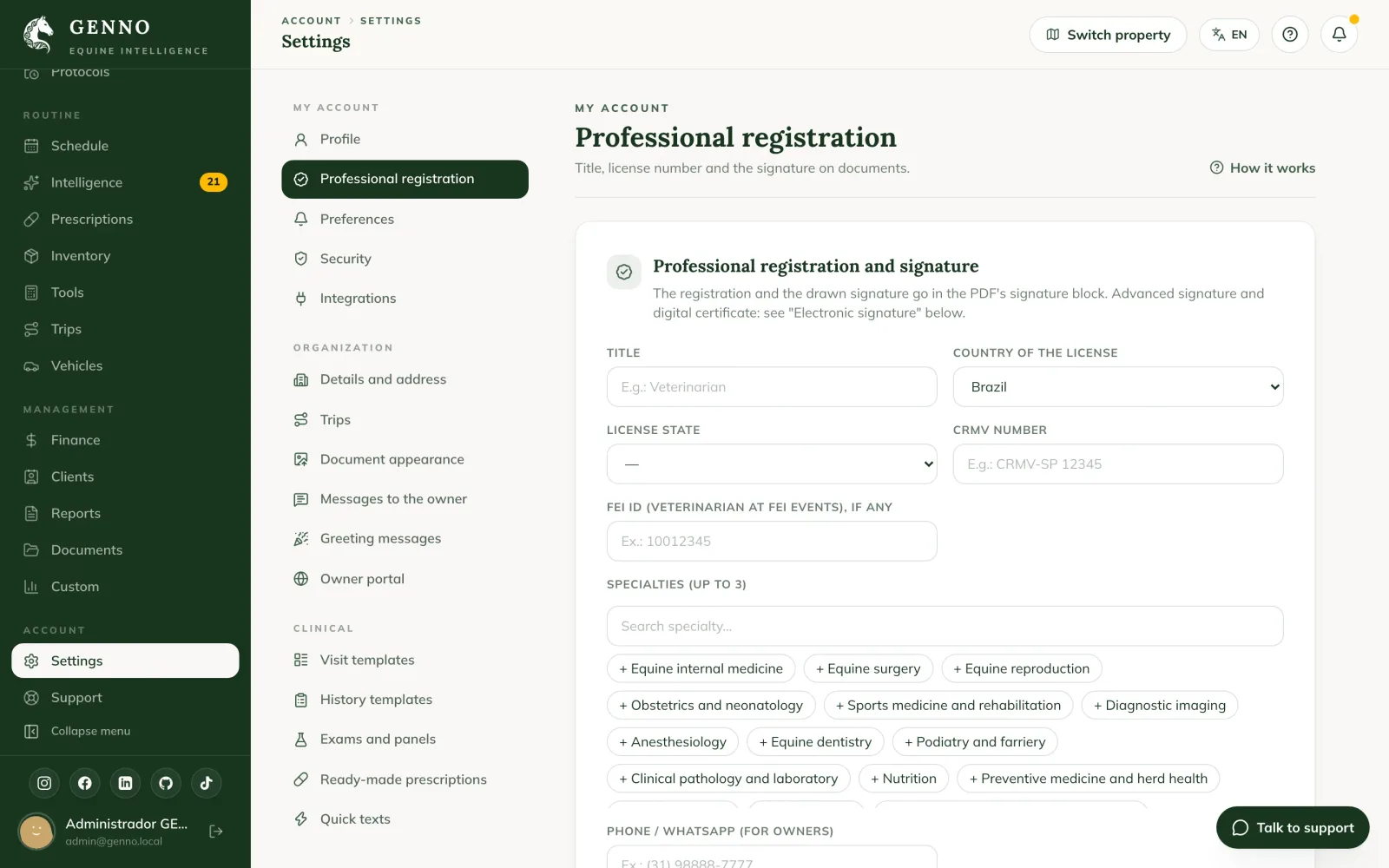
Without the license, GENNO won't let you sign reports: Add your professional registration in the profile to sign. appears. The advanced electronic signature and the one with a digital certificate are on the card just below. See how to set up the electronic signature.
In the app
- In More, tap My Profile.
- Tap the photo (Tap to change the photo), if you want to change it.
- Change the Name or the Email.
- To change the password, fill in New Password. Leave it blank to keep the same one.
- Tap Save Changes.
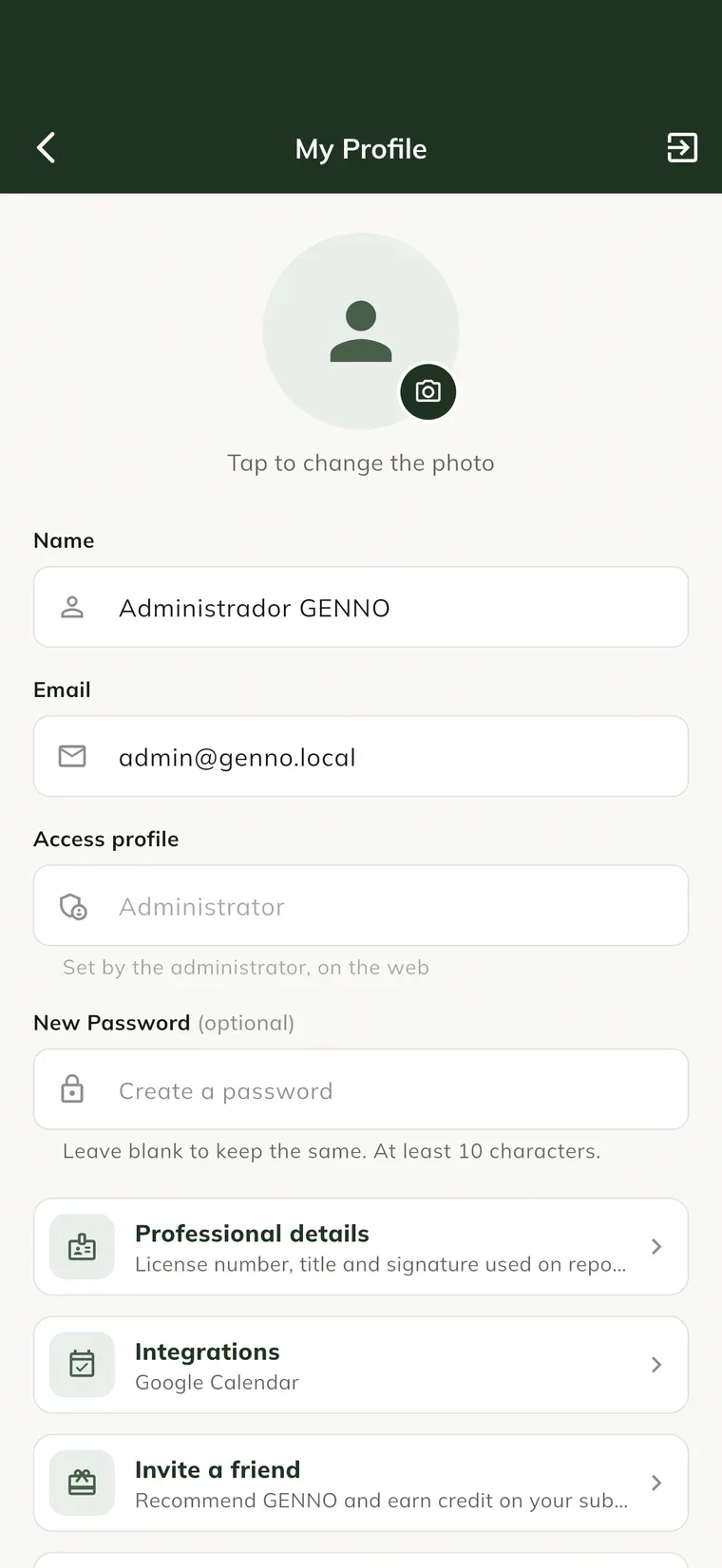
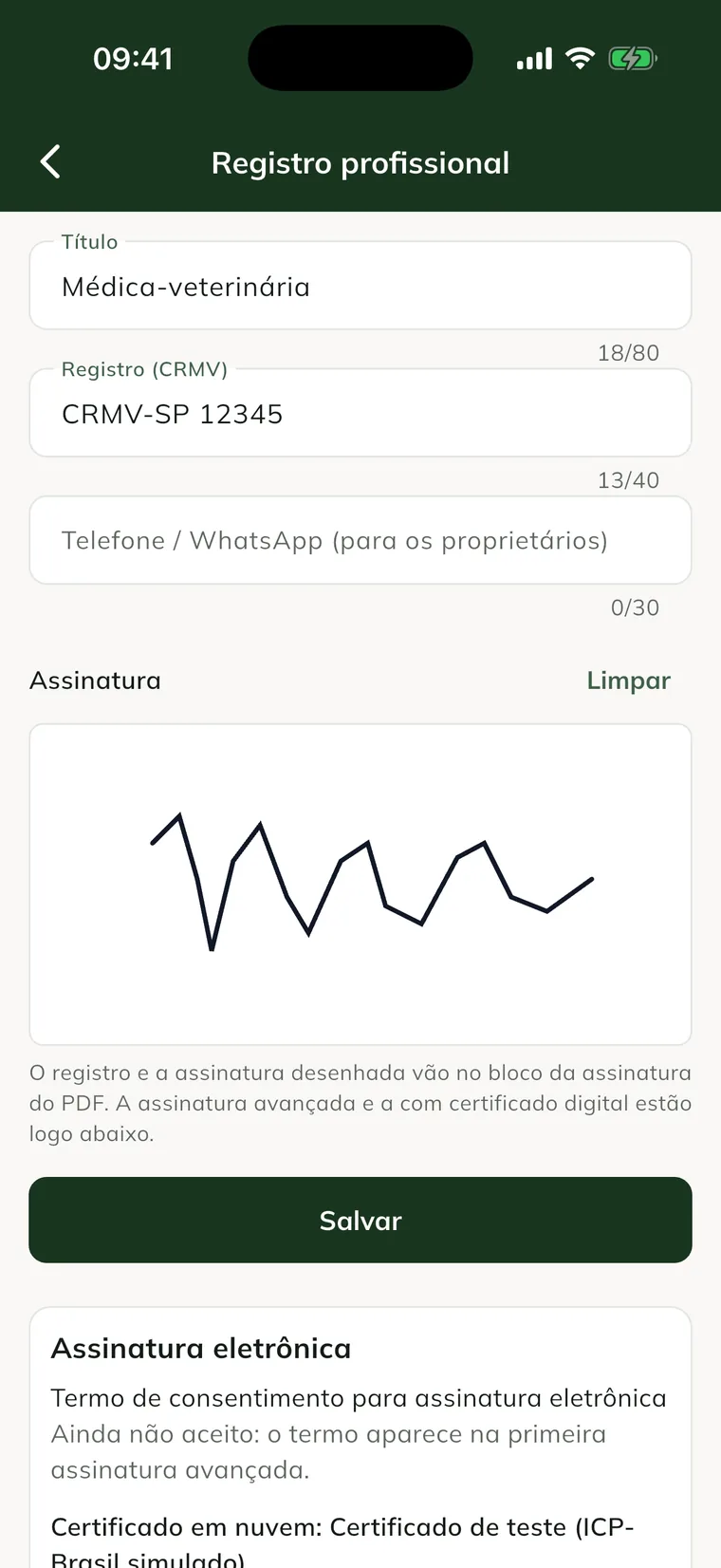
Tap Professional details to open the Professional registration: Title, License state, License (CRMV), Specialty, phone and Signature, drawn with your finger. Tap Save.
Password changes are made in the app. The profile needs internet to save.
On the web, the password changes in Settings › My account › Security, which also has two-factor authentication.
Common problems
"Add your professional registration in the profile to sign." appeared. Fill in the License (CRMV) and save the record.
I changed my email and can't sign in. After changing it, sign in with the new email and the same password.
The access profile appears as "Set by the administrator, on the web". Only the administrator changes the access profile, in Settings › Team and access › Users.
Next steps

Didn’t this article solve it?
Talk to the GENNO team. Tell us what you were doing and, if you can, send a screenshot.